Compare commits
| Author | SHA1 | Date | |
|---|---|---|---|
 ohif-bot ohif-bot
|
17447baf44 | ||
|
Igor Octaviano
|
daa3ddccdb | ||
|
Danny Brown
|
29bac8df7a | ||
|
Danny Brown
|
319c67c389 | ||
|
Danny Brown
|
b9836f6c71 | ||
|
Danny Brown
|
6a6e2d7df3 | ||
|
Danny Brown
|
2f8c408ed2 | ||
|
Danny Brown
|
27910239e0 | ||
|
ohif-bot
|
719bfd02eb | ||
|
dannyrb
|
994818faeb | ||
|
dannyrb
|
f06ef53e83 | ||
|
ohif-bot
|
c7008621e4 | ||
|
Igor Octaviano
|
55a580659e | ||
|
dannyrb
|
fd7620ced9 | ||
|
dannyrb
|
cd1cbf0f85 | ||
|
dannyrb
|
08055398de | ||
|
dannyrb
|
f6db7fade6 | ||
|
dannyrb
|
58d2bf1d12 | ||
|
dannyrb
|
87f5eca659 | ||
|
dannyrb
|
922ba8cc42 | ||
|
dannyrb
|
777ff88f3d | ||
|
dannyrb
|
68858db4b6 | ||
|
dannyrb
|
ab106afae3 | ||
|
dannyrb
|
ac69b0a656 | ||
|
dannyrb
|
8edba24eec | ||
|
dannyrb
|
aae232fc3e | ||
|
ohif-bot
|
8fad8ceb80 | ||
|
dannyrb
|
f00f48da2b | ||
|
dannyrb
|
076b89ef83 | ||
|
dannyrb
|
4920b527d1 | ||
|
dannyrb
|
482041f053 | ||
|
dannyrb
|
674edf85f0 | ||
|
dannyrb
|
33a1a465ea | ||
|
ohif-bot
|
6e04de30b6 | ||
|
dannyrb
|
19117167ac | ||
|
dannyrb
|
22e3c5d953 | ||
|
dannyrb
|
9a34877be4 | ||
|
dannyrb
|
b1b66429b6 | ||
|
ohif-bot
|
78e522fbf6 | ||
|
dannyrb
|
830cb82965 | ||
|
dannyrb
|
9a71edda6a | ||
|
dannyrb
|
7a8ae23839 | ||
|
dannyrb
|
6873c4f065 | ||
|
dannyrb
|
6ea16eccd9 | ||
|
dannyrb
|
ff381c6521 | ||
|
dannyrb
|
26cd695b8b | ||
|
dannyrb
|
a4f1b2195c | ||
|
dannyrb
|
c8df17b032 | ||
|
ohif-bot
|
f1a4c09b74 | ||
|
Danny Brown
|
02572b4928 | ||
|
dannyrb
|
fd1d29820a | ||
|
dannyrb
|
6c63a917d3 | ||
|
dannyrb
|
caa6062c41 | ||
|
Danny Brown
|
7f9743a020 | ||
|
Danny Brown
|
a2c4161477 | ||
|
Danny Brown
|
42cfce60f5 | ||
|
Danny Brown
|
244949bab6 | ||
|
ohif-bot
|
e87ec7b7f5 | ||
|
Danny Brown
|
d98889f1eb | ||
|
ohif-bot
|
817d43ee62 | ||
|
Igor Octaviano
|
f396b30166 | ||
|
ohif-bot
|
0bb3eeb068 | ||
|
Rodrigo Antinarelli
|
1df21a9e07 | ||
|
ohif-bot
|
fd1a9e2abe | ||
|
Egor Lezhnin
|
e34a057263 | ||
|
ohif-bot
|
27e02825a4 | ||
|
Igor Octaviano
|
8fd3af1e13 | ||
|
ohif-bot
|
1334ba8eb0 | ||
|
Danny Brown
|
a870b3cc60 | ||
|
ohif-bot
|
52687a7113 | ||
|
Mirna Silva
|
421de23ba3 | ||
|
ohif-bot
|
adc8d9ea0f | ||
|
Igor Octaviano
|
f65639c2b0 | ||
|
Danny Brown
|
cdd75bda2a | ||
|
Danny Brown
|
d92fe44d3c | ||
|
Danny Brown
|
d90c2ac024 | ||
|
Danny Brown
|
7ce5e1d2d3 | ||
|
Danny Brown
|
a3bf47f9bf | ||
|
Danny Brown
|
81f79a26ad | ||
|
Danny Brown
|
60b4b5d7cf | ||
|
Danny Brown
|
69c54d4f49 | ||
|
Danny Brown
|
0f8868a232 | ||
|
Danny Brown
|
1bbfee4087 | ||
|
ohif-bot
|
33c7b59611 | ||
|
ladeirarodolfo
|
b17f753e62 | ||
|
Danny Brown
|
c77a2ef5c9 | ||
|
Danny Brown
|
348edd4717 | ||
|
Danny Brown
|
407060658a | ||
|
Danny Brown
|
fc00f9d505 | ||
|
Danny Brown
|
bc3d080672 | ||
|
Danny Brown
|
09353354c3 |
No files matched your search
@@ -2,7 +2,7 @@
|
||||
name: "\U0001F41B Bug report"
|
||||
about: Create a report to help us improve
|
||||
title: ''
|
||||
labels: 'Community: Report :bug:'
|
||||
labels: 'Community: Report :bug:, Awaiting Reproduction, Triage :white_flag:'
|
||||
assignees: ''
|
||||
---
|
||||
|
||||
|
||||
@@ -2,7 +2,7 @@
|
||||
name: "\U0001F680 Feature request"
|
||||
about: Suggest an idea for this project
|
||||
title: ''
|
||||
labels: 'Community: Request :hand:'
|
||||
labels: 'Community: Request :hand:, Triage :white_flag:'
|
||||
assignees: ''
|
||||
---
|
||||
|
||||
|
||||
@@ -2,7 +2,7 @@
|
||||
name: "\U0001F917 Support Question"
|
||||
about: "I have a question \U0001F4AC"
|
||||
title: ''
|
||||
labels: 'Community: Question :question:'
|
||||
labels: 'Community: Question :question:, Triage :white_flag:'
|
||||
assignees: ''
|
||||
---
|
||||
|
||||
|
||||
@@ -1,29 +0,0 @@
|
||||
### Request Checklist
|
||||
|
||||
- [] Brief description of changes
|
||||
- [] Links to any relevant issues
|
||||
- [] Required status checks are passing
|
||||
- [] `@mention` a maintainer to request a review
|
||||
|
||||
#### Special
|
||||
|
||||
> If this PR is not on a branch for this repo, it is "untrusted" and does not
|
||||
> have access to env vars. Reviewers can kick off a trusted docker deploy by:
|
||||
>
|
||||
> 1. Verifying there are no malicious changes to CI build
|
||||
> 2. Using the [git-push-fork-to-upstream-branch][script] script
|
||||
> 3. Executing the manual approval step in the CI workflow
|
||||
|
||||
- [] Request docker publish of PR
|
||||
|
||||
_Want to improve this process? Consider PR'ing the ability for reviewers to add
|
||||
a label to trigger this process._
|
||||
|
||||
<!--
|
||||
Links
|
||||
-->
|
||||
|
||||
<!-- prettier-ignore-start -->
|
||||
[blog]: https://circleci.com/blog/triggering-trusted-ci-jobs-on-untrusted-forks/
|
||||
[script]: https://github.com/jklukas/git-push-fork-to-upstream-branch
|
||||
<!-- prettier-ignore-end -->
|
||||
@@ -0,0 +1,16 @@
|
||||
### PR Checklist
|
||||
|
||||
- [ ] Brief description of changes
|
||||
- [ ] Links to any relevant issues
|
||||
- [ ] Required status checks are passing
|
||||
- [ ] User cases if changes impact the user's experience
|
||||
- [ ] `@mention` a maintainer to request a review
|
||||
|
||||
<!--
|
||||
Links
|
||||
-->
|
||||
|
||||
<!-- prettier-ignore-start -->
|
||||
[blog]: https://circleci.com/blog/triggering-trusted-ci-jobs-on-untrusted-forks/
|
||||
[script]: https://github.com/jklukas/git-push-fork-to-upstream-branch
|
||||
<!-- prettier-ignore-end -->
|
||||
@@ -9,13 +9,13 @@ daysUntilClose: 7
|
||||
exemptLabels:
|
||||
- 'Story :raised_hands:'
|
||||
- 'Bug: Verified :bug:'
|
||||
- 'Task: CI/Tooling 🤖'
|
||||
- 'Task: CI/Tooling :robot:'
|
||||
- 'Task: Docs 📖'
|
||||
- 'Task: Docs :book:'
|
||||
- 'Task: Refactor 🛠'
|
||||
- 'Task: Tests :microscope:'
|
||||
- 'PR: Awaiting Review 👀'
|
||||
- 'Triage 🏳️'
|
||||
- 'Triage :white_flag:'
|
||||
- 'Announcement 🎉'
|
||||
# Label to use when marking an issue as stale
|
||||
staleLabel: 'Stale :baguette_bread:'
|
||||
|
||||
@@ -0,0 +1,76 @@
|
||||
# Contributor Covenant Code of Conduct
|
||||
|
||||
## Our Pledge
|
||||
|
||||
In the interest of fostering an open and welcoming environment, we as
|
||||
contributors and maintainers pledge to making participation in our project and
|
||||
our community a harassment-free experience for everyone, regardless of age, body
|
||||
size, disability, ethnicity, sex characteristics, gender identity and expression,
|
||||
level of experience, education, socio-economic status, nationality, personal
|
||||
appearance, race, religion, or sexual identity and orientation.
|
||||
|
||||
## Our Standards
|
||||
|
||||
Examples of behavior that contributes to creating a positive environment
|
||||
include:
|
||||
|
||||
* Using welcoming and inclusive language
|
||||
* Being respectful of differing viewpoints and experiences
|
||||
* Gracefully accepting constructive criticism
|
||||
* Focusing on what is best for the community
|
||||
* Showing empathy towards other community members
|
||||
|
||||
Examples of unacceptable behavior by participants include:
|
||||
|
||||
* The use of sexualized language or imagery and unwelcome sexual attention or
|
||||
advances
|
||||
* Trolling, insulting/derogatory comments, and personal or political attacks
|
||||
* Public or private harassment
|
||||
* Publishing others' private information, such as a physical or electronic
|
||||
address, without explicit permission
|
||||
* Other conduct which could reasonably be considered inappropriate in a
|
||||
professional setting
|
||||
|
||||
## Our Responsibilities
|
||||
|
||||
Project maintainers are responsible for clarifying the standards of acceptable
|
||||
behavior and are expected to take appropriate and fair corrective action in
|
||||
response to any instances of unacceptable behavior.
|
||||
|
||||
Project maintainers have the right and responsibility to remove, edit, or
|
||||
reject comments, commits, code, wiki edits, issues, and other contributions
|
||||
that are not aligned to this Code of Conduct, or to ban temporarily or
|
||||
permanently any contributor for other behaviors that they deem inappropriate,
|
||||
threatening, offensive, or harmful.
|
||||
|
||||
## Scope
|
||||
|
||||
This Code of Conduct applies both within project spaces and in public spaces
|
||||
when an individual is representing the project or its community. Examples of
|
||||
representing a project or community include using an official project e-mail
|
||||
address, posting via an official social media account, or acting as an appointed
|
||||
representative at an online or offline event. Representation of a project may be
|
||||
further defined and clarified by project maintainers.
|
||||
|
||||
## Enforcement
|
||||
|
||||
Instances of abusive, harassing, or otherwise unacceptable behavior may be
|
||||
reported by contacting the project team at danny.ri.brown+OHIFcoc@gmail.com. All
|
||||
complaints will be reviewed and investigated and will result in a response that
|
||||
is deemed necessary and appropriate to the circumstances. The project team is
|
||||
obligated to maintain confidentiality with regard to the reporter of an incident.
|
||||
Further details of specific enforcement policies may be posted separately.
|
||||
|
||||
Project maintainers who do not follow or enforce the Code of Conduct in good
|
||||
faith may face temporary or permanent repercussions as determined by other
|
||||
members of the project's leadership.
|
||||
|
||||
## Attribution
|
||||
|
||||
This Code of Conduct is adapted from the [Contributor Covenant][homepage], version 1.4,
|
||||
available at https://www.contributor-covenant.org/version/1/4/code-of-conduct.html
|
||||
|
||||
[homepage]: https://www.contributor-covenant.org
|
||||
|
||||
For answers to common questions about this code of conduct, see
|
||||
https://www.contributor-covenant.org/faq
|
||||
@@ -0,0 +1 @@
|
||||
See our contributing guidelines at [`https://docs.ohif.org`](https://docs.ohif.org/development/contributing.html)
|
||||
@@ -84,7 +84,7 @@ We offer support through
|
||||
|
||||
For commercial support, academic collaberations, and answers to common
|
||||
questions; please read our
|
||||
[documented FAQ](https://docs.ohif.org/frequently-asked-questions.html#does-ohif-offer-commercial-support).
|
||||
[documented FAQ](https://docs.ohif.org/faq/index.html#does-ohif-offer-commercial-support).
|
||||
|
||||
## Quick Start Deployment
|
||||
|
||||
@@ -271,8 +271,8 @@ MIT © [OHIF](https://github.com/OHIF)
|
||||
<!-- Badges -->
|
||||
[lerna-image]: https://img.shields.io/badge/maintained%20with-lerna-cc00ff.svg
|
||||
[lerna-url]: https://lerna.js.org/
|
||||
[netlify-image]: https://api.netlify.com/api/v1/badges/a5d369ab-18a6-41c3-bcde-83805205ac7f/deploy-status
|
||||
[netlify-url]: https://app.netlify.com/sites/ohif/deploys
|
||||
[netlify-image]: https://api.netlify.com/api/v1/badges/32708787-c9b0-4634-b50f-7ca41952da77/deploy-status
|
||||
[netlify-url]: https://app.netlify.com/sites/ohif-dev/deploys
|
||||
[all-contributors-image]: https://img.shields.io/badge/all_contributors-0-orange.svg?style=flat-square
|
||||
[circleci-image]: https://circleci.com/gh/OHIF/Viewers.svg?style=svg
|
||||
[circleci-url]: https://circleci.com/gh/OHIF/Viewers
|
||||
@@ -296,14 +296,14 @@ MIT © [OHIF](https://github.com/OHIF)
|
||||
[monorepo]: https://en.wikipedia.org/wiki/Monorepo
|
||||
[how-to-fork]: https://help.github.com/en/articles/fork-a-repo
|
||||
[how-to-clone]: https://help.github.com/en/articles/fork-a-repo#step-2-create-a-local-clone-of-your-fork
|
||||
[ohif-architecture]: https://docs.ohif.org/advanced/architecture.html
|
||||
[ohif-extensions]: https://docs.ohif.org/advanced/architecture.html
|
||||
[ohif-architecture]: https://docs.ohif.org/architecture/index.html
|
||||
[ohif-extensions]: https://docs.ohif.org/architecture/index.html
|
||||
[deployment-docs]: https://docs.ohif.org/deployment/
|
||||
[react-url]: https://reactjs.org/
|
||||
[pwa-url]: https://developers.google.com/web/progressive-web-apps/
|
||||
[ohif-viewer-url]: https://www.npmjs.com/package/@ohif/viewer
|
||||
[configuration-url]: https://docs.ohif.org/essentials/configuration.html
|
||||
[extensions-url]: https://docs.ohif.org/advanced/extensions.html
|
||||
[configuration-url]: https://docs.ohif.org/configuring/
|
||||
[extensions-url]: https://docs.ohif.org/extensions/
|
||||
<!-- Platform -->
|
||||
[platform-core]: platform/core/README.md
|
||||
[core-npm]: https://www.npmjs.com/package/@ohif/core
|
||||
@@ -326,5 +326,4 @@ MIT © [OHIF](https://github.com/OHIF)
|
||||
[vtk-npm]: https://www.npmjs.com/package/@ohif/extension-vtk
|
||||
<!-- prettier-ignore-end -->
|
||||
|
||||
|
||||
[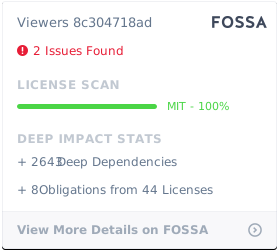](https://app.fossa.io/projects/git%2Bgithub.com%2FOHIF%2FViewers?ref=badge_large)
|
||||
[](https://app.fossa.io/projects/git%2Bgithub.com%2FOHIF%2FViewers?ref=badge_large)
|
||||
@@ -38,9 +38,9 @@ our integration and extension points.
|
||||
Check out these helpful links:
|
||||
|
||||
- Ready to dive into some code? Check out our
|
||||
[Getting Started Guide](./essentials/getting-started.md).
|
||||
[Getting Started Guide](./development/getting-started.md).
|
||||
- We're an active, vibrant community.
|
||||
[Learn how you can be more involved.](./contributing/index.md)
|
||||
[Learn how you can be more involved.](./development/contributing.md)
|
||||
- Feeling lost? Read our [help page](./help.md).
|
||||
|
||||
<!--
|
||||
|
||||
@@ -1,31 +1,41 @@
|
||||
# OHIF Viewers
|
||||
|
||||
- Essentials
|
||||
- [Getting Started](essentials/getting-started.md)
|
||||
- [Installation](essentials/installation.md)
|
||||
- [Data Source](essentials/data-source.md)
|
||||
- [Configuration](essentials/configuration.md)
|
||||
- [Themeing](essentials/themeing.md)
|
||||
- [Translating](essentials/translating.md)
|
||||
- [Troubleshooting](essentials/troubleshooting.md)
|
||||
- [Scope of Project](essentials/scope-of-project.md)
|
||||
- [Our Process](our-process.md)
|
||||
- [Quick Start](quick-start.md)
|
||||
- Development
|
||||
- [Getting Started](development/getting-started.md)
|
||||
- [Contributing](development/contributing.md)
|
||||
- [Continuous Integration](development/continous-integration.md)
|
||||
- [Configuring](configuring/index.md)
|
||||
- [Data Source](configuring/data-source.md)
|
||||
|
||||
---
|
||||
|
||||
- [Advanced](advanced/index.md)
|
||||
- [Architecture](advanced/architecture.md)
|
||||
- [Overview](advanced/architecture.md#overview)
|
||||
- [Business Logic](advanced/architecture.md#business-logic)
|
||||
- [Component Library](advanced/architecture.md#react-component-library)
|
||||
- [Extensions](advanced/architecture.md#misc-extensions)
|
||||
- [Diagram](advanced/architecture.md#diagram)
|
||||
- [Common Questions](advanced/architecture.md#common-questions)
|
||||
- [Extensions](advanced/extensions.md)
|
||||
- [Overview](advanced/extensions.md#overview)
|
||||
- [Modules](advanced/extensions.md#modules)
|
||||
- [Registering](advanced/extensions.md#registering-extensions)
|
||||
- [OHIF Maintained](advanced/extensions.md#ohif-maintained-extensions)
|
||||
- [Custom Tools](advanced/custom-tools.md)
|
||||
- [Architecture](architecture/index.md)
|
||||
- [Viewer](viewer/index.md)
|
||||
- [Configuration](viewer/configuration.md)
|
||||
- [Themeing](viewer/themeing.md)
|
||||
- [Internationalization](viewer/internationalization.md)
|
||||
- [Extensions](extensions/index.md)
|
||||
- [Registering](extensions/index.md#registering-an-extension)
|
||||
- [Lifecycle Hooks](extensions/index.md#lifecycle-hooks)
|
||||
- [preRegistration](extensions/lifecycle/pre-registration.md)
|
||||
- [Modules](extensions/index.md#modules)
|
||||
- [Commands](extensions/modules/commands.md)
|
||||
- [Panel](extensions/modules/panel.md)
|
||||
- [SOP Class Handler](extensions/modules/sop-class-handler.md)
|
||||
- [Toolbar](extensions/modules/toolbar.md)
|
||||
- [Viewport](extensions/modules/viewport.md)
|
||||
- [Contexts](extensions/index.md#contexts)
|
||||
- [ExtensionManager](extensions/index.md#extensionmanager)
|
||||
- [OHIF Maintained](extensions/index.md#maintained-extensions)
|
||||
- [Services](services/index.md)
|
||||
- [Default](services/default/index.md)
|
||||
- [Measurements](services/default/measurements.md)
|
||||
- [UI](services/ui/index.md)
|
||||
- [Dialog Service](services/ui/ui-dialog-service.md)
|
||||
- [Modal Service](services/ui/ui-modal-service.md)
|
||||
- [Notification Service](services/ui/ui-notification-service.md)
|
||||
|
||||
---
|
||||
|
||||
@@ -45,8 +55,8 @@
|
||||
|
||||
---
|
||||
|
||||
- [FAQ](frequently-asked-questions.md)
|
||||
- [Contributing](contributing/index.md)
|
||||
- [Continuous Integration](continous-integration.md)
|
||||
- [Browser Support](browser-support.md)
|
||||
- [FAQ](faq/index.md)
|
||||
- [Scope of Project](faq/scope-of-project.md)
|
||||
- [Browser Support](faq/browser-support.md)
|
||||
- [PWA vs Packaged](faq/pwa-vs-packaged.md)
|
||||
- [Help](help.md)
|
||||
@@ -1,8 +0,0 @@
|
||||
# Tool Management
|
||||
|
||||
This is not yet exposed in an easy/convenient way. Most tools are currently
|
||||
added by creating new Viewport, Toolbar, and SOPInstanceHandler extension
|
||||
modules. You can read more about that approach in [extensions](./extensions.md).
|
||||
|
||||
In the near future, we intend to improve the extensibility of tools for existing
|
||||
Viewports (like our Cornerstone.js and VTK.js viewports).
|
||||
@@ -1,263 +0,0 @@
|
||||
# Extensions
|
||||
|
||||
Extensions add new functionality to the viewer by registering one or more
|
||||
modules. They go one step further than configuration in that they allow us to
|
||||
inject custom React components, so long as they adhere to the module's
|
||||
interface. This can be something as simple as adding a new button to the
|
||||
toolbar, or as complex as a new viewport capable of rendering volumes in 3D.
|
||||
|
||||
- [Overview](#overview)
|
||||
- [Modules](#modules)
|
||||
- [Commands](#commands)
|
||||
- [Hotkeys](#hotkeys)
|
||||
- [Toolbar](#toolbar)
|
||||
- [Panel](#panel)
|
||||
- [Viewport](#viewport)
|
||||
- [SOP Class Handler](#sopclasshandler)
|
||||
|
||||
## Overview
|
||||
|
||||
At a glance, an extension is a javascript object that has an `id` property, and
|
||||
one or more "module" methods. You can find an abbreviated extension below, or
|
||||
[view the source][example-ext-src] of our example extension.
|
||||
|
||||
```js
|
||||
export default {
|
||||
/**
|
||||
* Only required property. Should be a unique value across all extensions.
|
||||
*/
|
||||
id: 'example-extension',
|
||||
|
||||
/**
|
||||
* Registers one or more named commands scoped to a context. Commands are
|
||||
* the primary means for...
|
||||
*/
|
||||
getCommandsModule() {
|
||||
return {
|
||||
defaultContext: 'VIEWER'
|
||||
actions: { ... },
|
||||
definitions: { ... }
|
||||
}
|
||||
},
|
||||
|
||||
/**
|
||||
* Allows you to provide toolbar definitions that will be merged with any
|
||||
* existing application toolbar configuration. Used to determine which
|
||||
* buttons should be visible when, their order, what happens when they're
|
||||
* clicked, etc.
|
||||
*/
|
||||
getToolbarModule() {
|
||||
return {
|
||||
definitions: [ ... ],
|
||||
defaultContext: 'ACTIVE_VIEWPORT::CORNERSTONE'
|
||||
}
|
||||
}
|
||||
|
||||
/**
|
||||
* Not yet implemented
|
||||
*/
|
||||
getPanelModule: () => null,
|
||||
|
||||
/**
|
||||
* Registers a ReactComponent that should be used to render data in a
|
||||
* Viewport. The first registered viewport is our "default viewport". If
|
||||
* more than one viewport is registered, we use `SopClassHandlers` to
|
||||
* determine which viewport should be used.
|
||||
*/
|
||||
getViewportModule: () => reactViewportComponent,
|
||||
|
||||
/** Provides a whitelist of SOPClassUIDs the viewport is capable of rendering.
|
||||
* Can modify default behavior for methods like `getDisplaySetFromSeries` */
|
||||
getSopClassHandler: () => {
|
||||
id: 'some-other-unique-id',
|
||||
sopClassUids: [ ... ],
|
||||
getDisplaySetFromSeries: (series, study, dicomWebClient, authorizationHeaders) => { ... }
|
||||
},
|
||||
}
|
||||
```
|
||||
|
||||
### Modules
|
||||
|
||||
There are a few different module types. Each module type allows us to extend the
|
||||
viewer in a different way, and provides a consistent API for us to do so. You
|
||||
can find a full list of the different types of modules
|
||||
[`in ohif-core`][module-types]. Information on each type of module, it's API,
|
||||
and how we determine when/where it should be used is included below.
|
||||
|
||||
> NOTE: Modifying the extensions/modules registered to the OHIF Viewer currently
|
||||
> requires us to import and pass extensions to the ExtensionManager in
|
||||
> `src/App.js`, then rebuild the application. Long-term, we intend to make it
|
||||
> possible to accomplish this without a build step.
|
||||
|
||||
#### Commands
|
||||
|
||||
The Commands Module allows us to register one or more commands scoped to
|
||||
specific contexts. Commands can be run by [hotkeys][#], [toolbar buttons][#],
|
||||
and any registered custom react component (like a [viewport][#] or [panel][#]).
|
||||
Here is a simple example commands module:
|
||||
|
||||
```js
|
||||
{
|
||||
getCommandsModule() {
|
||||
return {
|
||||
actions: {
|
||||
speak: ({ viewports, words }) => {
|
||||
console.log(viewports, words);
|
||||
},
|
||||
},
|
||||
definitions: {
|
||||
rotateViewportCW: {
|
||||
commandFn: actions.rotateViewport,
|
||||
storeContexts: ['viewports'],
|
||||
options: { rotation: 90 }
|
||||
},
|
||||
rotateViewportCCW: {
|
||||
commandFn: actions.rotateViewport,
|
||||
storeContexts: ['viewports'],
|
||||
options: { rotation: -90 },
|
||||
context: 'ACTIVE_VIEWER::CORNERSTONE'
|
||||
},
|
||||
},
|
||||
defaultContext: 'VIEWER'
|
||||
}
|
||||
}
|
||||
}
|
||||
```
|
||||
|
||||
#### Viewport
|
||||
|
||||
An extension can register a Viewport Module by providing a `getViewportModule()`
|
||||
method that returns a React Component. The React component will receive the
|
||||
following props:
|
||||
|
||||
```js
|
||||
children: PropTypes.arrayOf(PropTypes.element)
|
||||
studies: PropTypes.object,
|
||||
displaySet: PropTypes.object,
|
||||
viewportData: PropTypes.object, // { studies, displaySet }
|
||||
viewportIndex: PropTypes.number,
|
||||
children: PropTypes.node,
|
||||
customProps: PropTypes.object
|
||||
```
|
||||
|
||||
Viewport components are managed by the `ViewportGrid` Component. Which Viewport
|
||||
component is used depends on:
|
||||
|
||||
- The Layout Configuration
|
||||
- Registered SopClassHandlers
|
||||
- The SopClassUID for visible/selected datasets
|
||||
|
||||

|
||||
|
||||
<center><i>An example of three Viewports</i></center>
|
||||
|
||||
For a complete example implementation,
|
||||
[check out the OHIFCornerstoneViewport](https://github.com/OHIF/Viewers/blob/master/extensions/cornerstone/src/OHIFCornerstoneViewport.js).
|
||||
|
||||
#### Toolbar
|
||||
|
||||
An extension can register a Toolbar Module by providing a `getToolbarModule()`
|
||||
method that returns a React Component. The component does not receive any props.
|
||||
If you want to modify or react to state, you will need to connect to the redux
|
||||
store. The given toolbar must determine its set of elements and the context of
|
||||
them. The set of elements will be listed on toolbar `definitions`.
|
||||
|
||||

|
||||
|
||||
<center><i>A toolbar extension example</i></center>
|
||||
|
||||
Toolbar components are rendered in the `ToolbarRow` component.
|
||||
|
||||
For a complete example implementation,
|
||||
[check out the OHIFCornerstoneViewport's Toolbar Module](https://github.com/OHIF/Viewers/blob/master/extensions/cornerstone/src/toolbarModule.js).
|
||||
|
||||
##### Toolbar Custom Component
|
||||
|
||||
Toolbar elements can define its own custom react component to be consumed when
|
||||
rendering it. So far, it accepts `Functional` and `Class` Components. For that,
|
||||
you just need to expose your `CustomToolbarComponent` as the value of key
|
||||
`CustomComponent`. In case the property `CustomComponent` is not present, a
|
||||
default toolbar component will be used to render it. See bellow
|
||||
|
||||
```js
|
||||
definitions: [
|
||||
...
|
||||
{
|
||||
id: 'Custom',
|
||||
label: 'Custom',
|
||||
icon: 'custom-icon',
|
||||
CustomComponent: CustomToolbarComponent,
|
||||
}
|
||||
...
|
||||
]
|
||||
|
||||
```
|
||||
|
||||
`CustomComponent` components will receive the following props:
|
||||
|
||||
- parentContext: parent context. (In most of the cases it will be a ToolbarRow
|
||||
instance)
|
||||
- toolbarClickCallback: callback method when clicking on toolbar
|
||||
- button: its own definition object
|
||||
- key: react key prop
|
||||
- activeButtons: list of active elements
|
||||
- isActive: if current
|
||||
|
||||
#### SopClassHandler
|
||||
|
||||
...
|
||||
|
||||
#### Panel
|
||||
|
||||
> The panel module is not yet in use.
|
||||
|
||||
#### Hotkeys
|
||||
|
||||
...
|
||||
|
||||
### Registering Extensions
|
||||
|
||||
Extensions are registered for the application at startup. The
|
||||
`ExtensionManager`, exposed by `ohif-core`, registers a list of extensions with
|
||||
our application's store. Each module provided by the extension becomes available
|
||||
via `state.plugins.availablePlugins`, and consists of three parts: id, type
|
||||
([PLUGIN_TYPE](https://github.com/OHIF/ohif-core/blob/43c08a29eff3fb646a0e83a03a236ddd84f4a6e8/src/plugins.js#L1-L6)),
|
||||
and the return value of the module method.
|
||||
|
||||
In a future version, we will likely expose a way to provide the extensions you
|
||||
would like included at startup.
|
||||
|
||||
_app.js_
|
||||
|
||||
```js
|
||||
import { createStore, combineReducers } from 'redux';
|
||||
import OHIF from '@ohif/core';
|
||||
import OHIFCornerstoneExtension from 'ohif-cornerstone-extension';
|
||||
|
||||
const combined = combineReducers(OHIF.redux.reducers);
|
||||
const store = createStore(combined);
|
||||
const extensions = [new OHIFCornerstoneExtension()];
|
||||
|
||||
// Dispatches the `addPlugin` action to the store
|
||||
// Adding extension modules to `state.plugins.availablePlugins`
|
||||
ExtensionManager.registerExtensions(store, extensions);
|
||||
```
|
||||
|
||||
## OHIF Maintained Extensions
|
||||
|
||||
A small number of powerful extensions for popular use cases are maintained by
|
||||
OHIF. They're co-located in the
|
||||
[`OHIF/Viewers`](https://github.com/OHIF/Viewers) repository, in the top level
|
||||
[`extensions/`](https://github.com/OHIF/Viewers/tree/master/extensions)
|
||||
directory.
|
||||
|
||||
{% include "./_maintained-extensions-table.md" %}
|
||||
|
||||
<!--
|
||||
Links
|
||||
-->
|
||||
|
||||
<!-- prettier-ignore-start -->
|
||||
[example-ext-src]: https://github.com/OHIF/Viewers/tree/master/extensions/_example/src
|
||||
[module-types]: https://github.com/OHIF/Viewers/blob/master/platform/core/src/extensions/MODULE_TYPES.js
|
||||
<!-- prettier-ignore-end -->
|
||||
@@ -1,3 +0,0 @@
|
||||
# Advanced
|
||||
|
||||
Advanced topics go beyond basic configuration and deployment. Their goal is to provide insight into this project's architecture and guidance on leveraging extensions.
|
||||
@@ -1,23 +0,0 @@
|
||||
# MonoRepos: A Crash Course
|
||||
|
||||
- [Lerna][lerna]
|
||||
|
||||
Solutions:
|
||||
|
||||
## Semantic-Release
|
||||
|
||||
- [Semantic-Release](https://github.com/semantic-release/semantic-release/issues/193#issuecomment-462063871)
|
||||
- [Multi-semantic-release](https://github.com/dhoulb/multi-semantic-release)
|
||||
- [semantic-release-monorepo](https://github.com/Updater/semantic-release-monorepo)
|
||||
|
||||
# Netlify
|
||||
|
||||
- https://community.netlify.com/t/best-practices-for-deploying-sites-from-monorepos/818
|
||||
|
||||
<!--
|
||||
Links
|
||||
-->
|
||||
|
||||
<!-- prettier-ignore-start -->
|
||||
[lerna]: https://github.com/lerna/lerna
|
||||
<!-- prettier-ignore-end -->
|
||||
@@ -10,6 +10,13 @@ allows our code to be used in more ways, it also increases complexity. Below, we
|
||||
aim to demistify that complexity by providing insight into how our Viewer is
|
||||
architected, and the role each of it's dependent libraries plays.
|
||||
|
||||
- [Overview](#overview)
|
||||
- [Business Logic](#business-logic)
|
||||
- [Component Library](#react-component-library)
|
||||
- [Internationalization](#internationalization-i18n)
|
||||
- [Extensions & Configuration](#extensions--configuration)
|
||||
- [Common Questions](#common-questions)
|
||||
|
||||
## Overview
|
||||
|
||||
The [OHIF Medical Image Viewing Platform][viewers-project] is maintained as a
|
||||
@@ -39,27 +46,47 @@ you'll see the following:
|
||||
└── README.md
|
||||
```
|
||||
|
||||
Continue reading to see how these libraries work together to create the OHIF
|
||||
Viewer.
|
||||
The `platform` directory contains the business logic library, component library,
|
||||
and the application library that combines them to create a powerful medical
|
||||
imaging viewer.
|
||||
|
||||
### Business Logic
|
||||
The `extensions` directory contains many packages that can be registered with
|
||||
`@ohif/core`'s `ExtensionManager` to expand an application's supported features
|
||||
and functionality.
|
||||
|
||||

|
||||
|
||||
<center><i>architecture diagram</i></center>
|
||||
|
||||
This diagram is a conceptual illustration of how the Viewer is architected.
|
||||
|
||||
1. (optional) `extensions` can be registered with `@ohif/core`'s
|
||||
`ExtensionManager`
|
||||
2. `@ohif/core` provides bussiness logic and a way for `@ohif/viewer` to access
|
||||
registered extensions
|
||||
3. The `@ohif/viewer` composes and provides data to components from our
|
||||
component library (`@ohif/ui`)
|
||||
4. The `@ohif/viewer` can be built and served as a stand-alone PWA, or as an
|
||||
embeddable package ([`@ohif/viewer`][viewer-npm])
|
||||
|
||||
## Business Logic
|
||||
|
||||
The [`@ohif/core`][core-github] project offers pre-packaged solutions for
|
||||
features common to Web-based medical imaging viewers. For example:
|
||||
|
||||
- Hotkeys
|
||||
- [Hotkeys](#)
|
||||
- DICOM Web requests
|
||||
- Hanging Protocols
|
||||
- Managing a study's measurements
|
||||
- [Managing a study's measurements](../services/default/measurements.md)
|
||||
- Managing a study's DICOM metadata
|
||||
- A flexible pattern for extensions
|
||||
- [A flexible pattern for extensions](../extensions/index.md)
|
||||
- And many others
|
||||
|
||||
It does this while remaining decoupled from any particular view library or
|
||||
rendering logic. While we use it to power our React Viewer, it can be used with
|
||||
Vue, React, Vanilla JS, or any number of other frameworks.
|
||||
|
||||
### React Component Library
|
||||
## React Component Library
|
||||
|
||||
[`@ohif/ui`][ui-github] is a React Component library that contains the reusable
|
||||
components that power the OHIF Viewer. It allows us to build, compose, and test
|
||||
@@ -72,15 +99,11 @@ application.
|
||||
|
||||
[Check out our component library!](https://react.ohif.org/)
|
||||
|
||||
### Internationalization (i18n)
|
||||
## Internationalization (i18n)
|
||||
|
||||
...
|
||||
|
||||
### The Viewer
|
||||
|
||||
...
|
||||
|
||||
### Extensions & Configuration
|
||||
## Extensions & Configuration
|
||||
|
||||
While OHIF maintains several high value and commonly requested features in its
|
||||
own extensions, there are many instances where one may wish to further extend
|
||||
@@ -94,33 +117,16 @@ the viewer. Some common use cases include:
|
||||
- Adding surgical templating tools and reports
|
||||
- and many others
|
||||
|
||||
We expose common integration points via [extensions](./extensions.md) to make
|
||||
this possible. The viewer and many of our own extensions also offer
|
||||
We expose common integration points via [extensions](../extensions/index.md) to
|
||||
make this possible. The viewer and many of our own extensions also offer
|
||||
[configuration][configuration]. For a list of extensions maintained by OHIF,
|
||||
[check out this helpful table](./extensions.html#ohif-maintained-extensions).
|
||||
[check out this helpful table](../extensions/index.mdl#maintained-extensions).
|
||||
|
||||
If you find yourself thinking "I wish the Viewer could do X", and you can't
|
||||
accomplish it with an extension today, create a GitHub issue! We're actively
|
||||
looking for ways to improve our extensibility ^\_^
|
||||
|
||||
[Click here to read more about extensions!](./extensions.md)
|
||||
|
||||
### Diagram
|
||||
|
||||
This diagram is a conceptual illustration of how the Viewer is architected.
|
||||
|
||||
1. (optional) `extensions` can be registered with `@ohif/core`'s extension
|
||||
manager
|
||||
2. `@ohif/core` provides bussiness logic and a way for `@ohif/viewer` to access
|
||||
registered extensions
|
||||
3. The `@ohif/viewer` composes and provides data to components from our
|
||||
component library (`@ohif/ui`)
|
||||
4. The `@ohif/viewer` can be built and served as a stand-alone PWA, or as an
|
||||
embeddable package ([`@ohif/viewer`][viewer-npm])
|
||||
|
||||

|
||||
|
||||
<center><i>architecture diagram</i></center>
|
||||
[Click here to read more about extensions!](../extensions/index.md)
|
||||
|
||||
## Common Questions
|
||||
|
||||
@@ -141,11 +147,12 @@ you would need to recreate.
|
||||
-->
|
||||
|
||||
<!-- prettier-ignore-start -->
|
||||
[monorepo]: #
|
||||
[viewers-project]: https://github.com/OHIF/Viewers
|
||||
[viewer-npm]: https://www.npmjs.com/package/@ohif/viewer
|
||||
[pwa]: https://developers.google.com/web/progressive-web-apps/
|
||||
[configuration]: ../essentials/configuration.md
|
||||
[extensions]: ./extensions.md
|
||||
[configuration]: ../configuring/index.md
|
||||
[extensions]: ../extensions/index.md
|
||||
[core-github]: https://github.com/OHIF/viewers/platform/core
|
||||
[ui-github]: https://github.com/OHIF/Viewers/platform/ui
|
||||
<!-- prettier-ignore-end -->
|
||||

|
Before Width: | Height: | Size: 3.9 KiB |

@@ -1,12 +0,0 @@
|
||||
<?xml version="1.0" encoding="UTF-8"?>
|
||||
<!-- Generator: Adobe Illustrator 18.0.0, SVG Export Plug-In . SVG Version: 6.00 Build 0) -->
|
||||
<!DOCTYPE svg PUBLIC "-//W3C//DTD SVG 1.1//EN" "http://www.w3.org/Graphics/SVG/1.1/DTD/svg11.dtd">
|
||||
<svg version="1.1" id="Layer_1" xmlns="http://www.w3.org/2000/svg" xmlns:xlink="http://www.w3.org/1999/xlink" x="0px" y="0px" viewBox="0 0 260.4 82.9" enable-background="new 0 0 260.4 82.9" xml:space="preserve">
|
||||
<g>
|
||||
<path fill="#525DF9" d="M31.7,8.9c9.6,0,16.5,4.9,19,13.4l0.1,0.4h9.6l-0.1-0.6C57.6,8.5,46.7,0,31.8,0C13.7,0,0,14.1,0,32.9 s13.7,32.9,31.8,32.9c14.9,0,25.8-8.5,28.6-22.1l0.1-0.6h-9.6l-0.1,0.4c-2.5,8.5-9.5,13.4-19,13.4c-13.1,0-21.9-9.6-21.9-24 C9.8,18.6,18.6,8.9,31.7,8.9z"/>
|
||||
<path fill="#525DF9" d="M110.1,58c-2.3,0-3.5-1.4-3.5-4.2V32.7c0-8.8-7.2-14.7-17.9-14.7c-7.5,0-16.7,3.9-18.3,14.9l-0.1,0.6h8.4 l0.1-0.4c1.4-5.7,5.8-6.9,9.3-6.9c6,0,9.5,2.7,9.5,7.4v2.6l-13.6,1.4c-7.6,0.8-15.7,5-15.7,14.6c0,8.1,6,13.5,14.8,13.5 c6.5,0,11.8-3.4,15-6.8c1.3,4.2,4.5,6.5,9.1,6.5c1.7,0,3.2-0.3,5.2-0.9l0.3-0.1v-7l-0.6,0.2C111.5,57.9,110.9,58,110.1,58z M97.7,43.5v7.3c-4.6,4.6-8.9,6.7-13.5,6.7c-2,0-6.8-0.6-6.8-5.7c0-3.8,2.8-6.3,7.4-6.9L97.7,43.5z"/>
|
||||
<path fill="#525DF9" d="M146.5,18c-6.5,0-12,3.1-15.2,6.1v-5.2h-8.9v46h8.9V34.3c2.2-3.2,6.7-8.3,13-8.3c5.6,0,8.7,3.1,8.7,8.8 v30.1h8.9V33.3C161.9,23.7,156.1,18,146.5,18z"/>
|
||||
<path fill="#525DF9" d="M195.8,18c-6.5,0-12,3.1-15.2,6.1v-5.2h-8.9v46h8.9V34.3c2.2-3.2,6.7-8.3,13-8.3c5.6,0,8.7,3.1,8.7,8.8 v30.1h8.9V33.3C211.2,23.7,205.4,18,195.8,18z"/>
|
||||
<polygon fill="#525DF9" points="251.3,18.9 238.6,51.8 237.8,47.9 225.6,18.9 216.2,18.9 234.3,62.4 226,82.9 235,82.9 260.4,18.9 "/>
|
||||
</g>
|
||||
</svg>
|
||||
|
Before Width: | Height: | Size: 1.7 KiB |

@@ -1,19 +0,0 @@
|
||||
<?xml version="1.0" encoding="utf-8"?>
|
||||
<!-- Generator: Adobe Illustrator 18.0.0, SVG Export Plug-In . SVG Version: 6.00 Build 0) -->
|
||||
<!DOCTYPE svg PUBLIC "-//W3C//DTD SVG 1.1//EN" "http://www.w3.org/Graphics/SVG/1.1/DTD/svg11.dtd">
|
||||
<svg version="1.1" id="Layer_1" xmlns="http://www.w3.org/2000/svg" xmlns:xlink="http://www.w3.org/1999/xlink" x="0px" y="0px"
|
||||
viewBox="0 0 445.9 638" enable-background="new 0 0 445.9 638" xml:space="preserve">
|
||||
<g>
|
||||
<g>
|
||||
<path fill="#5F5DF9" d="M224.5,638C101.1,638,0,537.8,0,414.7V223.3C0,100.2,101.1,0,224.5,0c109.6,0,202.8,78.3,220.9,186.1
|
||||
c2.9,17.4-8.6,33.8-26,36.8c-17.4,2.9-33.7-8.8-36.7-26.2c-13-77-78.6-132.9-157-132.9c-88.2,0-159.3,71.6-159.3,159.5v191.4
|
||||
c0,88,71.1,159.5,159.3,159.5c78.3,0,144.2-55.9,157.1-132.9c2.9-17.4,19.3-29.1,36.6-26.2c17.4,2.9,28.6,19.4,25.7,36.7
|
||||
C427.2,559.7,334,638,224.5,638z"/>
|
||||
</g>
|
||||
<g opacity="0.5">
|
||||
<path fill="#5F5DF9" d="M153.6,347.7c-17.6,0-30.7-14.3-30.7-31.9v-92.3c0-56.8,45.8-103,102.8-103c38.9,0,73.9,21.6,91.7,56.4
|
||||
c8,15.7,1.7,34.9-14,42.9c-15.7,8-35,1.8-43-13.9c-6.8-13.4-21-21.7-35.8-21.7c-21.8,0-40.2,17.6-40.2,39.2v92.3
|
||||
C184.3,333.4,171.2,347.7,153.6,347.7z"/>
|
||||
</g>
|
||||
</g>
|
||||
</svg>
|
||||
|
Before Width: | Height: | Size: 1.2 KiB |

|
After Width: | Height: | Size: 117 KiB |

|
After Width: | Height: | Size: 19 KiB |

|
After Width: | Height: | Size: 178 KiB |

|
After Width: | Height: | Size: 137 KiB |

|
After Width: | Height: | Size: 230 KiB |

|
After Width: | Height: | Size: 99 KiB |

|
After Width: | Height: | Size: 21 KiB |

|
After Width: | Height: | Size: 26 KiB |
@@ -1,8 +1,9 @@
|
||||
# Data Source
|
||||
|
||||
After following the steps outlined in [Getting Started](./getting-started.md),
|
||||
you'll notice that the OHIF Viewer has data for several studies and their
|
||||
images. You didn't add this data, so where is it coming from?
|
||||
After following the steps outlined in
|
||||
[Getting Started](./../development/getting-started.md), you'll notice that the
|
||||
OHIF Viewer has data for several studies and their images. You didn't add this
|
||||
data, so where is it coming from?
|
||||
|
||||
By default, the viewer is configured to connect to a remote server hosted by the
|
||||
nice folks over at [dcmjs.org][dcmjs-org]. While convenient for getting started,
|
||||
@@ -84,7 +85,7 @@ yarn run dev:orthanc
|
||||
#### Configuration: Learn More
|
||||
|
||||
> For more configuration fun, check out the
|
||||
> [Essentials Configuration](./configuration.md) guide.
|
||||
> [Essentials Configuration](./index.md) guide.
|
||||
|
||||
Let's take a look at what's going on under the hood here. `yarn run dev:orthanc`
|
||||
is running the `dev:orthanc` script in our project's `package.json`. That script
|
||||
@@ -130,7 +131,7 @@ window.config = {
|
||||
```
|
||||
|
||||
To learn more about how you can configure the OHIF Viewer, check out our
|
||||
[Configuration Guide](./configuration.md).
|
||||
[Configuration Guide](./index.md).
|
||||
|
||||
## Open Source DICOM Image Archives
|
||||
|
||||
@@ -2,7 +2,12 @@
|
||||
|
||||
> This step assumes you have an imaging archive. If you need assistance setting
|
||||
> one up, check out the [`Data Source` Guide](./data-source.md) or a deployment
|
||||
> recipe that contains an open source Image Archive
|
||||
> recipe that contains an open Image Archive
|
||||
|
||||
- [Overview](#overview)
|
||||
- [Configuration Files](#configuration-files)
|
||||
- [Environment Variables](#environment-variables)
|
||||
- [How do I configure my project?](#how-do-i-configure-my-project)
|
||||
|
||||
## Overview
|
||||
|
||||
@@ -16,8 +21,8 @@ and registered extension's features, are configured using this file.
|
||||
|
||||
**Embedded Use Note:**
|
||||
|
||||
Alternatively, when using the `commonjs` bundle for embedded use cases, these
|
||||
same values are what you'll pass to `installViewer` method:
|
||||
Alternatively, when using the `umd` bundle for embedded use cases, these same
|
||||
values are what you'll pass to `installViewer` method:
|
||||
|
||||
`OHIFStandaloneViewer.installViewer(window.config)`
|
||||
|
||||
@@ -36,10 +41,6 @@ alternative data source (or even specify different default hotkeys).
|
||||
| `PROXY_TARGET` | When developing, proxy requests that match this pattern to `PROXY_DOMAIN` | `undefined` |
|
||||
| `PROXY_DOMAIN` | When developing, proxy requests from `PROXY_TARGET` to `PROXY_DOMAIN` | `undefined` |
|
||||
|
||||
### Registering Extensions
|
||||
|
||||
> :warn: Instructions coming soon
|
||||
|
||||
## How do I configure my project?
|
||||
|
||||
The simplest way is to update the existing default config:
|
||||
@@ -65,6 +66,39 @@ window.config = {
|
||||
};
|
||||
```
|
||||
|
||||
The configuration can also be written as a JS Function in case you need to inject dependencies like external services:
|
||||
|
||||
```js
|
||||
window.config = ({ servicesManager } = {}) => {
|
||||
const { UIDialogService } = servicesManager.services;
|
||||
return {
|
||||
cornerstoneExtensionConfig: {
|
||||
tools: {
|
||||
ArrowAnnotate: {
|
||||
configuration: {
|
||||
getTextCallback: (callback, eventDetails) => UIDialogService.create({...
|
||||
}
|
||||
}
|
||||
},
|
||||
},
|
||||
routerBasename: '/',
|
||||
servers: {
|
||||
dicomWeb: [
|
||||
{
|
||||
name: 'DCM4CHEE',
|
||||
wadoUriRoot: 'https://server.dcmjs.org/dcm4chee-arc/aets/DCM4CHEE/wado',
|
||||
qidoRoot: 'https://server.dcmjs.org/dcm4chee-arc/aets/DCM4CHEE/rs',
|
||||
wadoRoot: 'https://server.dcmjs.org/dcm4chee-arc/aets/DCM4CHEE/rs',
|
||||
qidoSupportsIncludeField: true,
|
||||
imageRendering: 'wadors',
|
||||
thumbnailRendering: 'wadors',
|
||||
},
|
||||
],
|
||||
},
|
||||
};
|
||||
};
|
||||
```
|
||||
|
||||
You can also create a new config file and specify its path relative to the build
|
||||
output's root by setting the `APP_CONFIG` environment variable. You can set the
|
||||
value of this environment variable a few different ways:
|
||||
@@ -10,9 +10,9 @@ your Viewer will display).
|
||||
## Overview
|
||||
|
||||
Our goal is to make deployment as simple and painless as possible; however,
|
||||
there is an inherent amount of complexity in customizing, optimizing, and
|
||||
deploying web applications. If you find yourself a little lost, please don't
|
||||
hesitate to [reach out for help](/help.md)
|
||||
there is an inherent amount of complexity in configuring and deploying web
|
||||
applications. If you find yourself a little lost, please don't hesitate to
|
||||
[reach out for help](/help.md)
|
||||
|
||||
## Deployment Scenarios
|
||||
|
||||
@@ -35,8 +35,7 @@ benefits, but comes at the cost of time and complexity. Some benefits include:
|
||||
|
||||
_Today:_
|
||||
|
||||
- Leverage [extensions](/advanced/extensions.md) to drop-in powerful new
|
||||
features
|
||||
- Leverage [extensions](/extensions/index.md) to drop-in powerful new features
|
||||
- Add routes and customize the viewer's workflow
|
||||
- Finer control over styling and whitelabeling
|
||||
|
||||
@@ -97,12 +96,12 @@ support it yet, but it is gaining wider adoption.
|
||||
If you have an existing archive and intend to host the OHIF Viewer at the same
|
||||
domain name as your archive, then connecting the two is as simple as following
|
||||
the steps layed out in our
|
||||
[Configuration Essentials Guide](./../essentials/configuration.md).
|
||||
[Configuration Essentials Guide](./../configuring/index.md).
|
||||
|
||||
#### What if I don't have an imaging archive?
|
||||
|
||||
We provide some guidance on configuring a local image archive in our
|
||||
[Data Source Essentials](./../essentials/data-source.md) guide. Hosting an
|
||||
[Data Source Essentials](./../configuring/data-source.md) guide. Hosting an
|
||||
archive remotely is a little trickier. You can check out some of our
|
||||
[advanced recipes](#recipes) for modeled setups that may work for you.
|
||||
|
||||
@@ -143,7 +142,7 @@ The OHIF Viewer can be configured to work with authorization servers that
|
||||
support one or more of the OpenID-Connect authorization flows. The Viewer finds
|
||||
it's OpenID-Connect settings on the `oidc` configuration key. You can set these
|
||||
values following the instructions laid out in the
|
||||
[Configuration Essentials Guide](./../essentials/configuration.md).
|
||||
[Configuration Essentials Guide](./../configuring/index.md).
|
||||
|
||||
_Example OpenID-Connect Settings:_
|
||||
|
||||
|
||||
@@ -1,7 +1,7 @@
|
||||
# Build for Production
|
||||
|
||||
> If you've already followed the
|
||||
> ["Getting Started" Guide](/essentials/getting-started.md), you can skip ahead
|
||||
> ["Getting Started" Guide](/development/getting-started.md), you can skip ahead
|
||||
> to [Configuration](#configuration)
|
||||
|
||||
## Overview
|
||||
@@ -73,7 +73,7 @@ and registered extension's features, are configured using this file.
|
||||
|
||||
The easiest way to apply your own configuration is to modify the `default.js`
|
||||
file. For more advanced cofiguration options, check out our
|
||||
[configuration essentials guide](/essentials/configuration.md).
|
||||
[configuration essentials guide](/configuring/index.md).
|
||||
|
||||
## Next Steps
|
||||
|
||||
|
||||
@@ -24,12 +24,12 @@ include tags. Here's how it works:
|
||||
</ul>
|
||||
|
||||
<ol start="2">
|
||||
<li>Create a JS Object to hold the OHIF Viewer's configuration. Here are some
|
||||
<li>Create a JS Object or Function to hold the OHIF Viewer's configuration. Here are some
|
||||
example values that would allow the viewer to hit our public PACS:</li>
|
||||
</ol>
|
||||
|
||||
```js
|
||||
// Set before importing `ohif-viewer`
|
||||
// Set before importing `ohif-viewer` (JS Object)
|
||||
window.config = {
|
||||
// default: '/'
|
||||
routerBasename: '/',
|
||||
@@ -49,6 +49,9 @@ window.config = {
|
||||
};
|
||||
```
|
||||
|
||||
To learn more about how you can configure the OHIF Viewer, check out our
|
||||
[Configuration Guide](./index.md).
|
||||
|
||||
<ol start="3"><li>
|
||||
Render the viewer in the web page's target <code>div</code>
|
||||
</li></ol>
|
||||
@@ -98,7 +101,7 @@ extension enabled here][whole-slide-ext-demo] ([source code][ext-code-sandbox])
|
||||
and [without it here][whole-slide-base-demo] ([source code][code-sandbox]).
|
||||
|
||||
You can read more about extensions and how to create your own in our
|
||||
[extensions guide](/advanced/extensions.md).
|
||||
[extensions guide](/extensions/index.md).
|
||||
|
||||
#### FAQ
|
||||
|
||||
|
||||
@@ -7,8 +7,8 @@ like to discuss the changes you intend to make to clarify where or how they
|
||||
should be implemented, please don't hesitate to create a new issue. At a
|
||||
minimum, you may want to read the following documentation:
|
||||
|
||||
- [Essentials: Getting Started](./essentials/getting-started.md)
|
||||
- [Advanced: Architecture](./advanced/architecture.md)
|
||||
- [Getting Started](/development/getting-started.md)
|
||||
- [Architecture](/architecture/index.md)
|
||||
|
||||
Pull requests that are:
|
||||
|
||||
@@ -85,20 +85,12 @@ yarn run build
|
||||
yarn run build:package
|
||||
```
|
||||
|
||||
## Next Steps
|
||||
|
||||
Take a look at the sidebar. Depending on how you intend to use The OHIF Viewer,
|
||||
different topics may be more pertinent than others. At a minimum, reading "The
|
||||
Essentials" and the deployment recipes should be a good starting point.
|
||||
|
||||
## Troubleshooting
|
||||
|
||||
- If you receive a _"No Studies Found"_ message and do not see your studies, try
|
||||
changing the Study Date filters to a wider range.
|
||||
- If you see a 'Loading' message which never resolves, check your browser
|
||||
JavaScript console inside the Developer Tools to identify any errors.
|
||||
- If you see any errors in your server console, check the
|
||||
[Troubleshooting](./troubleshooting.md) page for more in depth advice.
|
||||
|
||||
<!--
|
||||
Links
|
||||
@@ -1,20 +0,0 @@
|
||||
# Troubleshooting
|
||||
|
||||
Common GitHub issues that are not easily remedied with cleaner code or
|
||||
documentation will be recorded here. Please feel free to make PRs to update this
|
||||
page.
|
||||
|
||||
## Common Problems
|
||||
|
||||
| Problem | Most Common Reasons |
|
||||
| -------------------------------------------- | ----------------------------------------------------------------------------------------------------------------------------------------------------------- |
|
||||
| ** Can't retrieve Study List over DICOMWeb** | 1. QIDO root URL is incorrect<br> 2. DICOM Web is not enabled on PACS |
|
||||
| ** Can't retrieve images** | 1. WADO Root URL is incorrect<br> 2. DICOM Web is not enabled on PACS<br> 3. HTTP Basic Authentication username and password are incorrect or not provided. |
|
||||
|
||||
## Debugging Steps
|
||||
|
||||
### Can't retrieve Study List over DICOMWeb
|
||||
|
||||
1. Check that you can query your PACS using an alternative DICOM Web client
|
||||
(e.g. cURL, or a Web Browser). If you cannot, then your PACS is configured
|
||||
incorrectly. Refer to the documentation of the image archive.
|
||||
@@ -0,0 +1,235 @@
|
||||
# Extensions
|
||||
|
||||
- [Overview](#overview)
|
||||
- [Concepts](#concepts)
|
||||
- [Extension Skeleton](#extension-skeleton)
|
||||
- [Registering an Extension](#registering-an-extension)
|
||||
- [Lifecylce Hooks](#lifecycle-hooks)
|
||||
- [Modules](#modules)
|
||||
- [Contexts](#contexts)
|
||||
- [Consuming Extensions](#consuming-extensions)
|
||||
- [Extension Manager](#extensionmanager)
|
||||
- [Maintained Extensions](#maintained-extensions)
|
||||
|
||||
## Overview
|
||||
|
||||
We use extensions to help us isolate and package groups of related features.
|
||||
Extensions provide functionality, ui components, and new behaviors. Ideally,
|
||||
they're built in a way that allows them to extend entirely different
|
||||
implementations of the `@ohif/viewer` project.
|
||||
|
||||
<div style="text-align: center;">
|
||||
<a href="/assets/img/extensions-diagram.png">
|
||||
<img src="/assets/img/extensions-diagram.png" alt="Extensions Diagram" style="margin: 0 auto; max-width: 500px;" />
|
||||
</a>
|
||||
<div><i>Diagram showing how extensions are configured and accessed.</i></div>
|
||||
</div>
|
||||
|
||||
The `@ohif/viewer`'s application level configuration gives us the ability to add
|
||||
and configure extensions. When the application starts, extensions are registered
|
||||
with the `ExtensionManager`. Different portions of the `@ohif/viewer` project
|
||||
will use registered extensions to influence application behavior.
|
||||
|
||||
Extensions allow us to:
|
||||
|
||||
- Wrap and integrate functionality of 3rd party dependencies in a reusable way
|
||||
- Change how application data is mapped and transformed
|
||||
- Display a consistent/cohesive UI
|
||||
- Inject custom components to override built-in components
|
||||
|
||||
Practical examples of extensions include:
|
||||
|
||||
- A set of segmentation tools that build on top of the `cornerstone` viewport
|
||||
- Showing ML/AI report summaries for the selected study/series/image
|
||||
- Support for parsing DICOM structured reports and displaying them in a user
|
||||
friendly way
|
||||
- [See our maintained extensions for more examples of what's possible](#maintained-extensions)
|
||||
|
||||
## Concepts
|
||||
|
||||
### Extension Skeleton
|
||||
|
||||
An extension is a plain JavaScript object that has an `id` property, and one or
|
||||
more [modules](#modules) and/or [lifecycle hooks](#lifecycle-hooks).
|
||||
|
||||
```js
|
||||
// prettier-ignore
|
||||
export default {
|
||||
/**
|
||||
* Only required property. Should be a unique value across all extensions.
|
||||
*/
|
||||
id: 'example-extension',
|
||||
|
||||
// Lifecyle
|
||||
preRegistration() { /* */ },
|
||||
// Modules
|
||||
getCommandsModule() { /* */ },
|
||||
getToolbarModule() { /* */ },
|
||||
getPanelModule() { /* */ },
|
||||
getSopClassHandler() { /* */ },
|
||||
getViewportModule() { /* */ },
|
||||
}
|
||||
```
|
||||
|
||||
### Registering an Extension
|
||||
|
||||
There are two different ways to register and configure extensions: At
|
||||
[runtime](#runtime-extensions) and at [build time](#bundled-extensions).
|
||||
|
||||
You can leverage one or both strategies. Which one(s) you choose depend on your
|
||||
application's requirements. Each [module](#modules) defined by the extension
|
||||
becomes available to the core application via the `ExtensionManager`.
|
||||
|
||||
#### Registering at Runtime
|
||||
|
||||
The `@ohif/viewer` uses a [configuration file](#) at startup. The schema for
|
||||
that file includes an `Extensions` key that supports an array of extensions to
|
||||
register.
|
||||
|
||||
```js
|
||||
// prettier-ignore
|
||||
const config = {
|
||||
extensions: [
|
||||
MyFirstExtension,
|
||||
[
|
||||
MySecondExtension,
|
||||
{ /* MySecondExtensions Configuration */ },
|
||||
],
|
||||
];
|
||||
}
|
||||
```
|
||||
|
||||
#### Registering at Build Time
|
||||
|
||||
The `@ohif/viewer` works best when built as a "Progressive Web Application"
|
||||
(PWA). If you know the extensions your application will need, you can specify
|
||||
them at "build time" to leverage advantages afforded to us by modern tooling:
|
||||
|
||||
- Code Splitting (dynamic imports)
|
||||
- Tree Shaking
|
||||
- Dependency deduplication
|
||||
|
||||
You can update the list of bundled extensions by:
|
||||
|
||||
1. Having your `@ohif/viewer` project depend on the extension
|
||||
2. Importing and adding it to the list of extensions in the
|
||||
`<repo-root>/platform/src/index.js` entrypoint.
|
||||
|
||||
### Lifecycle Hooks
|
||||
|
||||
Currently, there is only a single lifecycle hook for extensions:
|
||||
[`preRegistration`](./lifecycle/pre-registration.md)
|
||||
|
||||
If an extension defines the [`preRegistration`](./lifecycle/pre-registration.md)
|
||||
lifecycle hook, it is called before any modules are registered in the
|
||||
`ExtensionManager`. It's most commonly used to wire up extensions to
|
||||
[services](./../services/index.md) and [commands](./modules/commands.md), and to
|
||||
bootstrap 3rd party libraries.
|
||||
|
||||
### Modules
|
||||
|
||||
Modules are the meat of extensions. They provide "definitions", components, and
|
||||
filtering/mapping logic that are then made available by various managers and
|
||||
services.
|
||||
|
||||
Each module type has a special purpose, and is consumed by our viewer
|
||||
differently.
|
||||
|
||||
| Type | Description | Examples |
|
||||
| ------------------------------------------------- | ---------------------------------------------------------------- | ------------------------------------------------- |
|
||||
| [Commands](./modules/commands.md) | Adds named commands, scoped to a context, to the CommandsManager | `setToolActive()`, `nextSeries()` |
|
||||
| [Panel](./modules/panel.md) | Adds left or right hand side panels | `<ThumbnailList />`, `<MeasurementsTable />` |
|
||||
| [SOPClassHandler](./modules/sop-class-handler.md) | Determines how retrieved study data is split into "DisplaySets" | `getDisplaySetFromSeries()` |
|
||||
| [Toolbar](./modules/toolbar.md) | Adds buttons or custom components to the toolbar | Toolbar button, nested buttons, custom |
|
||||
| [Viewport](./modules/viewport.md) | Adds a component responsible for rendering a "DisplaySet" | `<CornerstoneViewport />`, `<DicomPdfViewport />` |
|
||||
|
||||
<figure style="text-align: center; font-style: italic;">Tbl. Module types with abridged descriptions and examples. Each module links to a dedicated documentation page.</figure>
|
||||
|
||||
### Contexts
|
||||
|
||||
The `@ohif/viewer` tracks "active contexts" that extensions can use to scope
|
||||
their functionality. Some example contexts being:
|
||||
|
||||
- Route: `ROUTE:VIEWER`, `ROUTE:STUDY_LIST`
|
||||
- Active Viewport: `ACTIVE_VIEWPORT:CORNERSTONE`, `ACTIVE_VIEWPORT:VTK`
|
||||
|
||||
An extension module can use these to say "Only show this Toolbar Button if the
|
||||
active viewport is a Cornerstone viewport." This helps us use the appropriate UI
|
||||
and behaviors depending on the current contexts.
|
||||
|
||||
For example, if we have hotkey that "rotates the active viewport", each Viewport
|
||||
module that supports this behavior can add a command with the same name, scoped
|
||||
to the appropriate context. When the `command` is fired, the "active contexts"
|
||||
are used to determine the appropriate implementation of the rotate behavior.
|
||||
|
||||
## Consuming Extensions
|
||||
|
||||
We consume extensions, via the `ExtensionManager`, in our `@ohif/viewer`
|
||||
project.
|
||||
|
||||
```js
|
||||
const extensionManager = new ExtensionManager({
|
||||
commandsManager,
|
||||
servicesManager,
|
||||
});
|
||||
|
||||
// prettier-ignore
|
||||
extensionManager.registerExtensions([ /** **/ ]);
|
||||
```
|
||||
|
||||
The `@ohif/viewer` project handles data fetching, basic routing, wires up UI
|
||||
services, and is the home to the more bespoke application logic that doesn't
|
||||
make as much sense to make reusable.
|
||||
|
||||
Long-term, replacing the `@ohif/viewer` application and consuming extensions
|
||||
(and the `ExtensionManager`) in your own project is the ideal path for
|
||||
applications requiring a high degree of customization that can't be achieved
|
||||
with current theming, configuration, extension, and services support.
|
||||
|
||||
If you're not sure how to achieve your goals with the extensibility available
|
||||
today, create a GitHub issue!
|
||||
|
||||
### `ExtensionManager`
|
||||
|
||||
The `ExtensionManager` is a class made available to us via the `@ohif/core`
|
||||
project (platform/core). Our application instantiates a single instance of it,
|
||||
and provides a `ServicesManager` and `CommandsManager`.
|
||||
|
||||
```js
|
||||
const commandsManager = new CommandsManager();
|
||||
const servicesManager = new ServicesManager();
|
||||
const extensionManager = new ExtensionManager({
|
||||
commandsManager,
|
||||
servicesManager,
|
||||
});
|
||||
```
|
||||
|
||||
The `ExtensionManager` only has a few public members:
|
||||
|
||||
- `registerExtension` - Registers a single extension
|
||||
- `registerExtensions` - Registers an array of extensions
|
||||
- `modules` - An object containing registered extensions by `MODULE_TYPE`
|
||||
|
||||
During registration, lifecycle hooks and modules have access to
|
||||
`ExtensionManager`'s `ServicesManager` and `CommandsManager`.
|
||||
|
||||
Our `@ohif/viewer` uses the `modules` member to access registered extensions at
|
||||
appropriate places in our application.
|
||||
|
||||
## Maintained Extensions
|
||||
|
||||
A small number of powerful extensions for popular use cases are maintained by
|
||||
OHIF. They're co-located in the [`OHIF/Viewers`][viewers-repo] repository, in
|
||||
the top level [`extensions/`][ext-source] directory.
|
||||
|
||||
{% include "./_maintained-extensions-table.md" %}
|
||||
|
||||
<!--
|
||||
LINKS
|
||||
-->
|
||||
|
||||
<!-- prettier-ignore-start -->
|
||||
[viewers-repo]: https://github.com/OHIF/Viewers
|
||||
[ext-source]: https://github.com/OHIF/Viewers/tree/master/extensions
|
||||
[module-types]: https://github.com/OHIF/Viewers/blob/master/platform/core/src/extensions/MODULE_TYPES.js
|
||||
<!-- prettier-ignore-end -->
|
||||
@@ -0,0 +1,40 @@
|
||||
# Lifecylce Hook: preRegistration
|
||||
|
||||
If an extension defines the `preRegistration` lifecycle hook, it is called
|
||||
before any modules are registered in the `ExtensionManager`. This hook can be
|
||||
used to:
|
||||
|
||||
- initialize 3rd party libraries
|
||||
- register event listeners
|
||||
- add or call services
|
||||
- add or call commands
|
||||
|
||||
The `preRegistration` hook receives an object containing the
|
||||
`ExtensionManager`'s associated `ServicesManager`, `CommandsManager`, and any
|
||||
`configuration` that was provided with the extension at time of registration.
|
||||
|
||||
_Example `preRegistration` hook implementation_
|
||||
|
||||
```js
|
||||
export default {
|
||||
id: 'MyExampleExtension',
|
||||
|
||||
/**
|
||||
* @param {object} params
|
||||
* @param {object} params.configuration
|
||||
* @param {ServicesManager} params.servicesManager
|
||||
* @param {CommandsManager} params.commandsManager
|
||||
* @returns void
|
||||
*/
|
||||
preRegistration({ servicesManager, commandsManager, configuration }) {
|
||||
console.log('Wiring up important stuff.');
|
||||
|
||||
window.importantStuff = () => {
|
||||
console.log(configuration);
|
||||
};
|
||||
|
||||
console.log('Important stuff has been wired.');
|
||||
window.importantStuff();
|
||||
},
|
||||
};
|
||||
```
|
||||
@@ -0,0 +1,158 @@
|
||||
# Module: Commands
|
||||
|
||||
- [Overview](#overview)
|
||||
- [Command Definitions](#command-definitions)
|
||||
- [Commands Manager](#commands-manager)
|
||||
- [Instantiating](#instatiating)
|
||||
- [Public API](#public-api)
|
||||
- [Contexts](#contexts)
|
||||
|
||||
## Overview
|
||||
|
||||
An extension can register a Commands Module by defining a `getCommandsModule`
|
||||
method. The Commands Module allows us to register one or more commands scoped to
|
||||
specific [contexts](./../index.md#contexts). Commands have several unique
|
||||
characteristics that make them tremendously powerful:
|
||||
|
||||
- Multiple implementations for the same command can be defined
|
||||
- Only the correct command's implementation will be run, dependent on the
|
||||
application's "context"
|
||||
- Commands can be called from extensions, modules, and the consuming application
|
||||
|
||||
Here is a simple example commands module:
|
||||
|
||||
```js
|
||||
export default {
|
||||
id: 'example-commands-module',
|
||||
|
||||
/**
|
||||
* @param {object} params
|
||||
* @param {ServicesManager} params.servicesManager
|
||||
* @param {CommandsManager} params.commandsManager
|
||||
*/
|
||||
getCommandsModule({ servicesManager, commandsManager }) {
|
||||
return {
|
||||
definitions: {
|
||||
sayHello: {
|
||||
commandFn: ({ words }) => {
|
||||
console.log(words);
|
||||
},
|
||||
options: { words: 'Hello!' },
|
||||
},
|
||||
},
|
||||
defaultContext: 'VIEWER',
|
||||
};
|
||||
},
|
||||
};
|
||||
```
|
||||
|
||||
Each definition returned by the Commands Module is registered to the
|
||||
`ExtensionManager`'s `CommandsManager`.
|
||||
|
||||
## Command Definitions
|
||||
|
||||
The command definition consists of a named command (`myCommandName` below) and a
|
||||
`commandFn`. The command name is used to call the command, and the `commandFn`
|
||||
is the "command" that is actioned.
|
||||
|
||||
```js
|
||||
myCommandName: {
|
||||
commandFn: ({ viewports, other, options }) => { },
|
||||
storeContexts: ['viewports'],
|
||||
options: { words: 'Just kidding! Goodbye!' },
|
||||
context: 'ACTIVE_VIEWPORT::CORNERSTONE',
|
||||
}
|
||||
```
|
||||
|
||||
| Property | Type | Description |
|
||||
| --------------- | ------------------ | --------------------------------------------------------------------------------------------------------------------------------------- |
|
||||
| `commandFn` | func | The function to call when command is run. Receives `options` and `storeContexts`. |
|
||||
| `storeContexts` | string[] | (optional) Expected state objects to be passed in as props. Located using `getAppState` fn defined at `CommandsManager`'s instatiation. |
|
||||
| `options` | object | (optional) Arguments to pass at the time of calling to the `commandFn` |
|
||||
| `context` | string[] or string | (optional) Overrides the `defaultContext`. Let's us know if command is currently "available" to be run. |
|
||||
|
||||
## Command Behavior
|
||||
|
||||
**I have many similar commands. How can I share their `commandFn` and make it
|
||||
reusable?**
|
||||
|
||||
This is where `storeContexts` and `options` come in. We use these in our
|
||||
`setToolActive` command. `storeContexts` helps us identify our `activeViewport`,
|
||||
and `options` allow us to pass in the name of a tool we would like to set as
|
||||
active.
|
||||
|
||||
**If there are multiple valid commands for the application's active contexts**
|
||||
|
||||
- What happens: all commands are run
|
||||
- When to use: A `clearData` command that cleans up state for multiple
|
||||
extensions
|
||||
|
||||
**If no commands are valid for the application's active contexts**
|
||||
|
||||
- What happens: a warning is printed to the console
|
||||
- When to use: a `hotkey` (like "invert") that doesn't make sense for the
|
||||
current viewport (PDF or HTML)
|
||||
|
||||
## `CommandsManager`
|
||||
|
||||
The `CommandsManager` is a class defined in the `@ohif/core` project. A single
|
||||
instance of it should be defined in the consuming application, and it should be
|
||||
used when constructing the `ExtensionManager`.
|
||||
|
||||
### Instantiating
|
||||
|
||||
When we instantiate the `CommandsManager`, we need to pass it two methods:
|
||||
|
||||
- `getAppState` - Should return the application's state when called
|
||||
- `getActiveContexts` - Should return the application's active contexts when
|
||||
called
|
||||
|
||||
These methods are used internally to help determine which commands are currently
|
||||
valid, and how to provide them with any state they may need at the time they are
|
||||
called.
|
||||
|
||||
```js
|
||||
const commandsManager = new CommandsManager({
|
||||
getAppState,
|
||||
getActiveContexts,
|
||||
});
|
||||
```
|
||||
|
||||
### Public API
|
||||
|
||||
If you would like to run a command in the consuming app or an extension, you can
|
||||
use one of the following methods:
|
||||
|
||||
```js
|
||||
// Returns all commands for a given context
|
||||
commandsManager.getContext('string');
|
||||
|
||||
// Attempts to run a command
|
||||
commandsManager.runCommand('speak', { command: 'hello' });
|
||||
|
||||
// Run command, but override the active contexts
|
||||
commandsManager.runCommand('speak', { command: 'hello' }, ['VIEWER']);
|
||||
```
|
||||
|
||||
The `ExtensionManager` handles registering commands and creating contexts, so
|
||||
most consumer's won't need these methods. If you find yourself using these, ask
|
||||
yourself "why can't I register these commands via an extension?"
|
||||
|
||||
```js
|
||||
// Used by the `ExtensionManager` to register new commands
|
||||
commandsManager.registerCommand('context', 'name', commandDefinition);
|
||||
|
||||
// Creates a new context; clears the context if it already exists
|
||||
commandsManager.createContext('string');
|
||||
```
|
||||
|
||||
### Contexts
|
||||
|
||||
It is up to the consuming application to define what contexts are possible, and
|
||||
which ones are currently active. As extensions depend heavily on these, we will
|
||||
likely publish guidance around creating contexts, and ways to override extension
|
||||
defined contexts in the near future. If you would like to discuss potential
|
||||
changes to how contexts work, please don't hesistate to createa new GitHub
|
||||
issue.
|
||||
|
||||
[Some additional information on Contexts can be found here.](./../index.md#contexts)
|
||||
@@ -0,0 +1,57 @@
|
||||
# Module: Panel
|
||||
|
||||
An extension can register a Panel Module by defining a `getPanelModule` method.
|
||||
The panel module provides the ability to define `menuOptions` and `components`
|
||||
that can be used by the consuming application. `components` are React Components
|
||||
that can be displayed in the consuming application's "Panel" Component.
|
||||
|
||||

|
||||
|
||||
<center><i>A panel extension example</i></center>
|
||||
|
||||
The `menuOptions`'s `target` key points to a registered `components`'s `id`. A
|
||||
`defaultContext` is applied to all `menuOption`s; however, each `menuOption` can
|
||||
optional provide it's own `context` value.
|
||||
|
||||
The `getPanelModule` receives an object containing the `ExtensionManager`'s
|
||||
associated `ServicesManager` and `CommandsManager`.
|
||||
|
||||
```js
|
||||
import MyComponent from './MyComponent.js';
|
||||
|
||||
export default {
|
||||
id: 'example-panel-module',
|
||||
|
||||
/**
|
||||
* @param {object} params
|
||||
* @param {ServicesManager} params.servicesManager
|
||||
* @param {CommandsManager} params.commandsManager
|
||||
*/
|
||||
getPanelModule({ servicesManager, commandsManager }) {
|
||||
return {
|
||||
menuOptions: [
|
||||
{
|
||||
// A suggested icon
|
||||
// Available icons determined by consuming app
|
||||
icon: 'list',
|
||||
// A suggested label
|
||||
label: 'Magic',
|
||||
// 'right' or 'left'
|
||||
from: 'right',
|
||||
// The target component to toggle open/close
|
||||
target: 'target-component-id',
|
||||
// Overrides `defaultContext`, if specified
|
||||
context: ['ACTIVE_VIEWPORT:MAGIC'],
|
||||
},
|
||||
],
|
||||
components: [
|
||||
{
|
||||
id: 'target-component-id',
|
||||
component: MyComponent,
|
||||
},
|
||||
],
|
||||
defaultContext: ['ROUTE:VIEWER'],
|
||||
};
|
||||
},
|
||||
};
|
||||
```
|
||||
@@ -0,0 +1,90 @@
|
||||
# Module: SOP Class Handler
|
||||
|
||||
An extension can register a SOP Class Handler Module by defining a
|
||||
`getSopClassHandlerModule` method. The SOP Class Handler is a bit different from
|
||||
the other modules, as it doesn't provide a `1:1` schema for UI or provide it's
|
||||
own components. It instead defines:
|
||||
|
||||
- `sopClassUids`: an array of string SOP Class UIDs that the
|
||||
`getDisplaySetFromSeries` method should be applied to.
|
||||
- `getDisplaySetFromSeries`: a method that maps series and study metadata to a
|
||||
display set
|
||||
|
||||
A `displaySet` has the following shape:
|
||||
|
||||
```js
|
||||
return {
|
||||
plugin: 'html',
|
||||
modality: 'SR',
|
||||
displaySetInstanceUid: 0,
|
||||
wadoRoot: study.getData().wadoRoot,
|
||||
wadoUri: instance.getData().wadouri,
|
||||
sopInstanceUid: instance.getSOPInstanceUID(),
|
||||
seriesInstanceUid: series.getSeriesInstanceUID(),
|
||||
studyInstanceUid: study.getStudyInstanceUID(),
|
||||
authorizationHeaders,
|
||||
};
|
||||
```
|
||||
|
||||
Where the `plugin` key is used to influence the default `ViewportComponent` for
|
||||
rendering the `displaySet`. Additional properties are passed to the
|
||||
`ViewportComponent` and used by the default `StudyBrowser` to render
|
||||
"thumbnails" for each `displaySet`
|
||||
|
||||
## Example SOP Class Handler Module
|
||||
|
||||
```js
|
||||
const SOP_CLASS_UIDS = {
|
||||
BASIC_TEXT_SR: '1.2.840.10008.5.1.4.1.1.88.11',
|
||||
ENHANCED_SR: '1.2.840.10008.5.1.4.1.1.88.22',
|
||||
};
|
||||
|
||||
export default {
|
||||
id: 'example-sop-class-handler-module',
|
||||
|
||||
/**
|
||||
* @param {object} params
|
||||
* @param {ServicesManager} params.servicesManager
|
||||
* @param {CommandsManager} params.commandsManager
|
||||
*/
|
||||
getSopClassHandlerModule({ servicesManager, commandsManager }) {
|
||||
return {
|
||||
id: 'OHIFDicomHtmlSopClassHandler',
|
||||
sopClassUids: Object.values(SOP_CLASS_UIDS),
|
||||
|
||||
/**
|
||||
* @param {object} series -
|
||||
* @param {object} study -
|
||||
* @param {object} dicomWebClient -
|
||||
* @param {object} authorizationHeaders -
|
||||
*/
|
||||
getDisplaySetFromSeries(series, study, dicomWebClient, authorizationHeaders) {
|
||||
const instance = series.getFirstInstance();
|
||||
|
||||
return {
|
||||
plugin: 'html',
|
||||
displaySetInstanceUid: 0,
|
||||
wadoRoot: study.getData().wadoRoot,
|
||||
wadoUri: instance.getData().wadouri,
|
||||
sopInstanceUid: instance.getSOPInstanceUID(),
|
||||
seriesInstanceUid: series.getSeriesInstanceUID(),
|
||||
studyInstanceUid: study.getStudyInstanceUID(),
|
||||
authorizationHeaders,
|
||||
};
|
||||
},
|
||||
}
|
||||
};
|
||||
```
|
||||
|
||||
## `@ohif/viewer` usage
|
||||
|
||||
We use the `sopClassHandlerModule`s in three different places:
|
||||
|
||||
- `ViewerLocalFileData.js`
|
||||
- `ViewerRetrieveStudyData.js`
|
||||
- `StandaloneRouting.js`
|
||||
|
||||
Each time, it is used to map study and series data to `displaySets`. It does
|
||||
this by working alongside the `StudyMetadataManager` in `@ohif/core`. That
|
||||
manager has the method `createDisplaySets` that takes an array of
|
||||
`sopClassHandlerModules`.
|
||||
@@ -0,0 +1,130 @@
|
||||
# Module: Toolbar
|
||||
|
||||
An extension can register a Toolbar Module by defining a `getToolbarModule`
|
||||
method. This module is commonly used to define:
|
||||
|
||||
- [Toolbar buttons](#button-definitions)
|
||||
- [Nested toolbar menus](#nested-toolbar-menus)
|
||||
- [Custom components](#custom-components)
|
||||
|
||||

|
||||
|
||||
<center><i>Example toolbar button using the Dialog Service to show CINE controls.</i></center>
|
||||
|
||||
## Example Toolbar Module
|
||||
|
||||
The Toolbar Module should return an array of `definitions` and a
|
||||
`defaultContext`. There are currently a few different variations of definitions,
|
||||
each one is detailed further down.
|
||||
|
||||
```js
|
||||
export default {
|
||||
id: 'example-toolbar-module',
|
||||
|
||||
/**
|
||||
* @param {object} params
|
||||
* @param {ServicesManager} params.servicesManager
|
||||
* @param {CommandsManager} params.commandsManager
|
||||
*/
|
||||
getToolbarModule({ servicesManager, commandsManager }) {
|
||||
return {
|
||||
definitions: [
|
||||
/* Array of definitions */
|
||||
],
|
||||
defaultContext: ['ROUTE:VIEWER'],
|
||||
};
|
||||
},
|
||||
};
|
||||
```
|
||||
|
||||
## Button Definitions
|
||||
|
||||
The simplest definition has the following properties:
|
||||
|
||||
```js
|
||||
{
|
||||
id: 'StackScroll',
|
||||
label: 'Stack Scroll',
|
||||
icon: 'bars',
|
||||
type: 'setToolActive',
|
||||
commandName: 'setToolActive',
|
||||
commandOptions: { toolName: 'StackScroll' },
|
||||
},
|
||||
```
|
||||
|
||||
| property | description | values |
|
||||
| ---------------- | ----------------------------------------------------------------- | ----------------------------------------- |
|
||||
| `id` | Unique string identifier for the definition | \* |
|
||||
| `label` | User/display friendly to show in UI | \* |
|
||||
| `icon` | A string name for an icon supported by the consuming application. | \* |
|
||||
| `type` | Used to determine the button's component and behavior | `"setToolActive"`, `"command"` |
|
||||
| `commandName` | (optional) The command to run when the button is used. | Any command registed by a `CommandModule` |
|
||||
| `commandOptions` | (optional) Options to pass the target `commandName` | \* |
|
||||
| `context` | (optional) Overrides module's `defaultContext` | Array of string context names |
|
||||
|
||||
Where a button with a `type` of `setToolActive` has an "active" styling applied
|
||||
when clicked; removing the active styling from all other buttons.
|
||||
|
||||
## Nested Toolbar Menus
|
||||
|
||||
You can indicate that buttons should be grouped and nested in a submenu by
|
||||
including `buttons` property in a definition:
|
||||
|
||||
```js
|
||||
{
|
||||
id: 'More',
|
||||
label: 'More',
|
||||
icon: 'ellipse-circle',
|
||||
buttons: [
|
||||
{
|
||||
id: 'cstInvert',
|
||||
label: 'Invert',
|
||||
icon: 'circle',
|
||||
type: 'command',
|
||||
commandName: 'invertViewport',
|
||||
},
|
||||
],
|
||||
},
|
||||
```
|
||||
|
||||

|
||||
|
||||
<center><i>Example toolbar button demonstrating nested buttons.</i></center>
|
||||
|
||||
## Custom Components
|
||||
|
||||
The Toolbar Modules supports rendering custom components in place of the
|
||||
application's default. In place of the `type`, `commandName`, and
|
||||
`commandOptions` properties, we instead specify a `CustomComponent`.
|
||||
|
||||
```js
|
||||
{
|
||||
id: 'Custom',
|
||||
label: 'Custom',
|
||||
icon: 'custom-icon',
|
||||
CustomComponent: CustomToolbarComponent,
|
||||
}
|
||||
|
||||
```
|
||||
|
||||
The `CustomComponent` components will receive the following props:
|
||||
|
||||
```html
|
||||
<CustomComponent
|
||||
parentContext="{parentContext}"
|
||||
toolbarClickCallback="{_handleToolbarButtonClick.bind(this)}"
|
||||
button="{button}"
|
||||
key="{button.id}"
|
||||
activeButtons="{activeButtonsIds}"
|
||||
isActive="{isActive}"
|
||||
/>
|
||||
```
|
||||
|
||||
| Property | Type | Description |
|
||||
| ---------------------- | -------- | ------------------------------- |
|
||||
| `activeButtons` | string[] | list of active buttons |
|
||||
| `button` | object | its own definition object |
|
||||
| `key` | string | React key prop |
|
||||
| `isActive` | boolean | If current button is active |
|
||||
| `parentContext` | ? | The parent component's context? |
|
||||
| `toolbarClickCallback` | func | Callback method for clicks |
|
||||
@@ -0,0 +1,46 @@
|
||||
# Module: Viewport
|
||||
|
||||
An extension can register a Viewport Module by defining a `getViewportModule`
|
||||
method that returns a React component. Currently, we use viewport components to
|
||||
add support for:
|
||||
|
||||
- 2D Medical Image Viewing (cornerstone ext.)
|
||||
- Structured Reports as HTML (dicom html ext.)
|
||||
- Encapsulated PDFs as PDFs (dicom pdf ext.)
|
||||
- Whole Slide Microscopy Viewing (whole slide ext.)
|
||||
- etc.
|
||||
|
||||
The general pattern is, the [`sopClassHandlerModule`](#) helps us determine
|
||||
which Viewport Component a set of `sopClassUIDs` should default to. The Viewport
|
||||
Component receives props containing a display set it should know how to render.
|
||||
|
||||
## Viewport Component Props
|
||||
|
||||
Each `ViewportComponent` will receive the following props:
|
||||
|
||||
```html
|
||||
<viewportComponent
|
||||
viewportData="{viewportData}"
|
||||
viewportIndex="{viewportIndex}"
|
||||
children="{[children]}"
|
||||
/>
|
||||
```
|
||||
|
||||
| Property | Type | Description |
|
||||
| --------------- | --------------- | --------------------------------- |
|
||||
| `children` | React.element[] | |
|
||||
| `viewportData` | object | `viewportSpecificData` (probably) |
|
||||
| `viewportIndex` | number | |
|
||||
|
||||
### `@ohif/viewer`
|
||||
|
||||
Viewport components are managed by the `ViewportGrid` Component. Which Viewport
|
||||
component is used depends on:
|
||||
|
||||
- The Layout Configuration
|
||||
- Registered SopClassHandlers
|
||||
- The SopClassUID for visible/selected datasets
|
||||
|
||||

|
||||
|
||||
<center><i>An example of three cornerstone Viewports</i></center>
|
||||
@@ -19,10 +19,10 @@ Follow the steps outlined in the [Bug Report Template][bug-report-template].
|
||||
At the moment we are in the process of defining our roadmap and will do our best
|
||||
to communicate this to the community. If your requested feature is on the
|
||||
roadmap, then it will most likely be built at some point. If it is not, you are
|
||||
welcome to build it yourself and [contribute it](contributing/index.md). If you
|
||||
have resources and would like to fund the development of a feature, please
|
||||
[contact us](http://www.ohif.org) or work with community members that offer
|
||||
[consulting services][commercial-support].
|
||||
welcome to build it yourself and [contribute it](development/contributing.md).
|
||||
If you have resources and would like to fund the development of a feature,
|
||||
please [contact us](http://www.ohif.org) or work with community members that
|
||||
offer [consulting services][commercial-support].
|
||||
|
||||
### Who should I contact about Academic Collaborations?
|
||||
|
||||
@@ -1,4 +1,4 @@
|
||||
# Installation
|
||||
# PWA vs Packaged
|
||||
|
||||
It's important to know that the OHIF Viewer project provides two different build
|
||||
processes:
|
||||
@@ -13,7 +13,7 @@ like user preferences and previous query paramaters. Because of this, the Viewer
|
||||
has been built to be highly configurable to work with almost any web accessible
|
||||
data source.
|
||||
|
||||

|
||||

|
||||
|
||||
To be more specific, the OHIF Viewer is a collection of HTML, JS, and CSS files.
|
||||
These can be delivered to your end users however you would like:
|
||||
@@ -36,7 +36,7 @@ many data sources. The OHIF Viewer's scope **DOES** include configuration and
|
||||
support for services that are protected with OpenID-Connect.
|
||||
|
||||
In an effort to aide our users and contributors, we attempt to provide several
|
||||
[deployment and hosting recipes](./../deployment/index.md) as potential starting
|
||||
[deployment and hosting recipes](./deployment/index.md) as potential starting
|
||||
points. These are not meant to be rock solid, production ready, solutions; like
|
||||
most recipes, they should be augmented to best fit you and your organization's
|
||||
taste, preferences, etc.
|
||||
@@ -0,0 +1,160 @@
|
||||
# Our Process
|
||||
|
||||
Our process is a living, breathing thing. We strive to have regular
|
||||
[retrospectives][retrospective] that help us shape and adapt our process to our
|
||||
team's current needs. This document attempts to capture the broad strokes of
|
||||
that process in an effort to:
|
||||
|
||||
- Strengthen community member involvement and understanding
|
||||
- Welcome feedback and helpful suggestions
|
||||
|
||||
## Overview
|
||||
|
||||
- [Issue Triage](#issue-triage)
|
||||
- [Issue Curation ("backlog grooming")](#issue-curation-backlog-grooming)
|
||||
- [Contributions (Pull Requests)](#contributions-pull-requests)
|
||||
- [Releases](#releases)
|
||||
|
||||
_Include issue lifecycle diagram_
|
||||
|
||||
## Issue Triage
|
||||
|
||||
[GitHub issues][gh-issues] are the best way to provide feedback, ask questions,
|
||||
and suggest changes to the OHIF Viewer's core team. Community issues generally
|
||||
fall into one of three categories, and are marked with a `triage` label when
|
||||
created.
|
||||
|
||||
| Issue Template Name | Description |
|
||||
| ---------------------- | ---------------------------------------------------------------------------------------- |
|
||||
| Community: Report 🐛 | Describe a new issue; Provide steps to reproduce; Expected versus actual result? |
|
||||
| Community: Request ✋ | Describe a proposed new feature. Why should it be implemented? What is the impact/value? |
|
||||
| Community: Question ❓ | Seek clarification or assistance relevant to the repository. |
|
||||
|
||||
_table 1. issue template names and descriptions_
|
||||
|
||||
Issues that require `triage` are akin to support tickets. As this is often our
|
||||
first contact with would-be adopters and contributors, it's important that we
|
||||
strive for timely responses and satisfactory resolutions. We attempt to
|
||||
accomplish this by:
|
||||
|
||||
1. Responding to issues requiring `triage` at least once a week
|
||||
2. Create new "official issues" from "community issues"
|
||||
3. Provide clear guidance and next steps (when applicable)
|
||||
4. Regularly clean up old (stale) issues
|
||||
|
||||
> :pencil: Less obviously, patterns in the issues being reported can highlight
|
||||
> areas that need improvement. For example, users often have difficulty
|
||||
> navigating CORS issues when deploying the OHIF Viewer -- how do we best reduce
|
||||
> our ticket volume for this issue?
|
||||
|
||||
### Backlogged Issues
|
||||
|
||||
Community issues serve as vehicles of discussion that lead us to "backlogged
|
||||
issues". Backlogged issues are the distilled and actionable information
|
||||
extracted from community issues. They contain the scope and requirements
|
||||
necessary for hand-off to a core-team (or community) contributor ^\_^
|
||||
|
||||
| Category | Description | Labels |
|
||||
| -------- | ---------------------------------------------------------------------------------------- | ------------------------------------------------------------------------------------------------------------------------------------ |
|
||||
| Bugs | An issue with steps that produce a bug (an unexpected result). | [Bug: Verified 🐛][label-bug] |
|
||||
| Stories | A feature/enhancement with a clear benefit, boundaries, and requirements. | [Story 🙌][label-story] |
|
||||
| Tasks | Changes that improve [UX], [DX], or test coverage; but don't impact application behavior | [Task: CI/Tooling 🤖][label-tooling], [Task: Docs 📖][label-docs], [Task: Refactor 🛠][label-refactor], [Task: Tests 🔬][label-tests] |
|
||||
|
||||
_table 2. backlogged issue types ([full list of labels][gh-labels])_
|
||||
|
||||
## Issue Curation (["backlog grooming"][groom-backlog])
|
||||
|
||||
If a [GitHub issue][gh-issues] has a `bug`, `story`, or `task` label; it's on
|
||||
our backlog. If an issue is on our backlog, it means we are, at the very least,
|
||||
committed to reviewing any community drafted Pull Requests to complete the
|
||||
issue. If you're interested in seeing an issue completed but don't know where to
|
||||
start, please don't hesitate to leave a comment!
|
||||
|
||||
While we don't yet have a long-term or quarterly road map, we do regularly add
|
||||
items to our ["Active Development" GitHub Project Board][gh-board]. Items on
|
||||
this project board are either in active development by Core Team members, or
|
||||
queued up for development as in-progress items are completed.
|
||||
|
||||
> :pencil: Want to contribute but not sure where to start? Check out [Up for
|
||||
> grabs][label-grabs] issues and our [Contributing
|
||||
> documentation][contributing-docs]
|
||||
|
||||
## Contributions (Pull Requests)
|
||||
|
||||
Incoming Pull Requests (PRs) are triaged using the following labels. Code review
|
||||
is performed on all PRs where the bug fix or added functionality is deemed
|
||||
appropriate:
|
||||
|
||||
| Labels | Description |
|
||||
| ---------------------------------------------- | ----------------------------------------------------------------------------------------------------------- |
|
||||
| **Classification** | |
|
||||
| [PR: Bug Fix][label-bug] | Filed to address a Bug. |
|
||||
| [PR: Draft][draft] | Filed to gather early feedback from the core team, but which is not intended for merging in the short term. |
|
||||
| **Review Workflow** | |
|
||||
| [PR: Awaiting Response 💬][awaiting-response] | The core team is waiting for additional information from the author. |
|
||||
| [PR: Awaiting Review 👀][awaiting-review] | The core team has not yet performed a code review. |
|
||||
| [PR: Awaiting Revisions 🖊][awaiting-revisions] | Following code review, this label is applied until the author has made sufficient changes. |
|
||||
| **QA** | |
|
||||
| [PR: Awaiting User Cases 💃][awaiting-stories] | The PR code changes need common language descriptions of impact to end users before the review can start |
|
||||
| [PR: No UX Impact 🙃][no-ux-impact] | The PR code changes do not impact the user's experience |
|
||||
|
||||
We rely on GitHub Checks and integrations with third party services to evaluate
|
||||
changes in code quality and test coverage. Tests must pass and User cases must
|
||||
be present (when applicable) before a PR can be merged to master, and code
|
||||
quality and test coverage must not changed by a significant margin. For some
|
||||
repositories, visual screenshot-based tests are also included, and video
|
||||
recordings of end-to-end tests are stored for later review.
|
||||
|
||||
[You can read more about our continous integration efforts here](/development/continous-integration.md)
|
||||
|
||||
## Releases
|
||||
|
||||
Releases are made automatically based on the type of commits which have been
|
||||
merged (major.minor.patch). Releases are automatically pushed to NPM. Release
|
||||
notes are automatically generated. Users can subscribe to GitHub and NPM
|
||||
releases.
|
||||
|
||||
We host development, staging, and production environments for the Progressive
|
||||
Web Application version of the OHIF Viewer. [Development][ohif-dev] always
|
||||
reflects the latest changes on our master branch. [Staging][ohif-stage] is used
|
||||
to regression test a release before a bi-weekly deploy to our [Production
|
||||
environment][ohif-prod].
|
||||
|
||||
Important announcements are made on GitHub, tagged as Announcement, and pinned
|
||||
so that they remain at the top of the Issue page.
|
||||
|
||||
The Core team occasionally performs full manual testing to begin the process of
|
||||
releasing a Stable version. Once testing is complete, the known issues are
|
||||
addressed and a Stable version is released.
|
||||
|
||||
<!--
|
||||
LINKS
|
||||
-->
|
||||
|
||||
<!-- prettier-ignore-start -->
|
||||
[groom-backlog]: https://www.agilealliance.org/glossary/backlog-grooming
|
||||
[retrospective]: https://www.atlassian.com/team-playbook/plays/retrospective
|
||||
[gh-issues]: https://github.com/OHIF/Viewers/issues/new/choose
|
||||
[gh-labels]: https://github.com/OHIF/Viewers/labels
|
||||
<!-- Issue Labels -->
|
||||
[label-story]: https://github.com/OHIF/Viewers/labels/Story%20%3Araised_hands%3A
|
||||
[label-tooling]: https://github.com/OHIF/Viewers/labels/Task%3A%20CI%2FTooling%20%3Arobot%3A
|
||||
[label-docs]: https://github.com/OHIF/Viewers/labels/Task%3A%20Docs%20%3Abook%3A
|
||||
[label-refactor]: https://github.com/OHIF/Viewers/labels/Task%3A%20Refactor%20%3Ahammer_and_wrench%3A
|
||||
[label-tests]: https://github.com/OHIF/Viewers/labels/Task%3A%20Tests%20%3Amicroscope%3A
|
||||
[label-bug]: https://github.com/OHIF/Viewers/labels/Bug%3A%20Verified%20%3Abug%3A
|
||||
<!-- PR Labels -->
|
||||
[draft]: https://github.com/OHIF/Viewers/labels/PR%3A%20Draft
|
||||
[awaiting-response]: https://github.com/OHIF/Viewers/labels/PR%3A%20Awaiting%20Response%20%3Aspeech_balloon%3A
|
||||
[awaiting-review]: https://github.com/OHIF/Viewers/labels/PR%3A%20Awaiting%20Review%20%3Aeyes%3A
|
||||
[awaiting-stories]: https://github.com/OHIF/Viewers/labels/PR%3A%20Awaiting%20UX%20Stories%20%3Adancer%3A
|
||||
[awaiting-revisions]: https://github.com/OHIF/Viewers/labels/PR%3A%20Awaiting%20Revisions%20%3Apen%3A
|
||||
[no-ux-impact]: https://github.com/OHIF/Viewers/labels/PR%3A%20No%20UX%20Impact%20%3Aupside_down_face%3A
|
||||
<!-- -->
|
||||
[ohif-dev]: https://viewer-dev.ohif.org
|
||||
[ohif-stage]: https://viewer-stage.ohif.org
|
||||
[ohif-prod]: https://viewer.ohif.org
|
||||
[gh-board]: https://github.com/OHIF/Viewers/projects/4
|
||||
[label-grabs]: https://github.com/OHIF/Viewers/issues?q=is%3Aissue+is%3Aopen+label%3A%22Up+For+Grabs+%3Araising_hand_woman%3A%22
|
||||
[contributing-docs]: https://docs.ohif.org/contributing/
|
||||
<!-- prettier-ignore-end -->
|
||||
@@ -0,0 +1,28 @@
|
||||
# Quick Start
|
||||
|
||||
This page details how to get an instance of the OHIF Viewer up and running as
|
||||
fast as possible. It shows how to grab a pre-built version of the application,
|
||||
point it at your data source (PACS), and plop it on a web server.
|
||||
|
||||
## Options
|
||||
|
||||
### 1. Pre-built PWA
|
||||
|
||||
...
|
||||
|
||||
### 2. Script-Tag
|
||||
|
||||
...
|
||||
|
||||
### 3. Docker
|
||||
|
||||
...
|
||||
|
||||
## Security Concerns
|
||||
|
||||
- Secure your data
|
||||
|
||||
## Common Issues
|
||||
|
||||
- Missing server rewrite rules
|
||||
- CORS issues when requesting data from PACS
|
||||
@@ -0,0 +1,65 @@
|
||||
# Services (default)
|
||||
|
||||
- [Overview](#overview)
|
||||
- [Example](#example)
|
||||
|
||||
## Overview
|
||||
|
||||
Services are a work in progress. As we are still in the progress of creating a
|
||||
non-ui maintained service, this usage may change.
|
||||
|
||||
<div style="text-align: center;">
|
||||
<a href="/assets/img/services.png">
|
||||
<img src="/assets/img/services.png" alt="UI Services Diagram" style="margin: 0 auto; max-width: 500px;" />
|
||||
</a>
|
||||
<div><i>Diagram showing relationship between React Context and UI Service</i></div>
|
||||
</div>
|
||||
|
||||
## Example
|
||||
|
||||
The simplest service return a new object that has a `name` property, and
|
||||
methods/properties that give the service its functionality. The "Factory
|
||||
Function" that creates the service is provided with the implementation (this is
|
||||
slightly different for UI Services).
|
||||
|
||||
```js
|
||||
const _speak = () => {
|
||||
console.warn('Speak is not implemented');
|
||||
};
|
||||
|
||||
/**
|
||||
* Factory function to create `HelloWorldService`
|
||||
*
|
||||
* @param {object} implementation
|
||||
* @param {function} implementation.speak - Speak's implementation
|
||||
* @returns HelloWorldService
|
||||
*/
|
||||
export default function createHelloWorldService({ speak }) {
|
||||
return {
|
||||
name: 'HelloWorldService',
|
||||
speak: speak || _speak,
|
||||
};
|
||||
}
|
||||
```
|
||||
|
||||
A service, once created, can be registered with the `ServicesManager` to make it
|
||||
accessible to extensions. Similarly, the application code can access named
|
||||
services from the `ServicesManager`.
|
||||
|
||||
```js
|
||||
// In the application
|
||||
const speak = () => {
|
||||
window.alert('HELLO WORLD');
|
||||
};
|
||||
const HelloWorldService = createHelloWorldService({ speak });
|
||||
const servicesManager = new ServicesManager();
|
||||
|
||||
servicesManager.registerService(HelloWorldService);
|
||||
|
||||
// In an extension
|
||||
const { HelloWorldService } = servicesManager.services;
|
||||
|
||||
if (HelloWorldService) {
|
||||
HelloWorldService.speak();
|
||||
}
|
||||
```
|
||||
@@ -1,6 +1,6 @@
|
||||
# Measurements Package (ohif-measurements)
|
||||
# Service: Measurements
|
||||
|
||||
## Package design
|
||||
...
|
||||
|
||||
## Usage
|
||||
|
||||
@@ -0,0 +1,69 @@
|
||||
# Services Overview
|
||||
|
||||
- [Overview](#overview)
|
||||
- [Kinds of Services](#kinds-of-services)
|
||||
- [Services (default)](#services-default)
|
||||
- [UI Services](#ui-services)
|
||||
- [Related Patterns](#related-patterns)
|
||||
|
||||
## Overview
|
||||
|
||||
Services are a beefier version of [commands][commands]. They provide a set of
|
||||
operations, often tied to some shared state, and are made available to
|
||||
extensions via the `ServicesManager`. Services are particularly well suited to
|
||||
address [cross-cutting concerns][cross-cutting-concerns].
|
||||
|
||||
Each service should be:
|
||||
|
||||
- self-contained
|
||||
- able to fail and/or be removed without breaking the application
|
||||
- completely interchangeable with another module implementing the same interface
|
||||
|
||||
## Kinds of Services
|
||||
|
||||
Depending on the kind of service, we follow slightly different conventions. For
|
||||
example, a UI service often receives its implementation from a React Context
|
||||
Provider. You can read more about the different kinds of services and what makes
|
||||
them different below:
|
||||
|
||||
### Services (default)
|
||||
|
||||
Services are a work in progress. As we are still in the progress of creating a
|
||||
non-ui maintained service, this usage may change.
|
||||
|
||||
[You can read more about default services: here](./default/index.md)
|
||||
|
||||
### UI Services
|
||||
|
||||
A typical web application will have components and state for common UI like
|
||||
modals, notifications, dialogs, etc. A UI service makes it possible to leverage
|
||||
these components from an extension.
|
||||
|
||||
We maintain the following UI Services:
|
||||
|
||||
- [UIDialogService](./ui/ui-dialog-service.md)
|
||||
- [UIModalService](./ui/ui-modal-service.md)
|
||||
- [UINotificationService](./ui/ui-notification-service.md)
|
||||
|
||||
You can read more about a specific service by selecting it in the above list,
|
||||
and more about [UI services in general: here](./ui/index.md)
|
||||
|
||||
## Related Patterns
|
||||
|
||||
Services are "concern-specific" code modules that can be consumed across layers.
|
||||
We try to minimize the coupling they introduce by authoring services that are
|
||||
able to fail or be removed. Related patterns that may reduce coupling include:
|
||||
|
||||
- Pub/Sub
|
||||
- Commands
|
||||
|
||||
<!--
|
||||
LINKS
|
||||
-->
|
||||
|
||||
<!-- prettier-ignore-start -->
|
||||
[commands]: #/
|
||||
[core-services]: https://github.com/OHIF/Viewers/tree/master/platform/core/src/services
|
||||
[services-manager]: https://github.com/OHIF/Viewers/blob/master/platform/core/src/services/ServicesManager.js
|
||||
[cross-cutting-concerns]: https://en.wikipedia.org/wiki/Cross-cutting_concern
|
||||
<!-- prettier-ignore-end -->
|
||||
@@ -0,0 +1,106 @@
|
||||
# UI Services
|
||||
|
||||
- [Overview](#overview)
|
||||
- [Example](#example)
|
||||
- [Tips & Tricks](#/)
|
||||
- [Maintained Services](#/)
|
||||
|
||||
## Overview
|
||||
|
||||
A typical web application will have components and state for common UI like
|
||||
modals, notifications, dialogs, etc. A UI service makes it possible to leverage
|
||||
these components from an extension.
|
||||
|
||||
<div style="text-align: center;">
|
||||
<a href="/assets/img/ui-services.png">
|
||||
<img src="/assets/img/ui-services.png" alt="UI Services Diagram" style="margin: 0 auto; max-width: 500px;" />
|
||||
</a>
|
||||
<div><i>Diagram showing relationship between React Context and UI Service</i></div>
|
||||
</div>
|
||||
|
||||
In `@ohif/core`, we have a collection of service factories. We select one we
|
||||
would like our application to support, create an instance of it, and pass that
|
||||
instance to our `ServicesManager` AND to a React component (in this example,
|
||||
`ModalContext`'s provider).
|
||||
|
||||
The `ModalContext`'s provider:
|
||||
|
||||
- Exposes context values
|
||||
- Exposes methods that leverage `useCallback` hooks
|
||||
- Sets the service's implementation in a `useEffect` hook
|
||||
|
||||
The `ServicesManager` is:
|
||||
|
||||
- Passed to the `ExtensionManager`
|
||||
- The `ExtensionManager` makes the `ServicesManager` available to:
|
||||
- All of it's lifecycle hooks (`preRegistration`)
|
||||
- Each "getModuleFunction" (`getToolbarModule`, `getPanelModule`, etc.)
|
||||
|
||||
## Example
|
||||
|
||||
That's all fine and good, but it's still a little too abstract. What does this
|
||||
translate to in practice?
|
||||
|
||||
```js
|
||||
// In the application
|
||||
import UINotificationService from '@ohif/core';
|
||||
const servicesManager = new ServicesManager();
|
||||
|
||||
servicesManager.registerService(UINotificationService);
|
||||
|
||||
// UI Service Provider
|
||||
useEffect(() => {
|
||||
if (service) {
|
||||
service.setServiceImplementation({ hide, show });
|
||||
}
|
||||
}, [service, hide, show]);
|
||||
|
||||
// In an extension
|
||||
const { UINotificationService } = servicesManager.services;
|
||||
|
||||
if (UINotificationService) {
|
||||
UINotificationService.show('Hello from the other side 👋');
|
||||
}
|
||||
```
|
||||
|
||||
<div style="text-align: center;">
|
||||
<a href="/assets/img/notification-example.gif">
|
||||
<img src="/assets/img/notification-example.gif" alt="UI Notification Service Example" style="margin: 0 auto; max-width: 500px;" />
|
||||
</a>
|
||||
<div><i>GIF showing successful call of UINotificationService from an extension.</i></div>
|
||||
</div>
|
||||
|
||||
## Tips & Tricks
|
||||
|
||||
It's important to remember that all we're doing is making it possible to control
|
||||
bits of the application's UI from an extension. Here are a few non-obvious
|
||||
takeaways worth mentioning:
|
||||
|
||||
- Your application code should continue to use React context
|
||||
(consumers/providers) as it normally would
|
||||
- You can substitute our "out of the box" UI implementations with your own
|
||||
- You can create and register your own UI services
|
||||
- You can choose not to register a service or provide a service implementation
|
||||
- In extensions, you can provide fallback/alternative behavior if an expected
|
||||
service is not registered
|
||||
- No `UIModalService`? Use the `UINotificationService` to notify users.
|
||||
- While we don't have an examples of this, you can technically register a
|
||||
service in an extension and expose it to the core application
|
||||
|
||||
> Note: These are recommended patterns, not hard and fast rules. Following them
|
||||
> will help reduce confusion and interoperability with the larger OHIF
|
||||
> community, but they're not silver bullets. Please speak up, create an issue,
|
||||
> if you would like to discuss new services or improvements to this pattern.
|
||||
|
||||
## Maintained Services
|
||||
|
||||
Our `@ohif/viewer` project is an example of how to glue together the different
|
||||
parts and pieces of the OHIF Platform to create a polished and powerful product.
|
||||
To accomplish that, we maintain several UI Services that you can use in your own
|
||||
project, or provide alternative implementations for:
|
||||
|
||||
| Name | Docs |
|
||||
| --------------------- | ------------------------------------ |
|
||||
| UIDialogService | [Here](./ui-dialog-service.md) |
|
||||
| UIModalService | [Here](./ui-modal-service.md) |
|
||||
| UINotificationService | [Here](./ui-notification-service.md) |
|
||||
@@ -0,0 +1,49 @@
|
||||
# UI Dialog Service
|
||||
|
||||
Dialogs have similar characteristics to that of Modals, but often with a
|
||||
streamlined focus. They can be helpful when:
|
||||
|
||||
- We need to grab the user's attention
|
||||
- We need user input
|
||||
- We need to show additional information
|
||||
|
||||
If you're curious about the DOs and DON'Ts of dialogs and modals, check out this
|
||||
article: ["Best Practices for Modals / Overlays / Dialog Windows"][ux-article]
|
||||
|
||||
<div style="text-align: center;">
|
||||
<a href="/assets/img/dialog-example.gif">
|
||||
<img src="/assets/img/dialog-example.gif" alt="UI Dialog Service Example" style="margin: 0 auto; max-width: 500px;" />
|
||||
</a>
|
||||
<div><i>GIF showing successful call of UIDialogService from an extension.</i></div>
|
||||
</div>
|
||||
|
||||
## Interface
|
||||
|
||||
For a more detailed look on the options and return values each of these methods
|
||||
is expected to support, [check out it's interface in `@ohif/core`][interface]
|
||||
|
||||
| API Member | Description |
|
||||
| -------------- | ------------------------------------------------------ |
|
||||
| `create()` | Creates a new Dialog that is displayed until dismissed |
|
||||
| `dismiss()` | Dismisses the specified dialog |
|
||||
| `dismissAll()` | Dismisses all dialogs |
|
||||
|
||||
## Implementations
|
||||
|
||||
| Implementation | Consumer |
|
||||
| ------------------------------------ | -------------------------- |
|
||||
| [Dialog Provider][dialog-provider]\* | Baked into Dialog Provider |
|
||||
|
||||
`*` - Denotes maintained by OHIF
|
||||
|
||||
> 3rd Party implementers may be added to this table via pull requests.
|
||||
|
||||
<!--
|
||||
LINKS
|
||||
-->
|
||||
|
||||
<!-- prettier-ignore-start -->
|
||||
[interface]: https://github.com/OHIF/Viewers/blob/master/platform/core/src/services/UIDialogService/index.js
|
||||
[dialog-provider]: https://github.com/OHIF/Viewers/blob/master/platform/ui/src/contextProviders/DialogProvider.js
|
||||
[ux-article]: https://uxplanet.org/best-practices-for-modals-overlays-dialog-windows-c00c66cddd8c
|
||||
<!-- prettier-ignore-end -->
|
||||
@@ -0,0 +1,50 @@
|
||||
# UI Modal Service
|
||||
|
||||
Modals have similar characteristics to that of Dialogs, but are often larger,
|
||||
and only allow for a single instance to be viewable at once. They also tend to
|
||||
be centered, and not draggable. They're commonly used when:
|
||||
|
||||
- We need to grab the user's attention
|
||||
- We need user input
|
||||
- We need to show additional information
|
||||
|
||||
If you're curious about the DOs and DON'Ts of dialogs and modals, check out this
|
||||
article: ["Best Practices for Modals / Overlays / Dialog Windows"][ux-article]
|
||||
|
||||
<div style="text-align: center;">
|
||||
<a href="/assets/img/modal-example.gif">
|
||||
<img src="/assets/img/modal-example.gif" alt="UI Modal Service Example" style="margin: 0 auto; max-width: 500px;" />
|
||||
</a>
|
||||
<div><i>GIF showing successful call of UIModalService from an extension.</i></div>
|
||||
</div>
|
||||
|
||||
## Interface
|
||||
|
||||
For a more detailed look on the options and return values each of these methods
|
||||
is expected to support, [check out it's interface in `@ohif/core`][interface]
|
||||
|
||||
| API Member | Description |
|
||||
| ---------- | ------------------------------------- |
|
||||
| `hide()` | Hides the open modal |
|
||||
| `show()` | Shows the provided content in a modal |
|
||||
|
||||
## Implementations
|
||||
|
||||
| Implementation | Consumer |
|
||||
| ---------------------------------- | ----------------------------- |
|
||||
| [Modal Provider][modal-provider]\* | [OHIFModal][modal-consumer]\* |
|
||||
|
||||
`*` - Denotes maintained by OHIF
|
||||
|
||||
> 3rd Party implementers may be added to this table via pull requests.
|
||||
|
||||
<!--
|
||||
LINKS
|
||||
-->
|
||||
|
||||
<!-- prettier-ignore-start -->
|
||||
[interface]: https://github.com/OHIF/Viewers/blob/master/platform/core/src/services/UIModalService/index.js
|
||||
[modal-provider]: https://github.com/OHIF/Viewers/blob/master/platform/ui/src/contextProviders/ModalProvider.js
|
||||
[modal-consumer]: https://github.com/OHIF/Viewers/tree/master/platform/ui/src/components/ohifModal
|
||||
[ux-article]: https://uxplanet.org/best-practices-for-modals-overlays-dialog-windows-c00c66cddd8c
|
||||
<!-- prettier-ignore-end -->
|
||||
@@ -0,0 +1,51 @@
|
||||
# UI Notification Service
|
||||
|
||||
Notifications can be annoying and disruptive. They can also deliver timely
|
||||
helpful information, or expedite the user's workflow. Here is some high level
|
||||
guidance on when and how to use them:
|
||||
|
||||
- Notifications should be non-interfering (timely, relevant, important)
|
||||
- We should only show small/brief notifications
|
||||
- Notifications should be contextual to current behavior/actions
|
||||
- Notifications can serve warnings (acting as a confirmation)
|
||||
|
||||
If you're curious about the DOs and DON'Ts of notifications, check out this
|
||||
article: ["How To Design Notifications For Better UX"][ux-article]
|
||||
|
||||
<div style="text-align: center;">
|
||||
<a href="/assets/img/notification-example.gif">
|
||||
<img src="/assets/img/notification-example.gif" alt="UI Notification Service Example" style="margin: 0 auto; max-width: 500px;" />
|
||||
</a>
|
||||
<div><i>GIF showing successful call of UINotificationService from an extension.</i></div>
|
||||
</div>
|
||||
|
||||
## Interface
|
||||
|
||||
For a more detailed look on the options and return values each of these methods
|
||||
is expected to support, [check out it's interface in `@ohif/core`][interface]
|
||||
|
||||
| API Member | Description |
|
||||
| ---------- | --------------------------------------- |
|
||||
| `hide()` | Hides the specified notification |
|
||||
| `show()` | Creates and displays a new notification |
|
||||
|
||||
## Implementations
|
||||
|
||||
| Implementation | Consumer |
|
||||
| ---------------------------------------- | ----------------------------------------- |
|
||||
| [Snackbar Provider][snackbar-provider]\* | [SnackbarContainer][snackbar-container]\* |
|
||||
|
||||
`*` - Denotes maintained by OHIF
|
||||
|
||||
> 3rd Party implementers may be added to this table via pull requests.
|
||||
|
||||
<!--
|
||||
LINKS
|
||||
-->
|
||||
|
||||
<!-- prettier-ignore-start -->
|
||||
[interface]: https://github.com/OHIF/Viewers/blob/master/platform/core/src/services/UINotificationService/index.js
|
||||
[snackbar-provider]: https://github.com/OHIF/Viewers/blob/master/platform/ui/src/contextProviders/SnackbarProvider.js
|
||||
[snackbar-container]: https://github.com/OHIF/Viewers/blob/master/platform/ui/src/components/snackbar/SnackbarContainer.js
|
||||
[ux-article]: https://uxplanet.org/how-to-design-notifications-for-better-ux-6fb0711be54d
|
||||
<!-- prettier-ignore-end -->
|
||||
@@ -0,0 +1,3 @@
|
||||
# Viewer: Configuration
|
||||
|
||||
...
|
||||
@@ -0,0 +1,3 @@
|
||||
# Hotkeys
|
||||
|
||||
...
|
||||
@@ -0,0 +1,9 @@
|
||||
# Viewer
|
||||
|
||||
The OHIF Viewing Platform strives to be highly configurable and extensible. This
|
||||
makes it easier for our community members to keep their "secret sauce" private,
|
||||
and incentivises contributions back to the platform. The `@ohif/viewer` project
|
||||
of the platform is the lynchpin that combines everything to create our
|
||||
application.
|
||||
|
||||
- When configuration and themeing aren't enough
|
||||
@@ -1,4 +1,4 @@
|
||||
# Translating
|
||||
# Viewer: Internationalization
|
||||
|
||||
OHIF supports internationalization using [i18next](https://www.i18next.com/)
|
||||
through the npm package [@ohif/i18n](https://www.npmjs.com/package/@ohif/i18n),
|
||||
@@ -15,7 +15,7 @@ where is the main instance of i18n containing several languages and tools.
|
||||
</div>
|
||||
</div>
|
||||
|
||||
### Installing
|
||||
## Installing
|
||||
|
||||
```bash
|
||||
yarn add @ohif/i18n
|
||||
@@ -25,7 +25,7 @@ yarn add @ohif/i18n
|
||||
npm install --save @ohif/i18n
|
||||
```
|
||||
|
||||
### How it works
|
||||
## How it works
|
||||
|
||||
After installing `@ohif/i18n` npm package, the translation function
|
||||
[t](https://www.i18next.com/overview/api#t) can be used [with](#with-react) or
|
||||
@@ -57,13 +57,13 @@ If the translation.json file contains a key that matches the HTML content e.g.
|
||||
|
||||
---
|
||||
|
||||
#### With React
|
||||
### With React
|
||||
|
||||
This section will introduce you to [react-i18next](https://react.i18next.com/)
|
||||
basics and show how to implement the [t](https://www.i18next.com/overview/api#t)
|
||||
function easily.
|
||||
|
||||
##### Using HOCs
|
||||
#### Using HOCs
|
||||
|
||||
In most cases we used
|
||||
[High Order Components](https://react.i18next.com/latest/withtranslation-hoc) to
|
||||
@@ -86,13 +86,13 @@ export default withTranslation('MyNameSpace')(MyComponent);
|
||||
> [I18nextProvider](#using-outside-of-ohif-viewer) section, `withTranslation`
|
||||
> HOC doesnt works without a I18nextProvider
|
||||
|
||||
##### Using Hooks
|
||||
#### Using Hooks
|
||||
|
||||
Also, it's possible to get the `t` tool using
|
||||
[React Hooks](https://react.i18next.com/latest/usetranslation-hook), but it
|
||||
requires at least React > 16.8 😉
|
||||
|
||||
#### Using outside of OHIF viewer
|
||||
### Using outside of OHIF viewer
|
||||
|
||||
OHIF Viewer already sets a main
|
||||
[I18nextProvider](https://react.i18next.com/latest/i18nextprovider) connected to
|
||||
@@ -119,7 +119,7 @@ usage.
|
||||
|
||||
---
|
||||
|
||||
#### Without React
|
||||
### Without React
|
||||
|
||||
When needed, you can also use available translations _without React_.
|
||||
|
||||
@@ -1,4 +1,4 @@
|
||||
# Themeing
|
||||
# Viewer: Themeing
|
||||
|
||||
Themeing is currently accomplished with color variables that are defined within
|
||||
the [`:root`](https://css-tricks.com/almanac/selectors/r/root/) selector
|
||||
@@ -12,8 +12,9 @@ export default {
|
||||
*/
|
||||
|
||||
preRegistration({
|
||||
servicesManager,
|
||||
configuration: extensionConfiguration,
|
||||
servicesManager = {},
|
||||
commandsManager = {},
|
||||
configuration = {},
|
||||
}) {},
|
||||
|
||||
/**
|
||||
|
||||
@@ -3,6 +3,66 @@
|
||||
All notable changes to this project will be documented in this file.
|
||||
See [Conventional Commits](https://conventionalcommits.org) for commit guidelines.
|
||||
|
||||
## [2.0.1](https://github.com/OHIF/Viewers/compare/@ohif/extension-cornerstone@2.0.0...@ohif/extension-cornerstone@2.0.1) (2019-12-09)
|
||||
|
||||
**Note:** Version bump only for package @ohif/extension-cornerstone
|
||||
|
||||
|
||||
|
||||
|
||||
|
||||
# [2.0.0](https://github.com/OHIF/Viewers/compare/@ohif/extension-cornerstone@1.7.2...@ohif/extension-cornerstone@2.0.0) (2019-12-09)
|
||||
|
||||
|
||||
* feat!: Ability to configure cornerstone tools via extension configuration (#1229) ([55a5806](https://github.com/OHIF/Viewers/commit/55a580659ecb74ca6433461d8f9a05c2a2b69533)), closes [#1229](https://github.com/OHIF/Viewers/issues/1229)
|
||||
|
||||
|
||||
### BREAKING CHANGES
|
||||
|
||||
* modifies the exposed react <App /> components props. The contract for providing configuration for the app has changed. Please reference updated documentation for guidance.
|
||||
|
||||
|
||||
|
||||
|
||||
|
||||
## [1.7.2](https://github.com/OHIF/Viewers/compare/@ohif/extension-cornerstone@1.7.1...@ohif/extension-cornerstone@1.7.2) (2019-12-02)
|
||||
|
||||
**Note:** Version bump only for package @ohif/extension-cornerstone
|
||||
|
||||
|
||||
|
||||
|
||||
|
||||
## [1.7.1](https://github.com/OHIF/Viewers/compare/@ohif/extension-cornerstone@1.7.0...@ohif/extension-cornerstone@1.7.1) (2019-12-02)
|
||||
|
||||
**Note:** Version bump only for package @ohif/extension-cornerstone
|
||||
|
||||
|
||||
|
||||
|
||||
|
||||
# [1.7.0](https://github.com/OHIF/Viewers/compare/@ohif/extension-cornerstone@1.6.0...@ohif/extension-cornerstone@1.7.0) (2019-11-25)
|
||||
|
||||
|
||||
### Features
|
||||
|
||||
* Add new annotate tool using new dialog service ([#1211](https://github.com/OHIF/Viewers/issues/1211)) ([8fd3af1](https://github.com/OHIF/Viewers/commit/8fd3af1e137e793f1b482760a22591c64a072047))
|
||||
|
||||
|
||||
|
||||
|
||||
|
||||
# [1.6.0](https://github.com/OHIF/Viewers/compare/@ohif/extension-cornerstone@1.5.1...@ohif/extension-cornerstone@1.6.0) (2019-11-19)
|
||||
|
||||
|
||||
### Features
|
||||
|
||||
* New dialog service ([#1202](https://github.com/OHIF/Viewers/issues/1202)) ([f65639c](https://github.com/OHIF/Viewers/commit/f65639c2b0dab01decd20cab2cef4263cb4fab37))
|
||||
|
||||
|
||||
|
||||
|
||||
|
||||
## [1.5.1](https://github.com/OHIF/Viewers/compare/@ohif/extension-cornerstone@1.5.0...@ohif/extension-cornerstone@1.5.1) (2019-11-15)
|
||||
|
||||
**Note:** Version bump only for package @ohif/extension-cornerstone
|
||||
|
||||
@@ -67,6 +67,24 @@ Our Viewport wraps [cornerstonejs/react-cornerstone-viewport][react-viewport]
|
||||
and is connected the redux store. This module is the most prone to change as we
|
||||
hammer out our Viewport interface.
|
||||
|
||||
## Tool Configuration
|
||||
|
||||
Tools can be configured through extension configuration using the tools key:
|
||||
|
||||
```js
|
||||
...
|
||||
cornerstoneExtensionConfig: {
|
||||
tools: {
|
||||
ArrowAnnotate: {
|
||||
configuration: {
|
||||
getTextCallback: (callback, eventDetails) => callback(prompt('Enter your custom annotation')),
|
||||
},
|
||||
},
|
||||
},
|
||||
},
|
||||
...
|
||||
```
|
||||
|
||||
## Resources
|
||||
|
||||
### Repositories
|
||||
|
||||
@@ -1,6 +1,6 @@
|
||||
{
|
||||
"name": "@ohif/extension-cornerstone",
|
||||
"version": "1.5.1",
|
||||
"version": "2.0.1",
|
||||
"description": "OHIF extension for Cornerstone",
|
||||
"author": "OHIF",
|
||||
"license": "MIT",
|
||||
@@ -32,7 +32,7 @@
|
||||
"@ohif/ui": "^0.50.0",
|
||||
"cornerstone-core": "^2.2.8",
|
||||
"cornerstone-math": "^0.1.8",
|
||||
"cornerstone-tools": "^4.0.9",
|
||||
"cornerstone-tools": "^4.8.0",
|
||||
"cornerstone-wado-image-loader": "^3.0.0",
|
||||
"dcmjs": "^0.6.1",
|
||||
"dicom-parser": "^1.8.3",
|
||||
@@ -47,6 +47,7 @@
|
||||
"dependencies": {
|
||||
"@babel/runtime": "^7.5.5",
|
||||
"classnames": "^2.2.6",
|
||||
"lodash.merge": "^4.6.2",
|
||||
"lodash.throttle": "^4.1.1",
|
||||
"query-string": "^6.8.3",
|
||||
"react-cornerstone-viewport": "2.x.x"
|
||||
|
||||
@@ -2,6 +2,7 @@ import CornerstoneViewport from 'react-cornerstone-viewport';
|
||||
import OHIF from '@ohif/core';
|
||||
import { connect } from 'react-redux';
|
||||
import throttle from 'lodash.throttle';
|
||||
import { setEnabledElement } from './state';
|
||||
|
||||
const { setViewportActive, setViewportSpecificData } = OHIF.redux.actions;
|
||||
const {
|
||||
@@ -80,11 +81,11 @@ const mapDispatchToProps = (dispatch, ownProps) => {
|
||||
*/
|
||||
onElementEnabled: event => {
|
||||
const enabledElement = event.detail.element;
|
||||
setEnabledElement(viewportIndex, enabledElement);
|
||||
dispatch(
|
||||
setViewportSpecificData(viewportIndex, {
|
||||
// TODO: Hack to make sure our plugin info is available from the outset
|
||||
plugin: 'cornerstone',
|
||||
dom: enabledElement,
|
||||
})
|
||||
);
|
||||
},
|
||||
|
||||
@@ -0,0 +1,148 @@
|
||||
import React from 'react';
|
||||
import cornerstone from 'cornerstone-core';
|
||||
import cornerstoneTools from 'cornerstone-tools';
|
||||
import PropTypes from 'prop-types';
|
||||
|
||||
import { ViewportDownloadForm } from '@ohif/ui';
|
||||
import { utils } from '@ohif/core';
|
||||
|
||||
import { getEnabledElement } from './state';
|
||||
|
||||
const MINIMUM_SIZE = 100;
|
||||
const DEFAULT_SIZE = 512;
|
||||
const MAX_TEXTURE_SIZE = 10000;
|
||||
|
||||
const CornerstoneViewportDownloadForm = ({ onClose, activeViewportIndex }) => {
|
||||
const activeEnabledElement = getEnabledElement(activeViewportIndex);
|
||||
|
||||
const enableViewport = viewportElement => {
|
||||
if (viewportElement) {
|
||||
cornerstone.enable(viewportElement);
|
||||
}
|
||||
};
|
||||
|
||||
const disableViewport = viewportElement => {
|
||||
if (viewportElement) {
|
||||
cornerstone.disable(viewportElement);
|
||||
}
|
||||
};
|
||||
|
||||
const updateViewportPreview = (viewportElement, downloadCanvas, fileType) =>
|
||||
new Promise(resolve => {
|
||||
cornerstone.fitToWindow(viewportElement);
|
||||
|
||||
viewportElement.addEventListener(
|
||||
'cornerstoneimagerendered',
|
||||
function updateViewport(event) {
|
||||
const enabledElement = cornerstone.getEnabledElement(event.target)
|
||||
.element;
|
||||
const type = 'image/' + fileType;
|
||||
const dataUrl = downloadCanvas.toDataURL(type, 1);
|
||||
|
||||
let newWidth = enabledElement.offsetHeight;
|
||||
let newHeight = enabledElement.offsetWidth;
|
||||
|
||||
if (newWidth > DEFAULT_SIZE || newHeight > DEFAULT_SIZE) {
|
||||
const multiplier = DEFAULT_SIZE / Math.max(newWidth, newHeight);
|
||||
newHeight *= multiplier;
|
||||
newWidth *= multiplier;
|
||||
}
|
||||
|
||||
resolve({ dataUrl, width: newWidth, height: newHeight });
|
||||
|
||||
viewportElement.removeEventListener(
|
||||
'cornerstoneimagerendered',
|
||||
updateViewport
|
||||
);
|
||||
}
|
||||
);
|
||||
});
|
||||
|
||||
const loadImage = (activeViewport, viewportElement, width, height) =>
|
||||
new Promise(resolve => {
|
||||
if (activeViewport && viewportElement) {
|
||||
const enabledElement = cornerstone.getEnabledElement(activeViewport);
|
||||
const viewport = Object.assign({}, enabledElement.viewport);
|
||||
delete viewport.scale;
|
||||
viewport.translation = {
|
||||
x: 0,
|
||||
y: 0,
|
||||
};
|
||||
|
||||
cornerstone.loadImage(enabledElement.image.imageId).then(image => {
|
||||
cornerstone.displayImage(viewportElement, image);
|
||||
cornerstone.setViewport(viewportElement, viewport);
|
||||
cornerstone.resize(viewportElement, true);
|
||||
|
||||
const newWidth = Math.min(width || image.width, MAX_TEXTURE_SIZE);
|
||||
const newHeight = Math.min(height || image.height, MAX_TEXTURE_SIZE);
|
||||
|
||||
resolve({ image, width: newWidth, height: newHeight });
|
||||
});
|
||||
}
|
||||
});
|
||||
|
||||
const toggleAnnotations = (toggle, viewportElement) => {
|
||||
cornerstoneTools.store.state.tools.forEach(({ name }) => {
|
||||
if (toggle) {
|
||||
cornerstoneTools.setToolEnabledForElement(viewportElement, name);
|
||||
} else {
|
||||
cornerstoneTools.setToolDisabledForElement(viewportElement, name);
|
||||
}
|
||||
});
|
||||
};
|
||||
|
||||
const downloadBlob = (
|
||||
filename,
|
||||
fileType,
|
||||
viewportElement,
|
||||
downloadCanvas
|
||||
) => {
|
||||
const file = `${filename}.${fileType}`;
|
||||
const mimetype = `image/${fileType}`;
|
||||
|
||||
/* Handles JPEG images for IE11 */
|
||||
if (downloadCanvas.msToBlob && fileType === 'jpeg') {
|
||||
const image = downloadCanvas.toDataURL(mimetype, 1);
|
||||
const blob = utils.b64toBlob(
|
||||
image.replace('data:image/jpeg;base64,', ''),
|
||||
mimetype
|
||||
);
|
||||
return window.navigator.msSaveBlob(blob, file);
|
||||
}
|
||||
|
||||
viewportElement.querySelector('canvas').toBlob(blob => {
|
||||
const URLObj = window.URL || window.webkitURL;
|
||||
const a = document.createElement('a');
|
||||
a.href = URLObj.createObjectURL(blob);
|
||||
a.download = file;
|
||||
document.body.appendChild(a);
|
||||
a.click();
|
||||
document.body.removeChild(a);
|
||||
});
|
||||
};
|
||||
|
||||
return (
|
||||
<ViewportDownloadForm
|
||||
onClose={onClose}
|
||||
minimumSize={MINIMUM_SIZE}
|
||||
maximumSize={MAX_TEXTURE_SIZE}
|
||||
defaultSize={DEFAULT_SIZE}
|
||||
canvasClass={'cornerstone-canvas'}
|
||||
activeViewport={activeEnabledElement}
|
||||
enableViewport={enableViewport}
|
||||
disableViewport={disableViewport}
|
||||
updateViewportPreview={updateViewportPreview}
|
||||
loadImage={loadImage}
|
||||
toggleAnnotations={toggleAnnotations}
|
||||
downloadBlob={downloadBlob}
|
||||
/>
|
||||
);
|
||||
};
|
||||
|
||||
CornerstoneViewportDownloadForm.propTypes = {
|
||||
onClose: PropTypes.func,
|
||||
activeViewportIndex: PropTypes.number.isRequired,
|
||||
};
|
||||
|
||||
export default CornerstoneViewportDownloadForm;
|
||||
@@ -248,10 +248,13 @@ class OHIFCornerstoneViewport extends Component {
|
||||
// TODO: Does it make more sense to use Context?
|
||||
if (this.props.children && this.props.children.length) {
|
||||
childrenWithProps = this.props.children.map((child, index) => {
|
||||
return React.cloneElement(child, {
|
||||
viewportIndex: this.props.viewportIndex,
|
||||
key: index,
|
||||
});
|
||||
return (
|
||||
child &&
|
||||
React.cloneElement(child, {
|
||||
viewportIndex: this.props.viewportIndex,
|
||||
key: index,
|
||||
})
|
||||
);
|
||||
});
|
||||
}
|
||||
|
||||
|
||||
@@ -1,261 +1,360 @@
|
||||
import cornerstone from 'cornerstone-core';
|
||||
import cornerstoneTools from 'cornerstone-tools';
|
||||
import OHIF from '@ohif/core';
|
||||
|
||||
import { getEnabledElement } from './state';
|
||||
import CornerstoneViewportDownloadForm from './CornerstoneViewportDownloadForm';
|
||||
const scroll = cornerstoneTools.import('util/scroll');
|
||||
|
||||
const actions = {
|
||||
rotateViewport: ({ viewports, rotation }) => {
|
||||
const enabledElement = _getActiveViewportEnabledElement(
|
||||
viewports.viewportSpecificData,
|
||||
viewports.activeViewportIndex
|
||||
);
|
||||
const commandsModule = ({ servicesManager }) => {
|
||||
const actions = {
|
||||
rotateViewport: ({ viewports, rotation }) => {
|
||||
const enabledElement = getEnabledElement(viewports.activeViewportIndex);
|
||||
|
||||
if (enabledElement) {
|
||||
let viewport = cornerstone.getViewport(enabledElement);
|
||||
viewport.rotation += rotation;
|
||||
cornerstone.setViewport(enabledElement, viewport);
|
||||
}
|
||||
},
|
||||
flipViewportHorizontal: ({ viewports }) => {
|
||||
const enabledElement = _getActiveViewportEnabledElement(
|
||||
viewports.viewportSpecificData,
|
||||
viewports.activeViewportIndex
|
||||
);
|
||||
|
||||
if (enabledElement) {
|
||||
let viewport = cornerstone.getViewport(enabledElement);
|
||||
viewport.hflip = !viewport.hflip;
|
||||
cornerstone.setViewport(enabledElement, viewport);
|
||||
}
|
||||
},
|
||||
flipViewportVertical: ({ viewports }) => {
|
||||
const enabledElement = _getActiveViewportEnabledElement(
|
||||
viewports.viewportSpecificData,
|
||||
viewports.activeViewportIndex
|
||||
);
|
||||
|
||||
if (enabledElement) {
|
||||
let viewport = cornerstone.getViewport(enabledElement);
|
||||
viewport.vflip = !viewport.vflip;
|
||||
cornerstone.setViewport(enabledElement, viewport);
|
||||
}
|
||||
},
|
||||
scaleViewport: ({ viewports, direction }) => {
|
||||
const enabledElement = _getActiveViewportEnabledElement(
|
||||
viewports.viewportSpecificData,
|
||||
viewports.activeViewportIndex
|
||||
);
|
||||
const step = direction * 0.15;
|
||||
|
||||
if (enabledElement) {
|
||||
if (step) {
|
||||
if (enabledElement) {
|
||||
let viewport = cornerstone.getViewport(enabledElement);
|
||||
viewport.scale += step;
|
||||
viewport.rotation += rotation;
|
||||
cornerstone.setViewport(enabledElement, viewport);
|
||||
} else {
|
||||
cornerstone.fitToWindow(enabledElement);
|
||||
}
|
||||
}
|
||||
},
|
||||
resetViewport: ({ viewports }) => {
|
||||
const enabledElement = _getActiveViewportEnabledElement(
|
||||
viewports.viewportSpecificData,
|
||||
viewports.activeViewportIndex
|
||||
);
|
||||
},
|
||||
flipViewportHorizontal: ({ viewports }) => {
|
||||
const enabledElement = getEnabledElement(viewports.activeViewportIndex);
|
||||
|
||||
if (enabledElement) {
|
||||
cornerstone.reset(enabledElement);
|
||||
}
|
||||
},
|
||||
invertViewport: ({ viewports }) => {
|
||||
const enabledElement = _getActiveViewportEnabledElement(
|
||||
viewports.viewportSpecificData,
|
||||
viewports.activeViewportIndex
|
||||
);
|
||||
if (enabledElement) {
|
||||
let viewport = cornerstone.getViewport(enabledElement);
|
||||
viewport.hflip = !viewport.hflip;
|
||||
cornerstone.setViewport(enabledElement, viewport);
|
||||
}
|
||||
},
|
||||
flipViewportVertical: ({ viewports }) => {
|
||||
const enabledElement = getEnabledElement(viewports.activeViewportIndex);
|
||||
|
||||
if (enabledElement) {
|
||||
let viewport = cornerstone.getViewport(enabledElement);
|
||||
viewport.invert = !viewport.invert;
|
||||
cornerstone.setViewport(enabledElement, viewport);
|
||||
}
|
||||
},
|
||||
// TODO: this is receiving `evt` from `ToolbarRow`. We could use it to have
|
||||
// better mouseButtonMask sets.
|
||||
setToolActive: ({ toolName }) => {
|
||||
if (!toolName) {
|
||||
console.warn('No toolname provided to setToolActive command');
|
||||
}
|
||||
cornerstoneTools.setToolActive(toolName, { mouseButtonMask: 1 });
|
||||
},
|
||||
updateViewportDisplaySet: ({ direction }) => {
|
||||
// TODO
|
||||
console.warn('updateDisplaySet: ', direction);
|
||||
},
|
||||
clearAnnotations: ({ viewports }) => {
|
||||
const element = _getActiveViewportEnabledElement(
|
||||
viewports.viewportSpecificData,
|
||||
viewports.activeViewportIndex
|
||||
);
|
||||
if (!element) {
|
||||
return;
|
||||
}
|
||||
if (enabledElement) {
|
||||
let viewport = cornerstone.getViewport(enabledElement);
|
||||
viewport.vflip = !viewport.vflip;
|
||||
cornerstone.setViewport(enabledElement, viewport);
|
||||
}
|
||||
},
|
||||
scaleViewport: ({ direction, viewports }) => {
|
||||
const enabledElement = getEnabledElement(viewports.activeViewportIndex);
|
||||
const step = direction * 0.15;
|
||||
|
||||
const enabledElement = cornerstone.getEnabledElement(element);
|
||||
if (!enabledElement || !enabledElement.image) {
|
||||
return;
|
||||
}
|
||||
if (enabledElement) {
|
||||
if (step) {
|
||||
let viewport = cornerstone.getViewport(enabledElement);
|
||||
viewport.scale += step;
|
||||
cornerstone.setViewport(enabledElement, viewport);
|
||||
} else {
|
||||
cornerstone.fitToWindow(enabledElement);
|
||||
}
|
||||
}
|
||||
},
|
||||
resetViewport: ({ viewports }) => {
|
||||
const enabledElement = getEnabledElement(viewports.activeViewportIndex);
|
||||
|
||||
const {
|
||||
toolState,
|
||||
} = cornerstoneTools.globalImageIdSpecificToolStateManager;
|
||||
if (
|
||||
!toolState ||
|
||||
toolState.hasOwnProperty(enabledElement.image.imageId) === false
|
||||
) {
|
||||
return;
|
||||
}
|
||||
if (enabledElement) {
|
||||
cornerstone.reset(enabledElement);
|
||||
}
|
||||
},
|
||||
invertViewport: ({ viewports }) => {
|
||||
const enabledElement = getEnabledElement(viewports.activeViewportIndex);
|
||||
|
||||
const imageIdToolState = toolState[enabledElement.image.imageId];
|
||||
if (enabledElement) {
|
||||
let viewport = cornerstone.getViewport(enabledElement);
|
||||
viewport.invert = !viewport.invert;
|
||||
cornerstone.setViewport(enabledElement, viewport);
|
||||
}
|
||||
},
|
||||
// TODO: this is receiving `evt` from `ToolbarRow`. We could use it to have
|
||||
// better mouseButtonMask sets.
|
||||
setToolActive: ({ toolName }) => {
|
||||
if (!toolName) {
|
||||
console.warn('No toolname provided to setToolActive command');
|
||||
}
|
||||
cornerstoneTools.setToolActive(toolName, { mouseButtonMask: 1 });
|
||||
},
|
||||
updateViewportDisplaySet: ({ direction }) => {
|
||||
// TODO
|
||||
console.warn('updateDisplaySet: ', direction);
|
||||
},
|
||||
clearAnnotations: ({ viewports }) => {
|
||||
const element = getEnabledElement(viewports.activeViewportIndex);
|
||||
if (!element) {
|
||||
return;
|
||||
}
|
||||
|
||||
const measurementsToRemove = [];
|
||||
const enabledElement = cornerstone.getEnabledElement(element);
|
||||
if (!enabledElement || !enabledElement.image) {
|
||||
return;
|
||||
}
|
||||
|
||||
Object.keys(imageIdToolState).forEach(toolType => {
|
||||
const { data } = imageIdToolState[toolType];
|
||||
const {
|
||||
toolState,
|
||||
} = cornerstoneTools.globalImageIdSpecificToolStateManager;
|
||||
if (
|
||||
!toolState ||
|
||||
toolState.hasOwnProperty(enabledElement.image.imageId) === false
|
||||
) {
|
||||
return;
|
||||
}
|
||||
|
||||
data.forEach(measurementData => {
|
||||
const { _id, lesionNamingNumber, measurementNumber } = measurementData;
|
||||
if (!_id) {
|
||||
const imageIdToolState = toolState[enabledElement.image.imageId];
|
||||
|
||||
const measurementsToRemove = [];
|
||||
|
||||
Object.keys(imageIdToolState).forEach(toolType => {
|
||||
const { data } = imageIdToolState[toolType];
|
||||
|
||||
data.forEach(measurementData => {
|
||||
const {
|
||||
_id,
|
||||
lesionNamingNumber,
|
||||
measurementNumber,
|
||||
} = measurementData;
|
||||
if (!_id) {
|
||||
return;
|
||||
}
|
||||
|
||||
measurementsToRemove.push({
|
||||
toolType,
|
||||
_id,
|
||||
lesionNamingNumber,
|
||||
measurementNumber,
|
||||
});
|
||||
});
|
||||
});
|
||||
|
||||
measurementsToRemove.forEach(measurementData => {
|
||||
OHIF.measurements.MeasurementHandlers.onRemoved({
|
||||
detail: {
|
||||
toolType: measurementData.toolType,
|
||||
measurementData,
|
||||
},
|
||||
});
|
||||
});
|
||||
},
|
||||
nextImage: ({ viewports }) => {
|
||||
const enabledElement = getEnabledElement(viewports.activeViewportIndex);
|
||||
scroll(enabledElement, 1);
|
||||
},
|
||||
previousImage: ({ viewports }) => {
|
||||
const enabledElement = getEnabledElement(viewports.activeViewportIndex);
|
||||
scroll(enabledElement, -1);
|
||||
},
|
||||
getActiveViewportEnabledElement: ({ viewports }) => {
|
||||
const enabledElement = getEnabledElement(viewports.activeViewportIndex);
|
||||
return enabledElement;
|
||||
},
|
||||
showDownloadViewportModal: ({ title, viewports }) => {
|
||||
const activeViewportIndex = viewports.activeViewportIndex;
|
||||
const { UIModalService } = servicesManager.services;
|
||||
if (UIModalService) {
|
||||
UIModalService.show({
|
||||
content: CornerstoneViewportDownloadForm,
|
||||
title,
|
||||
contentProps: {
|
||||
activeViewportIndex,
|
||||
onClose: UIModalService.hide,
|
||||
},
|
||||
});
|
||||
}
|
||||
},
|
||||
updateTableWithNewMeasurementData({
|
||||
toolType,
|
||||
measurementNumber,
|
||||
location,
|
||||
description,
|
||||
}) {
|
||||
// Update all measurements by measurement number
|
||||
const measurementApi = OHIF.measurements.MeasurementApi.Instance;
|
||||
const measurements = measurementApi.tools[toolType].filter(
|
||||
m => m.measurementNumber === measurementNumber
|
||||
);
|
||||
|
||||
measurements.forEach(measurement => {
|
||||
measurement.location = location;
|
||||
measurement.description = description;
|
||||
|
||||
measurementApi.updateMeasurement(measurement.toolType, measurement);
|
||||
});
|
||||
|
||||
measurementApi.syncMeasurementsAndToolData();
|
||||
|
||||
// Update images in all active viewports
|
||||
cornerstone.getEnabledElements().forEach(enabledElement => {
|
||||
cornerstone.updateImage(enabledElement.element);
|
||||
});
|
||||
},
|
||||
getNearbyToolData({ element, canvasCoordinates, availableToolTypes }) {
|
||||
const nearbyTool = {};
|
||||
let pointNearTool = false;
|
||||
|
||||
availableToolTypes.forEach(toolType => {
|
||||
const elementToolData = cornerstoneTools.getToolState(
|
||||
element,
|
||||
toolType
|
||||
);
|
||||
|
||||
if (!elementToolData) {
|
||||
return;
|
||||
}
|
||||
|
||||
measurementsToRemove.push({
|
||||
toolType,
|
||||
_id,
|
||||
lesionNamingNumber,
|
||||
measurementNumber,
|
||||
elementToolData.data.forEach((toolData, index) => {
|
||||
let elementToolInstance = cornerstoneTools.getToolForElement(
|
||||
element,
|
||||
toolType
|
||||
);
|
||||
|
||||
if (!elementToolInstance) {
|
||||
elementToolInstance = cornerstoneTools.getToolForElement(
|
||||
element,
|
||||
`${toolType}Tool`
|
||||
);
|
||||
}
|
||||
|
||||
if (!elementToolInstance) {
|
||||
console.warn('Tool not found.');
|
||||
return undefined;
|
||||
}
|
||||
|
||||
if (
|
||||
elementToolInstance.pointNearTool(
|
||||
element,
|
||||
toolData,
|
||||
canvasCoordinates
|
||||
)
|
||||
) {
|
||||
pointNearTool = true;
|
||||
nearbyTool.tool = toolData;
|
||||
nearbyTool.index = index;
|
||||
nearbyTool.toolType = toolType;
|
||||
}
|
||||
});
|
||||
|
||||
if (pointNearTool) {
|
||||
return false;
|
||||
}
|
||||
});
|
||||
});
|
||||
|
||||
measurementsToRemove.forEach(measurementData => {
|
||||
OHIF.measurements.MeasurementHandlers.onRemoved({
|
||||
detail: {
|
||||
toolType: measurementData.toolType,
|
||||
measurementData,
|
||||
},
|
||||
});
|
||||
});
|
||||
},
|
||||
nextImage: ({ viewports }) => {
|
||||
const enabledElement = _getActiveViewportEnabledElement(
|
||||
viewports.viewportSpecificData,
|
||||
viewports.activeViewportIndex
|
||||
);
|
||||
return pointNearTool ? nearbyTool : undefined;
|
||||
},
|
||||
removeToolState: ({ element, toolType, tool }) => {
|
||||
cornerstoneTools.removeToolState(element, toolType, tool);
|
||||
cornerstone.updateImage(element);
|
||||
},
|
||||
};
|
||||
|
||||
scroll(enabledElement, 1);
|
||||
},
|
||||
previousImage: ({ viewports }) => {
|
||||
const enabledElement = _getActiveViewportEnabledElement(
|
||||
viewports.viewportSpecificData,
|
||||
viewports.activeViewportIndex
|
||||
);
|
||||
const definitions = {
|
||||
getNearbyToolData: {
|
||||
commandFn: actions.getNearbyToolData,
|
||||
storeContexts: [],
|
||||
options: {},
|
||||
},
|
||||
removeToolState: {
|
||||
commandFn: actions.removeToolState,
|
||||
storeContexts: [],
|
||||
options: {},
|
||||
},
|
||||
updateTableWithNewMeasurementData: {
|
||||
commandFn: actions.updateTableWithNewMeasurementData,
|
||||
storeContexts: [],
|
||||
options: {},
|
||||
},
|
||||
showDownloadViewportModal: {
|
||||
commandFn: actions.showDownloadViewportModal,
|
||||
storeContexts: ['viewports'],
|
||||
options: {},
|
||||
},
|
||||
getActiveViewportEnabledElement: {
|
||||
commandFn: actions.getActiveViewportEnabledElement,
|
||||
storeContexts: ['viewports'],
|
||||
options: {},
|
||||
},
|
||||
rotateViewportCW: {
|
||||
commandFn: actions.rotateViewport,
|
||||
storeContexts: ['viewports'],
|
||||
options: { rotation: 90 },
|
||||
},
|
||||
rotateViewportCCW: {
|
||||
commandFn: actions.rotateViewport,
|
||||
storeContexts: ['viewports'],
|
||||
options: { rotation: -90 },
|
||||
},
|
||||
invertViewport: {
|
||||
commandFn: actions.invertViewport,
|
||||
storeContexts: ['viewports'],
|
||||
options: {},
|
||||
},
|
||||
flipViewportVertical: {
|
||||
commandFn: actions.flipViewportVertical,
|
||||
storeContexts: ['viewports'],
|
||||
options: {},
|
||||
},
|
||||
flipViewportHorizontal: {
|
||||
commandFn: actions.flipViewportHorizontal,
|
||||
storeContexts: ['viewports'],
|
||||
options: {},
|
||||
},
|
||||
scaleUpViewport: {
|
||||
commandFn: actions.scaleViewport,
|
||||
storeContexts: ['viewports'],
|
||||
options: { direction: 1 },
|
||||
},
|
||||
scaleDownViewport: {
|
||||
commandFn: actions.scaleViewport,
|
||||
storeContexts: ['viewports'],
|
||||
options: { direction: -1 },
|
||||
},
|
||||
fitViewportToWindow: {
|
||||
commandFn: actions.scaleViewport,
|
||||
storeContexts: ['viewports'],
|
||||
options: { direction: 0 },
|
||||
},
|
||||
resetViewport: {
|
||||
commandFn: actions.resetViewport,
|
||||
storeContexts: ['viewports'],
|
||||
options: {},
|
||||
},
|
||||
clearAnnotations: {
|
||||
commandFn: actions.clearAnnotations,
|
||||
storeContexts: ['viewports'],
|
||||
options: {},
|
||||
},
|
||||
nextImage: {
|
||||
commandFn: actions.nextImage,
|
||||
storeContexts: ['viewports'],
|
||||
options: {},
|
||||
},
|
||||
previousImage: {
|
||||
commandFn: actions.previousImage,
|
||||
storeContexts: ['viewports'],
|
||||
options: {},
|
||||
},
|
||||
// TODO: First/Last image
|
||||
// Next/Previous series/DisplaySet
|
||||
nextViewportDisplaySet: {
|
||||
commandFn: actions.updateViewportDisplaySet,
|
||||
storeContexts: [],
|
||||
options: { direction: 1 },
|
||||
},
|
||||
previousViewportDisplaySet: {
|
||||
commandFn: actions.updateViewportDisplaySet,
|
||||
storeContexts: [],
|
||||
options: { direction: -1 },
|
||||
},
|
||||
// TOOLS
|
||||
setToolActive: {
|
||||
commandFn: actions.setToolActive,
|
||||
storeContexts: [],
|
||||
options: {},
|
||||
},
|
||||
};
|
||||
|
||||
scroll(enabledElement, -1);
|
||||
},
|
||||
return {
|
||||
actions,
|
||||
definitions,
|
||||
defaultContext: 'ACTIVE_VIEWPORT::CORNERSTONE',
|
||||
};
|
||||
};
|
||||
|
||||
const definitions = {
|
||||
rotateViewportCW: {
|
||||
commandFn: actions.rotateViewport,
|
||||
storeContexts: ['viewports'],
|
||||
options: { rotation: 90 },
|
||||
},
|
||||
rotateViewportCCW: {
|
||||
commandFn: actions.rotateViewport,
|
||||
storeContexts: ['viewports'],
|
||||
options: { rotation: -90 },
|
||||
},
|
||||
invertViewport: {
|
||||
commandFn: actions.invertViewport,
|
||||
storeContexts: ['viewports'],
|
||||
options: {},
|
||||
},
|
||||
flipViewportVertical: {
|
||||
commandFn: actions.flipViewportVertical,
|
||||
storeContexts: ['viewports'],
|
||||
options: {},
|
||||
},
|
||||
flipViewportHorizontal: {
|
||||
commandFn: actions.flipViewportHorizontal,
|
||||
storeContexts: ['viewports'],
|
||||
options: {},
|
||||
},
|
||||
scaleUpViewport: {
|
||||
commandFn: actions.scaleViewport,
|
||||
storeContexts: ['viewports'],
|
||||
options: { direction: 1 },
|
||||
},
|
||||
scaleDownViewport: {
|
||||
commandFn: actions.scaleViewport,
|
||||
storeContexts: ['viewports'],
|
||||
options: { direction: -1 },
|
||||
},
|
||||
fitViewportToWindow: {
|
||||
commandFn: actions.scaleViewport,
|
||||
storeContexts: ['viewports'],
|
||||
options: { direction: 0 },
|
||||
},
|
||||
resetViewport: {
|
||||
commandFn: actions.resetViewport,
|
||||
storeContexts: ['viewports'],
|
||||
options: {},
|
||||
},
|
||||
clearAnnotations: {
|
||||
commandFn: actions.clearAnnotations,
|
||||
storeContexts: ['viewports'],
|
||||
options: {},
|
||||
},
|
||||
nextImage: {
|
||||
commandFn: actions.nextImage,
|
||||
storeContexts: ['viewports'],
|
||||
options: {},
|
||||
},
|
||||
previousImage: {
|
||||
commandFn: actions.previousImage,
|
||||
storeContexts: ['viewports'],
|
||||
options: {},
|
||||
},
|
||||
// TODO: First/Last image
|
||||
// Next/Previous series/DisplaySet
|
||||
nextViewportDisplaySet: {
|
||||
commandFn: actions.updateViewportDisplaySet,
|
||||
storeContexts: [],
|
||||
options: { direction: 1 },
|
||||
},
|
||||
previousViewportDisplaySet: {
|
||||
commandFn: actions.updateViewportDisplaySet,
|
||||
storeContexts: [],
|
||||
options: { direction: -1 },
|
||||
},
|
||||
// TOOLS
|
||||
setToolActive: {
|
||||
commandFn: actions.setToolActive,
|
||||
storeContexts: [],
|
||||
options: {},
|
||||
},
|
||||
};
|
||||
|
||||
/**
|
||||
* Grabs `dom` reference for the enabledElement of
|
||||
* the active viewport
|
||||
*/
|
||||
function _getActiveViewportEnabledElement(viewports, activeIndex) {
|
||||
const activeViewport = viewports[activeIndex] || {};
|
||||
return activeViewport.dom;
|
||||
}
|
||||
|
||||
export default {
|
||||
actions,
|
||||
definitions,
|
||||
defaultContext: 'ACTIVE_VIEWPORT::CORNERSTONE',
|
||||
};
|
||||
export default commandsModule;
|
||||
@@ -2,6 +2,7 @@ import init from './init.js';
|
||||
import asyncComponent from './asyncComponent.js';
|
||||
import commandsModule from './commandsModule.js';
|
||||
import toolbarModule from './toolbarModule.js';
|
||||
import CornerstoneViewportDownloadForm from './CornerstoneViewportDownloadForm';
|
||||
|
||||
const OHIFCornerstoneViewport = asyncComponent(() =>
|
||||
import(
|
||||
@@ -33,7 +34,9 @@ export default {
|
||||
getToolbarModule() {
|
||||
return toolbarModule;
|
||||
},
|
||||
getCommandsModule() {
|
||||
return commandsModule;
|
||||
getCommandsModule({ servicesManager }) {
|
||||
return commandsModule({ servicesManager });
|
||||
},
|
||||
};
|
||||
|
||||
export { CornerstoneViewportDownloadForm };
|
||||
@@ -3,6 +3,8 @@ import cornerstone from 'cornerstone-core';
|
||||
import csTools from 'cornerstone-tools';
|
||||
import initCornerstoneTools from './initCornerstoneTools.js';
|
||||
import queryString from 'query-string';
|
||||
import { SimpleDialog } from '@ohif/ui';
|
||||
import merge from 'lodash.merge';
|
||||
|
||||
function fallbackMetaDataProvider(type, imageId) {
|
||||
if (!imageId.includes('wado?requestType=WADO')) {
|
||||
@@ -25,10 +27,35 @@ cornerstone.metaData.addProvider(fallbackMetaDataProvider, -1);
|
||||
|
||||
/**
|
||||
*
|
||||
* @param {object} configuration
|
||||
* @param {Object} servicesManager
|
||||
* @param {Object} configuration
|
||||
* @param {Object|Array} configuration.csToolsConfig
|
||||
*/
|
||||
export default function init({ servicesManager, configuration = {} }) {
|
||||
export default function init({ servicesManager, configuration }) {
|
||||
const callInputDialog = (data, event, callback) => {
|
||||
const { UIDialogService } = servicesManager.services;
|
||||
|
||||
if (UIDialogService) {
|
||||
let dialogId = UIDialogService.create({
|
||||
centralize: true,
|
||||
isDraggable: false,
|
||||
content: SimpleDialog.InputDialog,
|
||||
useLastPosition: false,
|
||||
showOverlay: true,
|
||||
contentProps: {
|
||||
title: 'Enter your annotation',
|
||||
label: 'New label',
|
||||
measurementData: data ? { description: data.text } : {},
|
||||
onClose: () => UIDialogService.dismiss({ id: dialogId }),
|
||||
onSubmit: value => {
|
||||
callback(value);
|
||||
UIDialogService.dismiss({ id: dialogId });
|
||||
},
|
||||
},
|
||||
});
|
||||
}
|
||||
};
|
||||
|
||||
const { csToolsConfig } = configuration;
|
||||
const { StackManager } = OHIF.utils;
|
||||
const metadataProvider = new OHIF.cornerstone.MetadataProvider();
|
||||
@@ -50,54 +77,55 @@ export default function init({ servicesManager, configuration = {} }) {
|
||||
initCornerstoneTools(defaultCsToolsConfig);
|
||||
|
||||
// ~~ Toooools 🙌
|
||||
const {
|
||||
PanTool,
|
||||
ZoomTool,
|
||||
WwwcTool,
|
||||
MagnifyTool,
|
||||
StackScrollTool,
|
||||
StackScrollMouseWheelTool,
|
||||
// Touch
|
||||
PanMultiTouchTool,
|
||||
ZoomTouchPinchTool,
|
||||
// Annotations
|
||||
EraserTool,
|
||||
ArrowAnnotateTool,
|
||||
BidirectionalTool,
|
||||
LengthTool,
|
||||
AngleTool,
|
||||
FreehandRoiTool,
|
||||
EllipticalRoiTool,
|
||||
DragProbeTool,
|
||||
RectangleRoiTool,
|
||||
// Segmentation
|
||||
BrushTool,
|
||||
} = csTools;
|
||||
const tools = [
|
||||
PanTool,
|
||||
ZoomTool,
|
||||
WwwcTool,
|
||||
MagnifyTool,
|
||||
StackScrollTool,
|
||||
StackScrollMouseWheelTool,
|
||||
csTools.PanTool,
|
||||
csTools.ZoomTool,
|
||||
csTools.WwwcTool,
|
||||
csTools.MagnifyTool,
|
||||
csTools.StackScrollTool,
|
||||
csTools.StackScrollMouseWheelTool,
|
||||
// Touch
|
||||
PanMultiTouchTool,
|
||||
ZoomTouchPinchTool,
|
||||
csTools.PanMultiTouchTool,
|
||||
csTools.ZoomTouchPinchTool,
|
||||
// Annotations
|
||||
EraserTool,
|
||||
ArrowAnnotateTool,
|
||||
BidirectionalTool,
|
||||
LengthTool,
|
||||
AngleTool,
|
||||
FreehandRoiTool,
|
||||
EllipticalRoiTool,
|
||||
DragProbeTool,
|
||||
RectangleRoiTool,
|
||||
csTools.ArrowAnnotateTool,
|
||||
csTools.EraserTool,
|
||||
csTools.BidirectionalTool,
|
||||
csTools.LengthTool,
|
||||
csTools.AngleTool,
|
||||
csTools.FreehandRoiTool,
|
||||
csTools.EllipticalRoiTool,
|
||||
csTools.DragProbeTool,
|
||||
csTools.RectangleRoiTool,
|
||||
// Segmentation
|
||||
BrushTool,
|
||||
csTools.BrushTool,
|
||||
];
|
||||
|
||||
tools.forEach(tool => csTools.addTool(tool));
|
||||
/* Add extension tools configuration here. */
|
||||
const extensionToolsConfiguration = {
|
||||
ArrowAnnotate: {
|
||||
configuration: {
|
||||
getTextCallback: (callback, eventDetails) =>
|
||||
callInputDialog(null, eventDetails, callback),
|
||||
changeTextCallback: (data, eventDetails, callback) =>
|
||||
callInputDialog(data, eventDetails, callback),
|
||||
},
|
||||
},
|
||||
};
|
||||
|
||||
const isEmpty = obj => Object.keys(obj).length < 1;
|
||||
if (!isEmpty(configuration.tools) || !isEmpty(extensionToolsConfiguration)) {
|
||||
/* Add tools with its custom props through extension configuration. */
|
||||
tools.forEach(tool => {
|
||||
const toolName = tool.name.replace('Tool', '');
|
||||
const configurationToolProps = configuration.tools[toolName] || {};
|
||||
const extensionToolProps = extensionToolsConfiguration[toolName];
|
||||
let props = merge(extensionToolProps, configurationToolProps);
|
||||
csTools.addTool(tool, props);
|
||||
});
|
||||
} else {
|
||||
tools.forEach(tool => csTools.addTool(tool));
|
||||
}
|
||||
|
||||
csTools.setToolActive('Pan', { mouseButtonMask: 4 });
|
||||
csTools.setToolActive('Zoom', { mouseButtonMask: 2 });
|
||||
|
||||
@@ -0,0 +1,20 @@
|
||||
const state = {
|
||||
enabledElements: {},
|
||||
};
|
||||
|
||||
/**
|
||||
* Sets the enabled element `dom` reference for an active viewport.
|
||||
* @param {HTMLElement} dom Active viewport element.
|
||||
* @return void
|
||||
*/
|
||||
const setEnabledElement = (viewportIndex, element) =>
|
||||
(state.enabledElements[viewportIndex] = element);
|
||||
|
||||
/**
|
||||
* Grabs the enabled element `dom` reference of an active viewport.
|
||||
*
|
||||
* @return {HTMLElement} Active viewport element.
|
||||
*/
|
||||
const getEnabledElement = viewportIndex => state.enabledElements[viewportIndex];
|
||||
|
||||
export { setEnabledElement, getEnabledElement };
|
||||
@@ -23,6 +23,17 @@ const TOOLBAR_BUTTON_TYPES = {
|
||||
BUILT_IN: 'builtIn',
|
||||
};
|
||||
|
||||
const TOOLBAR_BUTTON_BEHAVIORS = {
|
||||
CINE: 'CINE',
|
||||
DOWNLOAD_SCREEN_SHOT: 'DOWNLOAD_SCREEN_SHOT',
|
||||
};
|
||||
|
||||
/* TODO: Export enums through a extension manager. */
|
||||
const enums = {
|
||||
TOOLBAR_BUTTON_TYPES,
|
||||
TOOLBAR_BUTTON_BEHAVIORS,
|
||||
};
|
||||
|
||||
const definitions = [
|
||||
{
|
||||
id: 'StackScroll',
|
||||
@@ -102,7 +113,7 @@ const definitions = [
|
||||
//
|
||||
type: TOOLBAR_BUTTON_TYPES.BUILT_IN,
|
||||
options: {
|
||||
behavior: 'CINE',
|
||||
behavior: TOOLBAR_BUTTON_BEHAVIORS.CINE,
|
||||
},
|
||||
},
|
||||
{
|
||||
@@ -220,7 +231,8 @@ const definitions = [
|
||||
//
|
||||
type: TOOLBAR_BUTTON_TYPES.BUILT_IN,
|
||||
options: {
|
||||
behavior: 'DOWNLOAD_SCREEN_SHOT',
|
||||
behavior: TOOLBAR_BUTTON_BEHAVIORS.DOWNLOAD_SCREEN_SHOT,
|
||||
togglable: true,
|
||||
},
|
||||
},
|
||||
],
|
||||
|
||||
@@ -3,6 +3,14 @@
|
||||
All notable changes to this project will be documented in this file.
|
||||
See [Conventional Commits](https://conventionalcommits.org) for commit guidelines.
|
||||
|
||||
## [1.0.2](https://github.com/OHIF/Viewers/compare/@ohif/extension-dicom-html@1.0.1...@ohif/extension-dicom-html@1.0.2) (2019-12-02)
|
||||
|
||||
**Note:** Version bump only for package @ohif/extension-dicom-html
|
||||
|
||||
|
||||
|
||||
|
||||
|
||||
## [1.0.1](https://github.com/OHIF/Viewers/compare/@ohif/extension-dicom-html@1.0.0...@ohif/extension-dicom-html@1.0.1) (2019-10-29)
|
||||
|
||||
|
||||
|
||||
@@ -1,6 +1,6 @@
|
||||
{
|
||||
"name": "@ohif/extension-dicom-html",
|
||||
"version": "1.0.1",
|
||||
"version": "1.0.2",
|
||||
"description": "OHIF extension for rendering structured reports to HTML",
|
||||
"author": "OHIF",
|
||||
"license": "MIT",
|
||||
|
||||
@@ -6,7 +6,7 @@ const { setViewportActive } = OHIF.redux.actions;
|
||||
|
||||
const mapStateToProps = (state, ownProps) => {
|
||||
const { viewportIndex, byteArray } = ownProps;
|
||||
const activeViewportIndex = state.viewports;
|
||||
const { activeViewportIndex } = state.viewports;
|
||||
|
||||
return {
|
||||
viewportIndex,
|
||||
|
||||
@@ -238,7 +238,7 @@ class DicomHtmlViewport extends Component {
|
||||
} = this.props;
|
||||
|
||||
if (viewportIndex !== activeViewportIndex) {
|
||||
setViewportActive();
|
||||
setViewportActive(viewportIndex);
|
||||
}
|
||||
};
|
||||
|
||||
|
||||
@@ -3,6 +3,127 @@
|
||||
All notable changes to this project will be documented in this file.
|
||||
See [Conventional Commits](https://conventionalcommits.org) for commit guidelines.
|
||||
|
||||
## [1.0.2](https://github.com/OHIF/Viewers/compare/@ohif/extension-vtk@1.0.1...@ohif/extension-vtk@1.0.2) (2019-12-11)
|
||||
|
||||
**Note:** Version bump only for package @ohif/extension-vtk
|
||||
|
||||
|
||||
|
||||
|
||||
|
||||
## [1.0.1](https://github.com/OHIF/Viewers/compare/@ohif/extension-vtk@1.0.0...@ohif/extension-vtk@1.0.1) (2019-12-09)
|
||||
|
||||
**Note:** Version bump only for package @ohif/extension-vtk
|
||||
|
||||
|
||||
|
||||
|
||||
|
||||
# [1.0.0](https://github.com/OHIF/Viewers/compare/@ohif/extension-vtk@0.54.6...@ohif/extension-vtk@1.0.0) (2019-12-09)
|
||||
|
||||
|
||||
* feat!: Ability to configure cornerstone tools via extension configuration (#1229) ([55a5806](https://github.com/OHIF/Viewers/commit/55a580659ecb74ca6433461d8f9a05c2a2b69533)), closes [#1229](https://github.com/OHIF/Viewers/issues/1229)
|
||||
|
||||
|
||||
### BREAKING CHANGES
|
||||
|
||||
* modifies the exposed react <App /> components props. The contract for providing configuration for the app has changed. Please reference updated documentation for guidance.
|
||||
|
||||
|
||||
|
||||
|
||||
|
||||
## [0.54.6](https://github.com/OHIF/Viewers/compare/@ohif/extension-vtk@0.54.5...@ohif/extension-vtk@0.54.6) (2019-12-07)
|
||||
|
||||
**Note:** Version bump only for package @ohif/extension-vtk
|
||||
|
||||
|
||||
|
||||
|
||||
|
||||
## [0.54.5](https://github.com/OHIF/Viewers/compare/@ohif/extension-vtk@0.54.4...@ohif/extension-vtk@0.54.5) (2019-12-07)
|
||||
|
||||
**Note:** Version bump only for package @ohif/extension-vtk
|
||||
|
||||
|
||||
|
||||
|
||||
|
||||
## [0.54.4](https://github.com/OHIF/Viewers/compare/@ohif/extension-vtk@0.54.3...@ohif/extension-vtk@0.54.4) (2019-12-07)
|
||||
|
||||
**Note:** Version bump only for package @ohif/extension-vtk
|
||||
|
||||
|
||||
|
||||
|
||||
|
||||
## [0.54.3](https://github.com/OHIF/Viewers/compare/@ohif/extension-vtk@0.54.2...@ohif/extension-vtk@0.54.3) (2019-12-06)
|
||||
|
||||
**Note:** Version bump only for package @ohif/extension-vtk
|
||||
|
||||
|
||||
|
||||
|
||||
|
||||
## [0.54.2](https://github.com/OHIF/Viewers/compare/@ohif/extension-vtk@0.54.1...@ohif/extension-vtk@0.54.2) (2019-12-02)
|
||||
|
||||
**Note:** Version bump only for package @ohif/extension-vtk
|
||||
|
||||
|
||||
|
||||
|
||||
|
||||
## [0.54.1](https://github.com/OHIF/Viewers/compare/@ohif/extension-vtk@0.54.0...@ohif/extension-vtk@0.54.1) (2019-11-28)
|
||||
|
||||
**Note:** Version bump only for package @ohif/extension-vtk
|
||||
|
||||
|
||||
|
||||
|
||||
|
||||
# [0.54.0](https://github.com/OHIF/Viewers/compare/@ohif/extension-vtk@0.53.13...@ohif/extension-vtk@0.54.0) (2019-11-25)
|
||||
|
||||
|
||||
### Features
|
||||
|
||||
* Add new annotate tool using new dialog service ([#1211](https://github.com/OHIF/Viewers/issues/1211)) ([8fd3af1](https://github.com/OHIF/Viewers/commit/8fd3af1e137e793f1b482760a22591c64a072047))
|
||||
|
||||
|
||||
|
||||
|
||||
|
||||
## [0.53.13](https://github.com/OHIF/Viewers/compare/@ohif/extension-vtk@0.53.12...@ohif/extension-vtk@0.53.13) (2019-11-25)
|
||||
|
||||
**Note:** Version bump only for package @ohif/extension-vtk
|
||||
|
||||
|
||||
|
||||
|
||||
|
||||
## [0.53.12](https://github.com/OHIF/Viewers/compare/@ohif/extension-vtk@0.53.11...@ohif/extension-vtk@0.53.12) (2019-11-20)
|
||||
|
||||
**Note:** Version bump only for package @ohif/extension-vtk
|
||||
|
||||
|
||||
|
||||
|
||||
|
||||
## [0.53.11](https://github.com/OHIF/Viewers/compare/@ohif/extension-vtk@0.53.10...@ohif/extension-vtk@0.53.11) (2019-11-19)
|
||||
|
||||
**Note:** Version bump only for package @ohif/extension-vtk
|
||||
|
||||
|
||||
|
||||
|
||||
|
||||
## [0.53.10](https://github.com/OHIF/Viewers/compare/@ohif/extension-vtk@0.53.9...@ohif/extension-vtk@0.53.10) (2019-11-19)
|
||||
|
||||
**Note:** Version bump only for package @ohif/extension-vtk
|
||||
|
||||
|
||||
|
||||
|
||||
|
||||
## [0.53.9](https://github.com/OHIF/Viewers/compare/@ohif/extension-vtk@0.53.8...@ohif/extension-vtk@0.53.9) (2019-11-18)
|
||||
|
||||
**Note:** Version bump only for package @ohif/extension-vtk
|
||||
|
||||
@@ -1,6 +1,6 @@
|
||||
{
|
||||
"name": "@ohif/extension-vtk",
|
||||
"version": "0.53.9",
|
||||
"version": "1.0.2",
|
||||
"description": "OHIF extension for VTK.js",
|
||||
"author": "OHIF",
|
||||
"license": "MIT",
|
||||
@@ -52,9 +52,9 @@
|
||||
"react-vtkjs-viewport": "^0.3.9"
|
||||
},
|
||||
"devDependencies": {
|
||||
"@ohif/core": "^1.10.0",
|
||||
"@ohif/ui": "^0.62.4",
|
||||
"cornerstone-tools": "^4.0.9",
|
||||
"@ohif/core": "^2.0.2",
|
||||
"@ohif/ui": "^1.0.1",
|
||||
"cornerstone-tools": "^4.8.0",
|
||||
"cornerstone-wado-image-loader": "^3.0.0",
|
||||
"dcmjs": "^0.6.1",
|
||||
"dicom-parser": "^1.8.3",
|
||||
|
||||
@@ -358,10 +358,13 @@ class OHIFVTKViewport extends Component {
|
||||
// TODO: Does it make more sense to use Context?
|
||||
if (this.props.children && this.props.children.length) {
|
||||
childrenWithProps = this.props.children.map((child, index) => {
|
||||
return React.cloneElement(child, {
|
||||
viewportIndex: this.props.viewportIndex,
|
||||
key: index,
|
||||
});
|
||||
return (
|
||||
child &&
|
||||
React.cloneElement(child, {
|
||||
viewportIndex: this.props.viewportIndex,
|
||||
key: index,
|
||||
})
|
||||
);
|
||||
});
|
||||
}
|
||||
|
||||
|
||||
@@ -1,3 +1,4 @@
|
||||
import throttle from 'lodash.throttle';
|
||||
import {
|
||||
vtkInteractorStyleMPRCrosshairs,
|
||||
vtkInteractorStyleMPRWindowLevel,
|
||||
@@ -8,354 +9,358 @@ import {
|
||||
import setMPRLayout from './utils/setMPRLayout.js';
|
||||
import setViewportToVTK from './utils/setViewportToVTK.js';
|
||||
import Constants from 'vtk.js/Sources/Rendering/Core/VolumeMapper/Constants.js';
|
||||
import throttle from 'lodash.throttle';
|
||||
|
||||
const { BlendMode } = Constants;
|
||||
|
||||
// TODO: Put this somewhere else
|
||||
let apis = {};
|
||||
const commandsModule = ({ commandsManager }) => {
|
||||
// TODO: Put this somewhere else
|
||||
let apis = {};
|
||||
|
||||
async function _getActiveViewportVTKApi(viewports) {
|
||||
const {
|
||||
numRows,
|
||||
numColumns,
|
||||
layout,
|
||||
viewportSpecificData,
|
||||
activeViewportIndex,
|
||||
} = viewports;
|
||||
async function _getActiveViewportVTKApi(viewports) {
|
||||
const {
|
||||
numRows,
|
||||
numColumns,
|
||||
layout,
|
||||
viewportSpecificData,
|
||||
activeViewportIndex,
|
||||
} = viewports;
|
||||
|
||||
const currentData = layout.viewports[activeViewportIndex];
|
||||
if (currentData && currentData.plugin === 'vtk') {
|
||||
// TODO: I was storing/pulling this from Redux but ran into weird issues
|
||||
if (apis[activeViewportIndex]) {
|
||||
return apis[activeViewportIndex];
|
||||
const currentData = layout.viewports[activeViewportIndex];
|
||||
if (currentData && currentData.plugin === 'vtk') {
|
||||
// TODO: I was storing/pulling this from Redux but ran into weird issues
|
||||
if (apis[activeViewportIndex]) {
|
||||
return apis[activeViewportIndex];
|
||||
}
|
||||
}
|
||||
|
||||
const displaySet = viewportSpecificData[activeViewportIndex];
|
||||
|
||||
let api;
|
||||
if (!api) {
|
||||
try {
|
||||
api = await setViewportToVTK(
|
||||
displaySet,
|
||||
activeViewportIndex,
|
||||
numRows,
|
||||
numColumns,
|
||||
layout,
|
||||
viewportSpecificData
|
||||
);
|
||||
} catch (error) {
|
||||
throw new Error(error);
|
||||
}
|
||||
}
|
||||
|
||||
return api;
|
||||
}
|
||||
|
||||
const displaySet = viewportSpecificData[activeViewportIndex];
|
||||
function _setView(api, sliceNormal, viewUp) {
|
||||
const renderWindow = api.genericRenderWindow.getRenderWindow();
|
||||
const istyle = renderWindow.getInteractor().getInteractorStyle();
|
||||
istyle.setSliceNormal(...sliceNormal);
|
||||
istyle.setViewUp(...viewUp);
|
||||
|
||||
let api;
|
||||
if (!api) {
|
||||
try {
|
||||
api = await setViewportToVTK(
|
||||
displaySet,
|
||||
activeViewportIndex,
|
||||
numRows,
|
||||
numColumns,
|
||||
layout,
|
||||
viewportSpecificData
|
||||
renderWindow.render();
|
||||
}
|
||||
|
||||
function getVOIFromCornerstoneViewport() {
|
||||
const dom = commandsManager.runCommand('getActiveViewportEnabledElement');
|
||||
const cornerstoneElement = cornerstone.getEnabledElement(dom);
|
||||
|
||||
if (cornerstoneElement) {
|
||||
const imageId = cornerstoneElement.image.imageId;
|
||||
|
||||
const { modality } = cornerstone.metaData.get(
|
||||
'generalSeriesModule',
|
||||
imageId
|
||||
);
|
||||
} catch (error) {
|
||||
throw new Error(error);
|
||||
|
||||
if (modality !== 'PT') {
|
||||
const { windowWidth, windowCenter } = cornerstoneElement.viewport.voi;
|
||||
|
||||
return {
|
||||
windowWidth,
|
||||
windowCenter,
|
||||
};
|
||||
}
|
||||
}
|
||||
}
|
||||
|
||||
return api;
|
||||
}
|
||||
function setVOI(voi) {
|
||||
const { windowWidth, windowCenter } = voi;
|
||||
const lower = windowCenter - windowWidth / 2.0;
|
||||
const upper = windowCenter + windowWidth / 2.0;
|
||||
|
||||
function _setView(api, sliceNormal, viewUp) {
|
||||
const renderWindow = api.genericRenderWindow.getRenderWindow();
|
||||
const istyle = renderWindow.getInteractor().getInteractorStyle();
|
||||
istyle.setSliceNormal(...sliceNormal);
|
||||
istyle.setViewUp(...viewUp);
|
||||
const rgbTransferFunction = apis[0].volumes[0]
|
||||
.getProperty()
|
||||
.getRGBTransferFunction(0);
|
||||
|
||||
renderWindow.render();
|
||||
}
|
||||
rgbTransferFunction.setRange(lower, upper);
|
||||
|
||||
const actions = {
|
||||
axial: async ({ viewports }) => {
|
||||
const api = await _getActiveViewportVTKApi(viewports);
|
||||
|
||||
apis[viewports.activeViewportIndex] = api;
|
||||
|
||||
_setView(api, [0, 0, 1], [0, -1, 0]);
|
||||
},
|
||||
sagittal: async ({ viewports }) => {
|
||||
const api = await _getActiveViewportVTKApi(viewports);
|
||||
|
||||
apis[viewports.activeViewportIndex] = api;
|
||||
|
||||
_setView(api, [1, 0, 0], [0, 0, 1]);
|
||||
},
|
||||
coronal: async ({ viewports }) => {
|
||||
const api = await _getActiveViewportVTKApi(viewports);
|
||||
|
||||
apis[viewports.activeViewportIndex] = api;
|
||||
|
||||
_setView(api, [0, 1, 0], [0, 0, 1]);
|
||||
},
|
||||
enableRotateTool: () => {
|
||||
apis.forEach(api => {
|
||||
const istyle = vtkInteractorStyleMPRRotate.newInstance();
|
||||
|
||||
api.setInteractorStyle({ istyle });
|
||||
api.updateVOI(windowWidth, windowCenter);
|
||||
});
|
||||
},
|
||||
enableCrosshairsTool: () => {
|
||||
apis.forEach((api, apiIndex) => {
|
||||
const istyle = vtkInteractorStyleMPRCrosshairs.newInstance();
|
||||
}
|
||||
|
||||
api.setInteractorStyle({
|
||||
istyle,
|
||||
configuration: { apis, apiIndex },
|
||||
});
|
||||
});
|
||||
},
|
||||
enableLevelTool: () => {
|
||||
function updateVOI(apis, windowWidth, windowCenter) {
|
||||
const actions = {
|
||||
axial: async ({ viewports }) => {
|
||||
const api = await _getActiveViewportVTKApi(viewports);
|
||||
|
||||
apis[viewports.activeViewportIndex] = api;
|
||||
|
||||
_setView(api, [0, 0, 1], [0, -1, 0]);
|
||||
},
|
||||
sagittal: async ({ viewports }) => {
|
||||
const api = await _getActiveViewportVTKApi(viewports);
|
||||
|
||||
apis[viewports.activeViewportIndex] = api;
|
||||
|
||||
_setView(api, [1, 0, 0], [0, 0, 1]);
|
||||
},
|
||||
coronal: async ({ viewports }) => {
|
||||
const api = await _getActiveViewportVTKApi(viewports);
|
||||
|
||||
apis[viewports.activeViewportIndex] = api;
|
||||
|
||||
_setView(api, [0, 1, 0], [0, 0, 1]);
|
||||
},
|
||||
enableRotateTool: () => {
|
||||
apis.forEach(api => {
|
||||
api.updateVOI(windowWidth, windowCenter);
|
||||
const istyle = vtkInteractorStyleMPRRotate.newInstance();
|
||||
|
||||
api.setInteractorStyle({ istyle });
|
||||
});
|
||||
}
|
||||
},
|
||||
enableCrosshairsTool: () => {
|
||||
apis.forEach((api, apiIndex) => {
|
||||
const istyle = vtkInteractorStyleMPRCrosshairs.newInstance();
|
||||
|
||||
const throttledUpdateVOIs = throttle(updateVOI, 16, { trailing: true }); // ~ 60 fps
|
||||
|
||||
const callbacks = {
|
||||
setOnLevelsChanged: ({ windowCenter, windowWidth }) => {
|
||||
apis.forEach(api => {
|
||||
const renderWindow = api.genericRenderWindow.getRenderWindow();
|
||||
|
||||
renderWindow.render();
|
||||
api.setInteractorStyle({
|
||||
istyle,
|
||||
configuration: { apis, apiIndex },
|
||||
});
|
||||
|
||||
throttledUpdateVOIs(apis, windowWidth, windowCenter);
|
||||
},
|
||||
};
|
||||
|
||||
apis.forEach(api => {
|
||||
const istyle = vtkInteractorStyleMPRWindowLevel.newInstance();
|
||||
|
||||
api.setInteractorStyle({ istyle, callbacks });
|
||||
});
|
||||
},
|
||||
setSlabThickness: ({ slabThickness }) => {
|
||||
apis.forEach(api => {
|
||||
api.setSlabThickness(slabThickness);
|
||||
});
|
||||
},
|
||||
changeSlabThickness: ({ change }) => {
|
||||
apis.forEach(api => {
|
||||
const slabThickness = Math.max(api.getSlabThickness() + change, 0.1);
|
||||
|
||||
api.setSlabThickness(slabThickness);
|
||||
});
|
||||
},
|
||||
setBlendModeToComposite: () => {
|
||||
apis.forEach(api => {
|
||||
const renderWindow = api.genericRenderWindow.getRenderWindow();
|
||||
const istyle = renderWindow.getInteractor().getInteractorStyle();
|
||||
|
||||
const slabThickness = api.getSlabThickness();
|
||||
|
||||
const mapper = api.volumes[0].getMapper();
|
||||
if (mapper.setBlendModeToComposite) {
|
||||
mapper.setBlendModeToComposite();
|
||||
}
|
||||
|
||||
if (istyle.setSlabThickness) {
|
||||
istyle.setSlabThickness(slabThickness);
|
||||
}
|
||||
renderWindow.render();
|
||||
});
|
||||
},
|
||||
setBlendModeToMaximumIntensity: () => {
|
||||
apis.forEach(api => {
|
||||
const renderWindow = api.genericRenderWindow.getRenderWindow();
|
||||
const mapper = api.volumes[0].getMapper();
|
||||
if (mapper.setBlendModeToMaximumIntensity) {
|
||||
mapper.setBlendModeToMaximumIntensity();
|
||||
}
|
||||
renderWindow.render();
|
||||
});
|
||||
},
|
||||
setBlendMode: ({ blendMode }) => {
|
||||
apis.forEach(api => {
|
||||
const renderWindow = api.genericRenderWindow.getRenderWindow();
|
||||
|
||||
api.volumes[0].getMapper().setBlendMode(blendMode);
|
||||
|
||||
renderWindow.render();
|
||||
});
|
||||
},
|
||||
mpr2d: async ({ viewports }) => {
|
||||
// TODO push a lot of this backdoor logic lower down to the library level.
|
||||
const displaySet =
|
||||
viewports.viewportSpecificData[viewports.activeViewportIndex];
|
||||
|
||||
// Get current VOI if cornerstone viewport.
|
||||
const cornerstoneVOI = getVOIFromCornerstoneViewport(displaySet);
|
||||
|
||||
const viewportProps = [
|
||||
{
|
||||
//Axial
|
||||
orientation: {
|
||||
sliceNormal: [0, 0, 1],
|
||||
viewUp: [0, -1, 0],
|
||||
},
|
||||
},
|
||||
{
|
||||
// Sagital
|
||||
orientation: {
|
||||
sliceNormal: [1, 0, 0],
|
||||
viewUp: [0, 0, 1],
|
||||
},
|
||||
},
|
||||
{
|
||||
// Coronal
|
||||
orientation: {
|
||||
sliceNormal: [0, 1, 0],
|
||||
viewUp: [0, 0, 1],
|
||||
},
|
||||
},
|
||||
];
|
||||
|
||||
try {
|
||||
apis = await setMPRLayout(displaySet, viewportProps, 1, 3);
|
||||
} catch (error) {
|
||||
throw new Error(error);
|
||||
}
|
||||
|
||||
if (cornerstoneVOI) {
|
||||
setVOI(cornerstoneVOI);
|
||||
}
|
||||
|
||||
// Add widgets and set default interactorStyle of each viewport.
|
||||
apis.forEach((api, apiIndex) => {
|
||||
api.addSVGWidget(
|
||||
vtkSVGCrosshairsWidget.newInstance(),
|
||||
'crosshairsWidget'
|
||||
);
|
||||
|
||||
const istyle = vtkInteractorStyleMPRCrosshairs.newInstance();
|
||||
|
||||
api.setInteractorStyle({
|
||||
istyle,
|
||||
configuration: { apis, apiIndex },
|
||||
});
|
||||
});
|
||||
},
|
||||
};
|
||||
|
||||
window.vtkActions = actions;
|
||||
|
||||
const definitions = {
|
||||
axial: {
|
||||
commandFn: actions.axial,
|
||||
storeContexts: ['viewports'],
|
||||
options: {},
|
||||
},
|
||||
coronal: {
|
||||
commandFn: actions.coronal,
|
||||
storeContexts: ['viewports'],
|
||||
options: {},
|
||||
},
|
||||
sagittal: {
|
||||
commandFn: actions.sagittal,
|
||||
storeContexts: ['viewports'],
|
||||
options: {},
|
||||
},
|
||||
enableRotateTool: {
|
||||
commandFn: actions.enableRotateTool,
|
||||
storeContexts: [],
|
||||
options: {},
|
||||
},
|
||||
enableCrosshairsTool: {
|
||||
commandFn: actions.enableCrosshairsTool,
|
||||
storeContexts: [],
|
||||
options: {},
|
||||
},
|
||||
enableLevelTool: {
|
||||
commandFn: actions.enableLevelTool,
|
||||
storeContexts: [],
|
||||
options: {},
|
||||
},
|
||||
setBlendModeToComposite: {
|
||||
commandFn: actions.setBlendModeToComposite,
|
||||
storeContexts: [],
|
||||
options: { blendMode: BlendMode.COMPOSITE_BLEND },
|
||||
},
|
||||
setBlendModeToMaximumIntensity: {
|
||||
commandFn: actions.setBlendModeToMaximumIntensity,
|
||||
storeContexts: [],
|
||||
options: { blendMode: BlendMode.MAXIMUM_INTENSITY_BLEND },
|
||||
},
|
||||
setBlendModeToMinimumIntensity: {
|
||||
commandFn: actions.setBlendMode,
|
||||
storeContexts: [],
|
||||
options: { blendMode: BlendMode.MINIMUM_INTENSITY_BLEND },
|
||||
},
|
||||
setBlendModeToAverageIntensity: {
|
||||
commandFn: actions.setBlendMode,
|
||||
storeContexts: [],
|
||||
options: { blendMode: BlendMode.AVERAGE_INTENSITY_BLEND },
|
||||
},
|
||||
setSlabThickness: {
|
||||
// TODO: How do we pass in a function argument?
|
||||
commandFn: actions.setSlabThickness,
|
||||
storeContexts: [],
|
||||
options: {},
|
||||
},
|
||||
increaseSlabThickness: {
|
||||
commandFn: actions.changeSlabThickness,
|
||||
storeContexts: [],
|
||||
options: {
|
||||
change: 3,
|
||||
},
|
||||
},
|
||||
decreaseSlabThickness: {
|
||||
commandFn: actions.changeSlabThickness,
|
||||
storeContexts: [],
|
||||
options: {
|
||||
change: -3,
|
||||
},
|
||||
},
|
||||
mpr2d: {
|
||||
commandFn: actions.mpr2d,
|
||||
storeContexts: ['viewports'],
|
||||
options: {},
|
||||
context: 'VIEWER',
|
||||
},
|
||||
};
|
||||
enableLevelTool: () => {
|
||||
function updateVOI(apis, windowWidth, windowCenter) {
|
||||
apis.forEach(api => {
|
||||
api.updateVOI(windowWidth, windowCenter);
|
||||
});
|
||||
}
|
||||
|
||||
export default {
|
||||
definitions,
|
||||
defaultContext: 'ACTIVE_VIEWPORT::VTK',
|
||||
};
|
||||
const throttledUpdateVOIs = throttle(updateVOI, 16, { trailing: true }); // ~ 60 fps
|
||||
|
||||
function getVOIFromCornerstoneViewport(displaySet) {
|
||||
const cornerstoneElement = cornerstone.getEnabledElement(displaySet.dom);
|
||||
const callbacks = {
|
||||
setOnLevelsChanged: ({ windowCenter, windowWidth }) => {
|
||||
apis.forEach(api => {
|
||||
const renderWindow = api.genericRenderWindow.getRenderWindow();
|
||||
|
||||
if (cornerstoneElement) {
|
||||
const imageId = cornerstoneElement.image.imageId;
|
||||
renderWindow.render();
|
||||
});
|
||||
|
||||
const { modality } = cornerstone.metaData.get(
|
||||
'generalSeriesModule',
|
||||
imageId
|
||||
);
|
||||
|
||||
if (modality !== 'PT') {
|
||||
const { windowWidth, windowCenter } = cornerstoneElement.viewport.voi;
|
||||
|
||||
return {
|
||||
windowWidth,
|
||||
windowCenter,
|
||||
throttledUpdateVOIs(apis, windowWidth, windowCenter);
|
||||
},
|
||||
};
|
||||
}
|
||||
}
|
||||
}
|
||||
|
||||
function setVOI(voi) {
|
||||
const { windowWidth, windowCenter } = voi;
|
||||
const lower = windowCenter - windowWidth / 2.0;
|
||||
const upper = windowCenter + windowWidth / 2.0;
|
||||
apis.forEach(api => {
|
||||
const istyle = vtkInteractorStyleMPRWindowLevel.newInstance();
|
||||
|
||||
const rgbTransferFunction = apis[0].volumes[0]
|
||||
.getProperty()
|
||||
.getRGBTransferFunction(0);
|
||||
api.setInteractorStyle({ istyle, callbacks });
|
||||
});
|
||||
},
|
||||
setSlabThickness: ({ slabThickness }) => {
|
||||
apis.forEach(api => {
|
||||
api.setSlabThickness(slabThickness);
|
||||
});
|
||||
},
|
||||
changeSlabThickness: ({ change }) => {
|
||||
apis.forEach(api => {
|
||||
const slabThickness = Math.max(api.getSlabThickness() + change, 0.1);
|
||||
|
||||
rgbTransferFunction.setRange(lower, upper);
|
||||
api.setSlabThickness(slabThickness);
|
||||
});
|
||||
},
|
||||
setBlendModeToComposite: () => {
|
||||
apis.forEach(api => {
|
||||
const renderWindow = api.genericRenderWindow.getRenderWindow();
|
||||
const istyle = renderWindow.getInteractor().getInteractorStyle();
|
||||
|
||||
apis.forEach(api => {
|
||||
api.updateVOI(windowWidth, windowCenter);
|
||||
});
|
||||
}
|
||||
const slabThickness = api.getSlabThickness();
|
||||
|
||||
const mapper = api.volumes[0].getMapper();
|
||||
if (mapper.setBlendModeToComposite) {
|
||||
mapper.setBlendModeToComposite();
|
||||
}
|
||||
|
||||
if (istyle.setSlabThickness) {
|
||||
istyle.setSlabThickness(slabThickness);
|
||||
}
|
||||
renderWindow.render();
|
||||
});
|
||||
},
|
||||
setBlendModeToMaximumIntensity: () => {
|
||||
apis.forEach(api => {
|
||||
const renderWindow = api.genericRenderWindow.getRenderWindow();
|
||||
const mapper = api.volumes[0].getMapper();
|
||||
if (mapper.setBlendModeToMaximumIntensity) {
|
||||
mapper.setBlendModeToMaximumIntensity();
|
||||
}
|
||||
renderWindow.render();
|
||||
});
|
||||
},
|
||||
setBlendMode: ({ blendMode }) => {
|
||||
apis.forEach(api => {
|
||||
const renderWindow = api.genericRenderWindow.getRenderWindow();
|
||||
|
||||
api.volumes[0].getMapper().setBlendMode(blendMode);
|
||||
|
||||
renderWindow.render();
|
||||
});
|
||||
},
|
||||
mpr2d: async ({ viewports }) => {
|
||||
// TODO push a lot of this backdoor logic lower down to the library level.
|
||||
const displaySet =
|
||||
viewports.viewportSpecificData[viewports.activeViewportIndex];
|
||||
|
||||
// Get current VOI if cornerstone viewport.
|
||||
const cornerstoneVOI = getVOIFromCornerstoneViewport();
|
||||
|
||||
const viewportProps = [
|
||||
{
|
||||
//Axial
|
||||
orientation: {
|
||||
sliceNormal: [0, 0, 1],
|
||||
viewUp: [0, -1, 0],
|
||||
},
|
||||
},
|
||||
{
|
||||
// Sagital
|
||||
orientation: {
|
||||
sliceNormal: [1, 0, 0],
|
||||
viewUp: [0, 0, 1],
|
||||
},
|
||||
},
|
||||
{
|
||||
// Coronal
|
||||
orientation: {
|
||||
sliceNormal: [0, 1, 0],
|
||||
viewUp: [0, 0, 1],
|
||||
},
|
||||
},
|
||||
];
|
||||
|
||||
try {
|
||||
apis = await setMPRLayout(displaySet, viewportProps, 1, 3);
|
||||
} catch (error) {
|
||||
throw new Error(error);
|
||||
}
|
||||
|
||||
if (cornerstoneVOI) {
|
||||
setVOI(cornerstoneVOI);
|
||||
}
|
||||
|
||||
// Add widgets and set default interactorStyle of each viewport.
|
||||
apis.forEach((api, apiIndex) => {
|
||||
api.addSVGWidget(
|
||||
vtkSVGCrosshairsWidget.newInstance(),
|
||||
'crosshairsWidget'
|
||||
);
|
||||
|
||||
const istyle = vtkInteractorStyleMPRCrosshairs.newInstance();
|
||||
|
||||
api.setInteractorStyle({
|
||||
istyle,
|
||||
configuration: { apis, apiIndex },
|
||||
});
|
||||
});
|
||||
},
|
||||
};
|
||||
|
||||
window.vtkActions = actions;
|
||||
|
||||
const definitions = {
|
||||
axial: {
|
||||
commandFn: actions.axial,
|
||||
storeContexts: ['viewports'],
|
||||
options: {},
|
||||
},
|
||||
coronal: {
|
||||
commandFn: actions.coronal,
|
||||
storeContexts: ['viewports'],
|
||||
options: {},
|
||||
},
|
||||
sagittal: {
|
||||
commandFn: actions.sagittal,
|
||||
storeContexts: ['viewports'],
|
||||
options: {},
|
||||
},
|
||||
enableRotateTool: {
|
||||
commandFn: actions.enableRotateTool,
|
||||
storeContexts: [],
|
||||
options: {},
|
||||
},
|
||||
enableCrosshairsTool: {
|
||||
commandFn: actions.enableCrosshairsTool,
|
||||
storeContexts: [],
|
||||
options: {},
|
||||
},
|
||||
enableLevelTool: {
|
||||
commandFn: actions.enableLevelTool,
|
||||
storeContexts: [],
|
||||
options: {},
|
||||
},
|
||||
setBlendModeToComposite: {
|
||||
commandFn: actions.setBlendModeToComposite,
|
||||
storeContexts: [],
|
||||
options: { blendMode: BlendMode.COMPOSITE_BLEND },
|
||||
},
|
||||
setBlendModeToMaximumIntensity: {
|
||||
commandFn: actions.setBlendModeToMaximumIntensity,
|
||||
storeContexts: [],
|
||||
options: { blendMode: BlendMode.MAXIMUM_INTENSITY_BLEND },
|
||||
},
|
||||
setBlendModeToMinimumIntensity: {
|
||||
commandFn: actions.setBlendMode,
|
||||
storeContexts: [],
|
||||
options: { blendMode: BlendMode.MINIMUM_INTENSITY_BLEND },
|
||||
},
|
||||
setBlendModeToAverageIntensity: {
|
||||
commandFn: actions.setBlendMode,
|
||||
storeContexts: [],
|
||||
options: { blendMode: BlendMode.AVERAGE_INTENSITY_BLEND },
|
||||
},
|
||||
setSlabThickness: {
|
||||
// TODO: How do we pass in a function argument?
|
||||
commandFn: actions.setSlabThickness,
|
||||
storeContexts: [],
|
||||
options: {},
|
||||
},
|
||||
increaseSlabThickness: {
|
||||
commandFn: actions.changeSlabThickness,
|
||||
storeContexts: [],
|
||||
options: {
|
||||
change: 3,
|
||||
},
|
||||
},
|
||||
decreaseSlabThickness: {
|
||||
commandFn: actions.changeSlabThickness,
|
||||
storeContexts: [],
|
||||
options: {
|
||||
change: -3,
|
||||
},
|
||||
},
|
||||
mpr2d: {
|
||||
commandFn: actions.mpr2d,
|
||||
storeContexts: ['viewports'],
|
||||
options: {},
|
||||
context: 'VIEWER',
|
||||
},
|
||||
};
|
||||
|
||||
return {
|
||||
definitions,
|
||||
defaultContext: 'ACTIVE_VIEWPORT::VTK',
|
||||
};
|
||||
};
|
||||
|
||||
export default commandsModule;
|
||||
@@ -20,8 +20,8 @@ const vtkExtension = {
|
||||
getToolbarModule() {
|
||||
return toolbarModule;
|
||||
},
|
||||
getCommandsModule() {
|
||||
return commandsModule;
|
||||
getCommandsModule({ commandsManager }) {
|
||||
return commandsModule({ commandsManager });
|
||||
},
|
||||
};
|
||||
|
||||
|
||||
@@ -3,6 +3,96 @@
|
||||
All notable changes to this project will be documented in this file.
|
||||
See [Conventional Commits](https://conventionalcommits.org) for commit guidelines.
|
||||
|
||||
## [2.0.2](https://github.com/OHIF/Viewers/compare/@ohif/core@2.0.1...@ohif/core@2.0.2) (2019-12-11)
|
||||
|
||||
**Note:** Version bump only for package @ohif/core
|
||||
|
||||
|
||||
|
||||
|
||||
|
||||
## [2.0.1](https://github.com/OHIF/Viewers/compare/@ohif/core@2.0.0...@ohif/core@2.0.1) (2019-12-09)
|
||||
|
||||
**Note:** Version bump only for package @ohif/core
|
||||
|
||||
|
||||
|
||||
|
||||
|
||||
# [2.0.0](https://github.com/OHIF/Viewers/compare/@ohif/core@1.13.3...@ohif/core@2.0.0) (2019-12-09)
|
||||
|
||||
|
||||
* feat!: Ability to configure cornerstone tools via extension configuration (#1229) ([55a5806](https://github.com/OHIF/Viewers/commit/55a580659ecb74ca6433461d8f9a05c2a2b69533)), closes [#1229](https://github.com/OHIF/Viewers/issues/1229)
|
||||
|
||||
|
||||
### BREAKING CHANGES
|
||||
|
||||
* modifies the exposed react <App /> components props. The contract for providing configuration for the app has changed. Please reference updated documentation for guidance.
|
||||
|
||||
|
||||
|
||||
|
||||
|
||||
## [1.13.3](https://github.com/OHIF/Viewers/compare/@ohif/core@1.13.2...@ohif/core@1.13.3) (2019-12-06)
|
||||
|
||||
**Note:** Version bump only for package @ohif/core
|
||||
|
||||
|
||||
|
||||
|
||||
|
||||
## [1.13.2](https://github.com/OHIF/Viewers/compare/@ohif/core@1.13.1...@ohif/core@1.13.2) (2019-12-02)
|
||||
|
||||
**Note:** Version bump only for package @ohif/core
|
||||
|
||||
|
||||
|
||||
|
||||
|
||||
## [1.13.1](https://github.com/OHIF/Viewers/compare/@ohif/core@1.13.0...@ohif/core@1.13.1) (2019-11-28)
|
||||
|
||||
|
||||
### Bug Fixes
|
||||
|
||||
* User Preferences Issues ([#1207](https://github.com/OHIF/Viewers/issues/1207)) ([1df21a9](https://github.com/OHIF/Viewers/commit/1df21a9e075b5e6dfc10a429ae825826f46c71b8)), closes [#1161](https://github.com/OHIF/Viewers/issues/1161) [#1164](https://github.com/OHIF/Viewers/issues/1164) [#1177](https://github.com/OHIF/Viewers/issues/1177) [#1179](https://github.com/OHIF/Viewers/issues/1179) [#1180](https://github.com/OHIF/Viewers/issues/1180) [#1181](https://github.com/OHIF/Viewers/issues/1181) [#1182](https://github.com/OHIF/Viewers/issues/1182) [#1183](https://github.com/OHIF/Viewers/issues/1183) [#1184](https://github.com/OHIF/Viewers/issues/1184) [#1185](https://github.com/OHIF/Viewers/issues/1185)
|
||||
|
||||
|
||||
|
||||
|
||||
|
||||
# [1.13.0](https://github.com/OHIF/Viewers/compare/@ohif/core@1.12.0...@ohif/core@1.13.0) (2019-11-25)
|
||||
|
||||
|
||||
### Features
|
||||
|
||||
* Add new annotate tool using new dialog service ([#1211](https://github.com/OHIF/Viewers/issues/1211)) ([8fd3af1](https://github.com/OHIF/Viewers/commit/8fd3af1e137e793f1b482760a22591c64a072047))
|
||||
|
||||
|
||||
|
||||
|
||||
|
||||
# [1.12.0](https://github.com/OHIF/Viewers/compare/@ohif/core@1.11.0...@ohif/core@1.12.0) (2019-11-19)
|
||||
|
||||
|
||||
### Features
|
||||
|
||||
* New dialog service ([#1202](https://github.com/OHIF/Viewers/issues/1202)) ([f65639c](https://github.com/OHIF/Viewers/commit/f65639c2b0dab01decd20cab2cef4263cb4fab37))
|
||||
|
||||
|
||||
|
||||
|
||||
|
||||
# [1.11.0](https://github.com/OHIF/Viewers/compare/@ohif/core@1.10.0...@ohif/core@1.11.0) (2019-11-19)
|
||||
|
||||
|
||||
### Features
|
||||
|
||||
* Issue 879 viewer route query param not filtering but promoting ([#1141](https://github.com/OHIF/Viewers/issues/1141)) ([b17f753](https://github.com/OHIF/Viewers/commit/b17f753e6222045252ef885e40233681541a32e1)), closes [#1118](https://github.com/OHIF/Viewers/issues/1118)
|
||||
|
||||
|
||||
|
||||
|
||||
|
||||
# [1.10.0](https://github.com/OHIF/Viewers/compare/@ohif/core@1.9.1...@ohif/core@1.10.0) (2019-11-15)
|
||||
|
||||
|
||||
|
||||
@@ -1,6 +1,6 @@
|
||||
{
|
||||
"name": "@ohif/core",
|
||||
"version": "1.10.0",
|
||||
"version": "2.0.2",
|
||||
"description": "Generic business logic for web-based medical imaging applications",
|
||||
"author": "OHIF Core Team",
|
||||
"license": "MIT",
|
||||
@@ -32,7 +32,7 @@
|
||||
},
|
||||
"peerDependencies": {
|
||||
"cornerstone-core": "^2.2.8",
|
||||
"cornerstone-tools": "^4.0.9",
|
||||
"cornerstone-tools": "^4.8.0",
|
||||
"cornerstone-wado-image-loader": "^3.0.0",
|
||||
"dicom-parser": "^1.8.3"
|
||||
},
|
||||
|
||||
@@ -59,7 +59,7 @@ export class CommandsManager {
|
||||
*
|
||||
* @method
|
||||
* @param {string} contextName - Namespace for commands
|
||||
* @returs {Object} - the matched context
|
||||
* @returns {Object} - the matched context
|
||||
*/
|
||||
getContext(contextName) {
|
||||
const context = this.contexts[contextName];
|
||||
|
||||
@@ -1,4 +1,3 @@
|
||||
import cloneDeep from 'lodash.clonedeep';
|
||||
import hotkeys from './hotkeys';
|
||||
import log from './../log.js';
|
||||
|
||||
@@ -44,20 +43,68 @@ export class HotkeysManager {
|
||||
}
|
||||
|
||||
/**
|
||||
* Registers a list of hotkeydefinitions. Optionally, sets the
|
||||
* default hotkey bindings for all provided definitions. These
|
||||
* Registers a list of hotkeydefinitions.
|
||||
*
|
||||
* @param {HotkeyDefinition[] | Object} hotkeyDefinitions Contains hotkeys definitions
|
||||
*/
|
||||
setHotkeys(hotkeyDefinitions) {
|
||||
const definitions = Array.isArray(hotkeyDefinitions)
|
||||
? [...hotkeyDefinitions]
|
||||
: this._parseToArrayLike(hotkeyDefinitions);
|
||||
|
||||
definitions.forEach(definition => this.registerHotkeys(definition));
|
||||
}
|
||||
|
||||
/**
|
||||
* Set default hotkey bindings. These
|
||||
* values are used in `this.restoreDefaultBindings`.
|
||||
*
|
||||
* @param {HotkeyDefinition[]} hotkeyDefinitions
|
||||
* @param {Boolean} [isDefaultDefinitions]
|
||||
* @param {HotkeyDefinition[] | Object} hotkeyDefinitions Contains hotkeys definitions
|
||||
*/
|
||||
setHotkeys(hotkeyDefinitions, isDefaultDefinitions = false) {
|
||||
const definitions = cloneDeep(hotkeyDefinitions);
|
||||
definitions.forEach(definition => this.registerHotkeys(definition));
|
||||
setDefaultHotKeys(hotkeyDefinitions) {
|
||||
const definitions = Array.isArray(hotkeyDefinitions)
|
||||
? [...hotkeyDefinitions]
|
||||
: this._parseToArrayLike(hotkeyDefinitions);
|
||||
|
||||
if (isDefaultDefinitions) {
|
||||
this.hotkeyDefaults = definitions;
|
||||
}
|
||||
this.hotkeyDefaults = definitions;
|
||||
}
|
||||
|
||||
/**
|
||||
* It parses given object containing hotkeyDefinition to array like.
|
||||
* Each property of given object will be mapped to an object of an array. And its property name will be the value of a property named as commandName
|
||||
*
|
||||
* @param {HotkeyDefinition[] | Object} hotkeyDefinitions Contains hotkeys definitions
|
||||
* @returns {HotkeyDefinition[]}
|
||||
*/
|
||||
_parseToArrayLike(hotkeyDefinitionsObj) {
|
||||
const copy = { ...hotkeyDefinitionsObj };
|
||||
return Object.entries(copy).map(entryValue =>
|
||||
this._parseToHotKeyObj(entryValue[0], entryValue[1])
|
||||
);
|
||||
}
|
||||
|
||||
/**
|
||||
* Return HotkeyDefinition object like based on given property name and property value
|
||||
* @param {string} propertyName property name of hotkey definition object
|
||||
* @param {object} propertyValue property value of hotkey definition object
|
||||
*
|
||||
* @example
|
||||
*
|
||||
* const hotKeyObj = {hotKeyDefA: {keys:[],....}}
|
||||
*
|
||||
* const parsed = _parseToHotKeyObj(Object.keys(hotKeyDefA)[0], hotKeyObj[hotKeyDefA]);
|
||||
* {
|
||||
* commandName: hotKeyDefA,
|
||||
* keys: [],
|
||||
* ....
|
||||
* }
|
||||
*
|
||||
*/
|
||||
_parseToHotKeyObj(propertyName, propertyValue) {
|
||||
return {
|
||||
commandName: propertyName,
|
||||
...propertyValue,
|
||||
};
|
||||
}
|
||||
|
||||
/**
|
||||
|
||||
@@ -94,18 +94,20 @@ describe('HotkeysManager', () => {
|
||||
expect(firstCallArgs).toEqual(hotkeyDefinitions[0]);
|
||||
expect(secondCallArgs).toEqual(hotkeyDefinitions[1]);
|
||||
});
|
||||
it('does not set this.hotkeyDefaults by default', () => {
|
||||
it('does not set this.hotkeyDefaults when calling setHotKeys', () => {
|
||||
const hotkeyDefinitions = [{ commandName: 'dance', keys: '+' }];
|
||||
|
||||
hotkeysManager.setHotkeys(hotkeyDefinitions);
|
||||
|
||||
expect(hotkeysManager.hotkeyDefaults).toEqual([]);
|
||||
});
|
||||
it('sets this.hotkeyDefaults when isDefaultDefinitions is true', () => {
|
||||
const hotkeyDefinitions = [{ commandName: 'dance', keys: '+' }];
|
||||
const isDefaultDefinitions = true;
|
||||
});
|
||||
|
||||
hotkeysManager.setHotkeys(hotkeyDefinitions, isDefaultDefinitions);
|
||||
describe('setDefaultHotKeys()', () => {
|
||||
it('it sets default hotkeys', () => {
|
||||
const hotkeyDefinitions = [{ commandName: 'dance', keys: '+' }];
|
||||
|
||||
hotkeysManager.setDefaultHotKeys(hotkeyDefinitions);
|
||||
|
||||
expect(hotkeysManager.hotkeyDefaults).toEqual(hotkeyDefinitions);
|
||||
});
|
||||
|
||||
@@ -26,7 +26,7 @@ export default class ExtensionManager {
|
||||
const hasConfiguration = Array.isArray(extension);
|
||||
|
||||
if (hasConfiguration) {
|
||||
const [ohifExtension, configuration] = extensions;
|
||||
const [ohifExtension, configuration] = extension;
|
||||
this.registerExtension(ohifExtension, configuration);
|
||||
} else {
|
||||
this.registerExtension(extension);
|
||||
@@ -69,6 +69,7 @@ export default class ExtensionManager {
|
||||
if (extension.preRegistration) {
|
||||
extension.preRegistration({
|
||||
servicesManager: this._servicesManager,
|
||||
commandsManager: this._commandsManager,
|
||||
configuration,
|
||||
});
|
||||
}
|
||||
@@ -112,6 +113,7 @@ export default class ExtensionManager {
|
||||
try {
|
||||
const extensionModule = getModuleFn({
|
||||
servicesManager: this._servicesManager,
|
||||
commandsManager: this._commandsManager,
|
||||
});
|
||||
|
||||
if (!extensionModule) {
|
||||
|
||||
@@ -37,6 +37,24 @@ describe('ExtensionManager.js', () => {
|
||||
// Assert
|
||||
expect(extensionManager.registerExtension.mock.calls.length).toBe(3);
|
||||
});
|
||||
|
||||
it('calls registerExtension() for each extension passing its configuration if tuple', () => {
|
||||
const fakeConfiguration = { testing: true };
|
||||
extensionManager.registerExtension = jest.fn();
|
||||
|
||||
// SUT
|
||||
const fakeExtensions = [
|
||||
{ one: '1' },
|
||||
[{ two: '2' }, fakeConfiguration],
|
||||
{ three: '3 ' },
|
||||
];
|
||||
extensionManager.registerExtensions(fakeExtensions);
|
||||
|
||||
// Assert
|
||||
expect(extensionManager.registerExtension.mock.calls[1]).toContain(
|
||||
fakeConfiguration
|
||||
);
|
||||
});
|
||||
});
|
||||
|
||||
describe('registerExtension()', () => {
|
||||
@@ -49,7 +67,7 @@ describe('ExtensionManager.js', () => {
|
||||
expect(fakeExtension.preRegistration.mock.calls.length).toBe(1);
|
||||
});
|
||||
|
||||
it('calls preRegistration() passing configuration and servicesManager instance for extension', () => {
|
||||
it('calls preRegistration() passing configuration along with servicesManager and commandsManager instances for extension', () => {
|
||||
const configuration = { config: 'Some configuration' };
|
||||
extensionManager._servicesManager = { services: { TestService: {} } };
|
||||
|
||||
@@ -60,6 +78,7 @@ describe('ExtensionManager.js', () => {
|
||||
// Assert
|
||||
expect(fakeExtension.preRegistration.mock.calls[0][0]).toEqual({
|
||||
servicesManager: extensionManager._servicesManager,
|
||||
commandsManager: extensionManager._commandsManager,
|
||||
configuration,
|
||||
});
|
||||
});
|
||||
@@ -134,7 +153,7 @@ describe('ExtensionManager.js', () => {
|
||||
);
|
||||
});
|
||||
|
||||
it('successfully passes a servicesManager instance to each module', () => {
|
||||
it('successfully passes a servicesManager and commandsManager instances to each module', () => {
|
||||
extensionManager._servicesManager = { services: { TestService: {} } };
|
||||
|
||||
const extension = {
|
||||
@@ -150,6 +169,7 @@ describe('ExtensionManager.js', () => {
|
||||
|
||||
expect(extension.getViewportModule.mock.calls[0][0]).toEqual({
|
||||
servicesManager: extensionManager._servicesManager,
|
||||
commandsManager: extensionManager._commandsManager,
|
||||
});
|
||||
});
|
||||
|
||||
|
||||
@@ -19,7 +19,13 @@ import ui from './ui';
|
||||
import user from './user.js';
|
||||
import utils from './utils/';
|
||||
|
||||
import { createUINotificationService, createUIModalService } from './services';
|
||||
import {
|
||||
UINotificationService,
|
||||
UIModalService,
|
||||
UIDialogService,
|
||||
UIContextMenuService,
|
||||
UILabellingFlowService,
|
||||
} from './services';
|
||||
|
||||
const OHIF = {
|
||||
MODULE_TYPES,
|
||||
@@ -46,8 +52,11 @@ const OHIF = {
|
||||
measurements,
|
||||
hangingProtocols,
|
||||
//
|
||||
createUINotificationService,
|
||||
createUIModalService,
|
||||
UINotificationService,
|
||||
UIModalService,
|
||||
UIDialogService,
|
||||
UIContextMenuService,
|
||||
UILabellingFlowService,
|
||||
};
|
||||
|
||||
export {
|
||||
@@ -74,8 +83,11 @@ export {
|
||||
measurements,
|
||||
hangingProtocols,
|
||||
//
|
||||
createUINotificationService,
|
||||
createUIModalService,
|
||||
UINotificationService,
|
||||
UIModalService,
|
||||
UIDialogService,
|
||||
UIContextMenuService,
|
||||
UILabellingFlowService,
|
||||
};
|
||||
|
||||
export { OHIF };
|
||||
|
||||
@@ -10,8 +10,11 @@ describe('Top level exports', () => {
|
||||
'HotkeysManager',
|
||||
'ServicesManager',
|
||||
//
|
||||
'createUINotificationService',
|
||||
'createUIModalService',
|
||||
'UINotificationService',
|
||||
'UIModalService',
|
||||
'UIDialogService',
|
||||
'UIContextMenuService',
|
||||
'UILabellingFlowService',
|
||||
//
|
||||
'utils',
|
||||
'studies',
|
||||
|
||||
@@ -12,13 +12,25 @@ import {
|
||||
SET_VIEWPORT_LAYOUT_AND_DATA,
|
||||
} from './constants/ActionTypes.js';
|
||||
|
||||
/**
|
||||
* The definition of a viewport layout.
|
||||
*
|
||||
* @typedef {Object} ViewportLayout
|
||||
* @property {number} numRows -
|
||||
* @property {number} numColumns -
|
||||
* @property {array} viewports -
|
||||
*/
|
||||
|
||||
/**
|
||||
* VIEWPORT
|
||||
*/
|
||||
export const setViewportSpecificData = (viewportIndex, data) => ({
|
||||
export const setViewportSpecificData = (
|
||||
viewportIndex,
|
||||
viewportSpecificData
|
||||
) => ({
|
||||
type: SET_VIEWPORT,
|
||||
viewportIndex,
|
||||
data,
|
||||
viewportSpecificData,
|
||||
});
|
||||
|
||||
export const setViewportActive = viewportIndex => ({
|
||||
@@ -27,10 +39,7 @@ export const setViewportActive = viewportIndex => ({
|
||||
});
|
||||
|
||||
/**
|
||||
* @param {object} layout
|
||||
* @param {number} layout.numRows
|
||||
* @param {number} layout.numColumns
|
||||
* @param {array} layout.viewports
|
||||
* @param {ViewportLayout} layout
|
||||
*/
|
||||
export const setLayout = ({ numRows, numColumns, viewports }) => ({
|
||||
type: SET_VIEWPORT_LAYOUT,
|
||||
@@ -40,10 +49,9 @@ export const setLayout = ({ numRows, numColumns, viewports }) => ({
|
||||
});
|
||||
|
||||
/**
|
||||
* @param {object} layout
|
||||
* @param {number} layout.numRows
|
||||
* @param {number} layout.numColumns
|
||||
* @param {array} layout.viewports
|
||||
* @param {array} viewports
|
||||
*/
|
||||
export const setViewportLayoutAndData = (
|
||||
{ numRows, numColumns, viewports },
|
||||
@@ -61,9 +69,9 @@ export const clearViewportSpecificData = viewportIndex => ({
|
||||
viewportIndex,
|
||||
});
|
||||
|
||||
export const setActiveViewportSpecificData = data => ({
|
||||
export const setActiveViewportSpecificData = viewportSpecificData => ({
|
||||
type: SET_ACTIVE_SPECIFIC_DATA,
|
||||
data,
|
||||
viewportSpecificData,
|
||||
});
|
||||
|
||||
/**
|
||||
@@ -113,13 +121,18 @@ export const setServers = servers => ({
|
||||
});
|
||||
|
||||
const actions = {
|
||||
// VIEWPORT
|
||||
/**
|
||||
* VIEWPORT
|
||||
*/
|
||||
setViewportActive,
|
||||
setViewportSpecificData,
|
||||
setViewportLayoutAndData,
|
||||
setLayout,
|
||||
clearViewportSpecificData,
|
||||
setActiveViewportSpecificData,
|
||||
/**
|
||||
* NOT-VIEWPORT
|
||||
*/
|
||||
setStudyLoadingProgress,
|
||||
clearStudyLoadingProgress,
|
||||
setUserPreferences,
|
||||
|
||||
@@ -28,7 +28,7 @@ describe('actions', () => {
|
||||
|
||||
describe('viewport action creators', () => {
|
||||
it('should create an action to set the viewport specific data', () => {
|
||||
const data = {
|
||||
const viewportSpecificData = {
|
||||
displaySetInstanceUid: 'ef859a23-4631-93ab-d26b-7940a822c699',
|
||||
seriesDate: '20151026',
|
||||
seriesTime: '082611.370000',
|
||||
@@ -65,12 +65,12 @@ describe('actions', () => {
|
||||
|
||||
const expectedAction = {
|
||||
type: types.SET_ACTIVE_SPECIFIC_DATA,
|
||||
data,
|
||||
viewportSpecificData,
|
||||
};
|
||||
|
||||
expect(actions.setActiveViewportSpecificData(data)).toEqual(
|
||||
expectedAction
|
||||
);
|
||||
expect(
|
||||
actions.setActiveViewportSpecificData(viewportSpecificData)
|
||||
).toEqual(expectedAction);
|
||||
});
|
||||
|
||||
it('should create an action to clear clearViewportSpecificData', () => {
|
||||
|
||||
@@ -11,12 +11,15 @@ const defaultState = {
|
||||
// order, description, window (int), level (int)
|
||||
// 0: { description: 'Soft tissue', window: '', level: '' },
|
||||
},
|
||||
generalPreferences: {
|
||||
// language: 'en-US'
|
||||
},
|
||||
};
|
||||
|
||||
const preferences = (state, action) => {
|
||||
switch (action.type) {
|
||||
case 'SET_USER_PREFERENCES': {
|
||||
const newState = action.state ? action.state : cloneDeep(defaultState);
|
||||
const newState = action.state || cloneDeep(defaultState);
|
||||
|
||||
return Object.assign({}, state, newState);
|
||||
}
|
||||
|
||||
@@ -1,3 +1,6 @@
|
||||
import cloneDeep from 'lodash.clonedeep';
|
||||
import merge from 'lodash.merge';
|
||||
|
||||
import {
|
||||
CLEAR_VIEWPORT,
|
||||
SET_ACTIVE_SPECIFIC_DATA,
|
||||
@@ -8,10 +11,7 @@ import {
|
||||
SET_VIEWPORT_LAYOUT_AND_DATA,
|
||||
} from './../constants/ActionTypes.js';
|
||||
|
||||
import cloneDeep from 'lodash.clonedeep';
|
||||
import merge from 'lodash.merge';
|
||||
|
||||
const defaultState = {
|
||||
const DEFAULT_STATE = {
|
||||
numRows: 1,
|
||||
numColumns: 1,
|
||||
activeViewportIndex: 0,
|
||||
@@ -26,94 +26,137 @@ const defaultState = {
|
||||
};
|
||||
|
||||
/**
|
||||
* @param {Object} [state=defaultState]
|
||||
* @param {Object} action
|
||||
* @param {string} [action.type]
|
||||
* @param {number} [action.viewportIndex]
|
||||
* @param {Object} [action.layout]
|
||||
* @param {Object} [action.viewportSpecificData]
|
||||
* The definition of a viewport action.
|
||||
*
|
||||
* @typedef {Object} ViewportAction
|
||||
* @property {string} type -
|
||||
* @property {Object} data -
|
||||
* @property {Object} layout -
|
||||
* @property {number} viewportIndex -
|
||||
* @property {Object} viewportSpecificData -
|
||||
*/
|
||||
const viewports = (state = defaultState, action) => {
|
||||
let viewportSpecificData;
|
||||
|
||||
/**
|
||||
* @param {Object} [state=DEFAULT_STATE] The current viewport state.
|
||||
* @param {ViewportAction} action A viewport action.
|
||||
*/
|
||||
const viewports = (state = DEFAULT_STATE, action) => {
|
||||
let useActiveViewport = false;
|
||||
|
||||
switch (action.type) {
|
||||
case SET_VIEWPORT_ACTIVE:
|
||||
return Object.assign({}, state, {
|
||||
activeViewportIndex: action.viewportIndex,
|
||||
});
|
||||
/**
|
||||
* Sets the active viewport index.
|
||||
*
|
||||
* @return {Object} New state.
|
||||
*/
|
||||
case SET_VIEWPORT_ACTIVE: {
|
||||
return { ...state, activeViewportIndex: action.viewportIndex };
|
||||
}
|
||||
|
||||
/**
|
||||
* Sets viewport layout.
|
||||
*
|
||||
* @return {Object} New state.
|
||||
*/
|
||||
case SET_VIEWPORT_LAYOUT: {
|
||||
const { numRows, numColumns, viewports } = action;
|
||||
const layout = {
|
||||
viewports: [...viewports],
|
||||
return {
|
||||
...state,
|
||||
numRows: action.numRows,
|
||||
numColumns: action.numColumns,
|
||||
layout: { viewports: [...action.viewports] },
|
||||
};
|
||||
|
||||
return Object.assign({}, state, { numRows, numColumns, layout });
|
||||
}
|
||||
|
||||
/**
|
||||
* Sets viewport layout and data.
|
||||
*
|
||||
* @return {Object} New state.
|
||||
*/
|
||||
case SET_VIEWPORT_LAYOUT_AND_DATA: {
|
||||
const { numRows, numColumns, viewports, viewportSpecificData } = action;
|
||||
const layout = {
|
||||
viewports: [...viewports],
|
||||
return {
|
||||
...state,
|
||||
numRows: action.numRows,
|
||||
numColumns: action.numColumns,
|
||||
layout: { viewports: [...action.viewports] },
|
||||
viewportSpecificData: cloneDeep(action.viewportSpecificData),
|
||||
};
|
||||
|
||||
return Object.assign({}, state, {
|
||||
numRows,
|
||||
numColumns,
|
||||
layout,
|
||||
viewportSpecificData: cloneDeep(viewportSpecificData),
|
||||
});
|
||||
}
|
||||
|
||||
/**
|
||||
* Sets viewport specific data of active viewport.
|
||||
*
|
||||
* @return {Object} New state.
|
||||
*/
|
||||
case SET_VIEWPORT: {
|
||||
const layout = cloneDeep(state.layout);
|
||||
const hasPlugin = action.data && action.data.plugin;
|
||||
|
||||
viewportSpecificData = cloneDeep(state.viewportSpecificData);
|
||||
let viewportSpecificData = cloneDeep(state.viewportSpecificData);
|
||||
viewportSpecificData[action.viewportIndex] = merge(
|
||||
{},
|
||||
viewportSpecificData[action.viewportIndex],
|
||||
action.data
|
||||
action.viewportSpecificData
|
||||
);
|
||||
|
||||
if (hasPlugin) {
|
||||
layout.viewports[action.viewportIndex].plugin = action.data.plugin;
|
||||
if (action.viewportSpecificData && action.viewportSpecificData.plugin) {
|
||||
layout.viewports[action.viewportIndex].plugin =
|
||||
action.viewportSpecificData.plugin;
|
||||
}
|
||||
|
||||
return Object.assign({}, state, { layout, viewportSpecificData });
|
||||
return { ...state, layout, viewportSpecificData };
|
||||
}
|
||||
|
||||
/**
|
||||
* Sets viewport specific data of active/any viewport.
|
||||
*
|
||||
* @return {Object} New state.
|
||||
*/
|
||||
case SET_ACTIVE_SPECIFIC_DATA:
|
||||
useActiveViewport = true;
|
||||
// Allow fall-through
|
||||
// eslint-disable-next-line
|
||||
case SET_SPECIFIC_DATA: {
|
||||
const layout = cloneDeep(state.layout);
|
||||
const hasPlugin = action.data && action.data.plugin;
|
||||
const viewportIndex = useActiveViewport
|
||||
? state.activeViewportIndex
|
||||
: action.viewportIndex;
|
||||
const { dom } = state.viewportSpecificData[viewportIndex];
|
||||
|
||||
viewportSpecificData = cloneDeep(state.viewportSpecificData);
|
||||
let viewportSpecificData = cloneDeep(state.viewportSpecificData);
|
||||
viewportSpecificData[viewportIndex] = {
|
||||
dom,
|
||||
...action.data,
|
||||
...action.viewportSpecificData,
|
||||
};
|
||||
|
||||
if (hasPlugin) {
|
||||
layout.viewports[viewportIndex].plugin = action.data.plugin;
|
||||
if (action.viewportSpecificData && action.viewportSpecificData.plugin) {
|
||||
layout.viewports[viewportIndex].plugin =
|
||||
action.viewportSpecificData.plugin;
|
||||
}
|
||||
|
||||
return Object.assign({}, state, { layout, viewportSpecificData });
|
||||
return { ...state, layout, viewportSpecificData };
|
||||
}
|
||||
case CLEAR_VIEWPORT:
|
||||
viewportSpecificData = cloneDeep(state.viewportSpecificData);
|
||||
|
||||
/**
|
||||
* Clears viewport specific data of any viewport.
|
||||
*
|
||||
* @return {Object} New state.
|
||||
*/
|
||||
case CLEAR_VIEWPORT: {
|
||||
let viewportSpecificData = cloneDeep(state.viewportSpecificData);
|
||||
|
||||
if (action.viewportIndex) {
|
||||
viewportSpecificData[action.viewportIndex] = {};
|
||||
return Object.assign({}, state, { viewportSpecificData });
|
||||
return { ...state, viewportSpecificData };
|
||||
} else {
|
||||
return defaultState;
|
||||
return DEFAULT_STATE;
|
||||
}
|
||||
}
|
||||
|
||||
default:
|
||||
/**
|
||||
* Returns the current application state.
|
||||
*
|
||||
* @return {Object} The current state.
|
||||
*/
|
||||
default: {
|
||||
return state;
|
||||
}
|
||||
}
|
||||
};
|
||||
|
||||
|
||||
@@ -60,7 +60,7 @@ describe('viewports reducer', () => {
|
||||
const setViewportAction = {
|
||||
type: types.SET_VIEWPORT,
|
||||
viewportIndex: viewportToSet,
|
||||
data: {
|
||||
viewportSpecificData: {
|
||||
hello: 'this is that data for the viewport',
|
||||
world: 'that will be set for the viewportIndex',
|
||||
},
|
||||
@@ -69,7 +69,7 @@ describe('viewports reducer', () => {
|
||||
const updatedState = reducer(undefined, setViewportAction);
|
||||
const updatedViewport = updatedState.viewportSpecificData[viewportToSet];
|
||||
|
||||
expect(updatedViewport).toEqual(setViewportAction.data);
|
||||
expect(updatedViewport).toEqual(setViewportAction.viewportSpecificData);
|
||||
});
|
||||
|
||||
it('should handle CLEAR_VIEWPORT', () => {
|
||||
|
||||
@@ -7,10 +7,12 @@ export default class ServicesManager {
|
||||
}
|
||||
|
||||
/**
|
||||
* Registers a new service.
|
||||
*
|
||||
* @param {Object} service
|
||||
* @param {Object} configuration
|
||||
*/
|
||||
registerService(service) {
|
||||
registerService(service, configuration = {}) {
|
||||
if (!service) {
|
||||
log.warn(
|
||||
'Attempting to register a null/undefined service. Exiting early.'
|
||||
@@ -18,32 +20,45 @@ export default class ServicesManager {
|
||||
return;
|
||||
}
|
||||
|
||||
let serviceName = service.name;
|
||||
|
||||
if (!serviceName) {
|
||||
if (!service.name) {
|
||||
log.warn(`Service name not set. Exiting early.`);
|
||||
return;
|
||||
}
|
||||
|
||||
if (this.registeredServiceNames.includes(serviceName)) {
|
||||
if (this.registeredServiceNames.includes(service.name)) {
|
||||
log.warn(
|
||||
`Extension name ${serviceName} has already been registered. Exiting before duplicating services.`
|
||||
`Service name ${service.name} has already been registered. Exiting before duplicating services.`
|
||||
);
|
||||
return;
|
||||
}
|
||||
|
||||
this.services[service.name] = service;
|
||||
if (service.create) {
|
||||
this.services[service.name] = service.create({ configuration });
|
||||
} else {
|
||||
log.warn(`Service create factory function not defined. Exiting early.`);
|
||||
return;
|
||||
}
|
||||
|
||||
// Track service registration
|
||||
this.registeredServiceNames.push(serviceName);
|
||||
/* Track service registration */
|
||||
this.registeredServiceNames.push(service.name);
|
||||
}
|
||||
|
||||
/**
|
||||
* An array of services.
|
||||
* An array of services, or an array of arrays that contains service
|
||||
* configuration pairs.
|
||||
*
|
||||
* @param {Object[]} services - Array of services
|
||||
*/
|
||||
registerServices(services) {
|
||||
services.forEach(service => this.registerService(service));
|
||||
services.forEach(service => {
|
||||
const hasConfiguration = Array.isArray(service);
|
||||
|
||||
if (hasConfiguration) {
|
||||
const [ohifService, configuration] = service;
|
||||
this.registerService(ohifService, configuration);
|
||||
} else {
|
||||
this.registerService(service);
|
||||
}
|
||||
});
|
||||
}
|
||||
}
|
||||
@@ -16,18 +16,32 @@ describe('ServicesManager.js', () => {
|
||||
it('calls registerService() for each service', () => {
|
||||
servicesManager.registerService = jest.fn();
|
||||
|
||||
const fakeServices = [
|
||||
{ name: 'UINotificationTestService', hide: jest.fn() },
|
||||
{ name: 'UIModalTestService', hide: jest.fn() },
|
||||
];
|
||||
|
||||
servicesManager.registerServices(fakeServices);
|
||||
servicesManager.registerServices([
|
||||
{ name: 'UINotificationTestService', create: jest.fn() },
|
||||
{ name: 'UIModalTestService', create: jest.fn() },
|
||||
]);
|
||||
|
||||
expect(servicesManager.registerService.mock.calls.length).toBe(2);
|
||||
});
|
||||
|
||||
it('calls registerService() for each service passing its configuration if tuple', () => {
|
||||
servicesManager.registerService = jest.fn();
|
||||
const fakeConfiguration = { testing: true };
|
||||
|
||||
servicesManager.registerServices([
|
||||
{ name: 'UINotificationTestService', create: jest.fn() },
|
||||
[{ name: 'UIModalTestService', create: jest.fn() }, fakeConfiguration],
|
||||
]);
|
||||
|
||||
expect(servicesManager.registerService.mock.calls[1]).toContain(
|
||||
fakeConfiguration
|
||||
);
|
||||
});
|
||||
});
|
||||
|
||||
describe('registerService()', () => {
|
||||
const fakeService = { name: 'UINotificationService', create: jest.fn() };
|
||||
|
||||
it('logs a warning if the service is null or undefined', () => {
|
||||
const undefinedService = undefined;
|
||||
const nullService = null;
|
||||
@@ -39,8 +53,8 @@ describe('ServicesManager.js', () => {
|
||||
});
|
||||
|
||||
it('logs a warning if the service does not have a name', () => {
|
||||
const serviceWithEmptyName = { name: '', hide: jest.fn() };
|
||||
const serviceWithoutName = { hide: jest.fn() };
|
||||
const serviceWithEmptyName = { name: '', create: jest.fn() };
|
||||
const serviceWithoutName = { create: jest.fn() };
|
||||
|
||||
servicesManager.registerService(serviceWithEmptyName);
|
||||
servicesManager.registerService(serviceWithoutName);
|
||||
@@ -48,23 +62,37 @@ describe('ServicesManager.js', () => {
|
||||
expect(log.warn.mock.calls.length).toBe(2);
|
||||
});
|
||||
|
||||
it('tracks which services have been registered', () => {
|
||||
const service = {
|
||||
name: 'UINotificationService',
|
||||
};
|
||||
it('logs a warning if the service does not have a create factory function', () => {
|
||||
const serviceWithoutCreate = { name: 'UINotificationService' };
|
||||
|
||||
servicesManager.registerService(service);
|
||||
|
||||
expect(servicesManager.registeredServiceNames).toContain(service.name);
|
||||
});
|
||||
|
||||
it('logs a warning if the service has an name that has already been registered', () => {
|
||||
const service = { name: 'UINotificationService' };
|
||||
|
||||
servicesManager.registerService(service);
|
||||
servicesManager.registerService(service);
|
||||
servicesManager.registerService(serviceWithoutCreate);
|
||||
|
||||
expect(log.warn.mock.calls.length).toBe(1);
|
||||
});
|
||||
|
||||
it('tracks which services have been registered', () => {
|
||||
servicesManager.registerService(fakeService);
|
||||
|
||||
expect(servicesManager.registeredServiceNames).toContain(
|
||||
fakeService.name
|
||||
);
|
||||
});
|
||||
|
||||
it('logs a warning if the service has an name that has already been registered', () => {
|
||||
servicesManager.registerService(fakeService);
|
||||
servicesManager.registerService(fakeService);
|
||||
|
||||
expect(log.warn.mock.calls.length).toBe(1);
|
||||
});
|
||||
|
||||
it('pass configuration to service create factory function', () => {
|
||||
const configuration = { config: 'Some configuration' };
|
||||
|
||||
servicesManager.registerService(fakeService, configuration);
|
||||
|
||||
expect(fakeService.create.mock.calls[0][0]).toEqual({
|
||||
configuration,
|
||||
});
|
||||
});
|
||||
});
|
||||
});
|
||||