Compare commits
15
Commits
| Author | SHA1 | Date | |
|---|---|---|---|
 ohif-bot ohif-bot
|
6e04de30b6 | ||
|
dannyrb
|
19117167ac | ||
|
dannyrb
|
22e3c5d953 | ||
|
dannyrb
|
9a34877be4 | ||
|
dannyrb
|
b1b66429b6 | ||
|
ohif-bot
|
78e522fbf6 | ||
|
dannyrb
|
830cb82965 | ||
|
dannyrb
|
9a71edda6a | ||
|
dannyrb
|
7a8ae23839 | ||
|
dannyrb
|
6873c4f065 | ||
|
dannyrb
|
6ea16eccd9 | ||
|
dannyrb
|
ff381c6521 | ||
|
dannyrb
|
26cd695b8b | ||
|
dannyrb
|
a4f1b2195c | ||
|
dannyrb
|
c8df17b032 |
No files matched your search
@@ -84,7 +84,7 @@ We offer support through
|
||||
|
||||
For commercial support, academic collaberations, and answers to common
|
||||
questions; please read our
|
||||
[documented FAQ](https://docs.ohif.org/frequently-asked-questions.html#does-ohif-offer-commercial-support).
|
||||
[documented FAQ](https://docs.ohif.org/faq/index.html#does-ohif-offer-commercial-support).
|
||||
|
||||
## Quick Start Deployment
|
||||
|
||||
@@ -296,14 +296,14 @@ MIT © [OHIF](https://github.com/OHIF)
|
||||
[monorepo]: https://en.wikipedia.org/wiki/Monorepo
|
||||
[how-to-fork]: https://help.github.com/en/articles/fork-a-repo
|
||||
[how-to-clone]: https://help.github.com/en/articles/fork-a-repo#step-2-create-a-local-clone-of-your-fork
|
||||
[ohif-architecture]: https://docs.ohif.org/advanced/architecture.html
|
||||
[ohif-extensions]: https://docs.ohif.org/advanced/architecture.html
|
||||
[ohif-architecture]: https://docs.ohif.org/architecture/index.html
|
||||
[ohif-extensions]: https://docs.ohif.org/architecture/index.html
|
||||
[deployment-docs]: https://docs.ohif.org/deployment/
|
||||
[react-url]: https://reactjs.org/
|
||||
[pwa-url]: https://developers.google.com/web/progressive-web-apps/
|
||||
[ohif-viewer-url]: https://www.npmjs.com/package/@ohif/viewer
|
||||
[configuration-url]: https://docs.ohif.org/essentials/configuration.html
|
||||
[extensions-url]: https://docs.ohif.org/advanced/extensions.html
|
||||
[configuration-url]: https://docs.ohif.org/configuring/
|
||||
[extensions-url]: https://docs.ohif.org/extensions/
|
||||
<!-- Platform -->
|
||||
[platform-core]: platform/core/README.md
|
||||
[core-npm]: https://www.npmjs.com/package/@ohif/core
|
||||
@@ -326,5 +326,4 @@ MIT © [OHIF](https://github.com/OHIF)
|
||||
[vtk-npm]: https://www.npmjs.com/package/@ohif/extension-vtk
|
||||
<!-- prettier-ignore-end -->
|
||||
|
||||
|
||||
[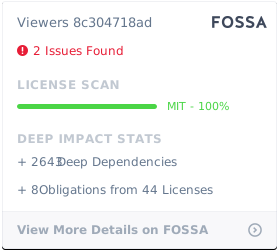](https://app.fossa.io/projects/git%2Bgithub.com%2FOHIF%2FViewers?ref=badge_large)
|
||||
[](https://app.fossa.io/projects/git%2Bgithub.com%2FOHIF%2FViewers?ref=badge_large)
|
||||
@@ -38,9 +38,9 @@ our integration and extension points.
|
||||
Check out these helpful links:
|
||||
|
||||
- Ready to dive into some code? Check out our
|
||||
[Getting Started Guide](./essentials/getting-started.md).
|
||||
[Getting Started Guide](./development/getting-started.md).
|
||||
- We're an active, vibrant community.
|
||||
[Learn how you can be more involved.](./contributing/index.md)
|
||||
[Learn how you can be more involved.](./development/contributing.md)
|
||||
- Feeling lost? Read our [help page](./help.md).
|
||||
|
||||
<!--
|
||||
|
||||
+17
-22
@@ -1,26 +1,21 @@
|
||||
# OHIF Viewers
|
||||
|
||||
- [Our Process](our-process.md)
|
||||
- Essentials
|
||||
- [Getting Started](essentials/getting-started.md)
|
||||
- [Installation](essentials/installation.md)
|
||||
- [Data Source](essentials/data-source.md)
|
||||
- [Configuration](essentials/configuration.md)
|
||||
- [Themeing](essentials/themeing.md)
|
||||
- [Translating](essentials/translating.md)
|
||||
- [Troubleshooting](essentials/troubleshooting.md)
|
||||
- [Scope of Project](essentials/scope-of-project.md)
|
||||
- [Quick Start](quick-start.md)
|
||||
- Development
|
||||
- [Getting Started](development/getting-started.md)
|
||||
- [Contributing](development/contributing.md)
|
||||
- [Continuous Integration](development/continous-integration.md)
|
||||
- [Configuring](configuring/index.md)
|
||||
- [Data Source](configuring/data-source.md)
|
||||
|
||||
---
|
||||
|
||||
- [Advanced](advanced/index.md)
|
||||
- [Architecture](advanced/architecture.md)
|
||||
- [Overview](advanced/architecture.md#overview)
|
||||
- [Business Logic](advanced/architecture.md#business-logic)
|
||||
- [Component Library](advanced/architecture.md#react-component-library)
|
||||
- [Extensions](advanced/architecture.md#misc-extensions)
|
||||
- [Diagram](advanced/architecture.md#diagram)
|
||||
- [Common Questions](advanced/architecture.md#common-questions)
|
||||
- [Architecture](architecture/index.md)
|
||||
- [Viewer](viewer/index.md)
|
||||
- [Configuration](viewer/configuration.md)
|
||||
- [Themeing](viewer/themeing.md)
|
||||
- [Internationalization](viewer/internationalization.md)
|
||||
- [Extensions](extensions/index.md)
|
||||
- [Registering](extensions/index.md#registering-an-extension)
|
||||
- [Lifecycle Hooks](extensions/index.md#lifecycle-hooks)
|
||||
@@ -35,11 +30,11 @@
|
||||
- [OHIF Maintained](extension/index.md#maintained-extensions)
|
||||
- [Services](services/index.md)
|
||||
- [Default](services/default/index.md)
|
||||
- [Measurements](services/default/measurements.md)
|
||||
- [UI](services/ui/index.md)
|
||||
- [Dialog Service](services/ui/ui-dialog-service.md)
|
||||
- [Modal Service](services/ui/ui-modal-service.md)
|
||||
- [Notification Service](services/ui/ui-notification-service.md)
|
||||
- [Custom Tools](advanced/custom-tools.md)
|
||||
|
||||
---
|
||||
|
||||
@@ -59,8 +54,8 @@
|
||||
|
||||
---
|
||||
|
||||
- [FAQ](frequently-asked-questions.md)
|
||||
- [Contributing](contributing/index.md)
|
||||
- [Continuous Integration](continous-integration.md)
|
||||
- [Browser Support](browser-support.md)
|
||||
- [FAQ](faq/index.md)
|
||||
- [Scope of Project](faq/scope-of-project.md)
|
||||
- [Browser Support](faq/browser-support.md)
|
||||
- [PWA vs Packaged](faq/pwa-vs-packaged.md)
|
||||
- [Help](help.md)
|
||||
@@ -1,62 +0,0 @@
|
||||
<table>
|
||||
<thead>
|
||||
<tr>
|
||||
<th>Extension</th>
|
||||
<th>Description</th>
|
||||
<th>Modules</th>
|
||||
</tr>
|
||||
</thead>
|
||||
<tbody>
|
||||
<!-- CORNERSTONE.js -->
|
||||
<tr>
|
||||
<td>
|
||||
<a href="https://www.npmjs.com/package/@ohif/extension-cornerstone">
|
||||
Cornerstone
|
||||
</a>
|
||||
</td>
|
||||
<td>
|
||||
A viewport powered by <code>cornerstone.js</code>. Adds support for 2D DICOM rendering and manipulation, as well as support for the tools features in <a href="https://tools.cornerstonejs.org/examples/"><code>cornerstone-tools</code></a>. Also adds "CINE Dialog" to the Toolbar.
|
||||
</td>
|
||||
<td>Viewport, Toolbar</td>
|
||||
</tr>
|
||||
<!-- VTK.js -->
|
||||
<tr>
|
||||
<td>
|
||||
<a href="https://www.npmjs.com/package/@ohif/extension-vtk">
|
||||
VTK.js
|
||||
</a>
|
||||
</td>
|
||||
<td>
|
||||
A viewport powered by <code>vtk.js</code>. Adds support for volume renderings and advanced features like MPR. Also adds "3D Rotate" to the Toolbar.
|
||||
</td>
|
||||
<td>Viewport, Toolbar</td>
|
||||
</tr>
|
||||
<tr>
|
||||
<td>
|
||||
<a href="https://www.npmjs.com/package/@ohif/extension-dicom-html">DICOM HTML</a>
|
||||
</td>
|
||||
<td>
|
||||
Renders text and HTML content for <a href="https://github.com/OHIF/Viewers/blob/master/extensions/dicom-html/src/OHIFDicomHtmlSopClassHandler.js#L4-L12">specific SopClassUIDs</a>.
|
||||
</td>
|
||||
<td>Viewport, SopClassHandler</td>
|
||||
</tr>
|
||||
<tr>
|
||||
<td>
|
||||
<a href="https://www.npmjs.com/package/@ohif/extension-dicom-pdf">DICOM PDF</a>
|
||||
</td>
|
||||
<td>
|
||||
Renders PDFs for a <a href="https://github.com/OHIF/Viewers/blob/master/extensions/dicom-pdf/src/OHIFDicomPDFSopClassHandler.js#L4-L6">specific SopClassUID</a>.
|
||||
</td>
|
||||
<td>Viewport, SopClassHandler</td>
|
||||
</tr>
|
||||
<tr>
|
||||
<td>
|
||||
<a href="https://www.npmjs.com/package/@ohif/extension-dicom-microscopy">DICOM Microscopy</a>
|
||||
</td>
|
||||
<td>
|
||||
Renders Microscopy images for a <a href="https://github.com/OHIF/Viewers/blob/master/extensions/dicom-microscopy/src/DicomMicroscopySopClassHandler.js#L5-L7">specific SopClassUID</a>.
|
||||
</td>
|
||||
<td>Viewport, SopClassHandler</td>
|
||||
</tr>
|
||||
</tbody>
|
||||
</table>
|
||||
@@ -1,9 +0,0 @@
|
||||
# Tool Management
|
||||
|
||||
This is not yet exposed in an easy/convenient way. Most tools are currently
|
||||
added by creating new Viewport, Toolbar, and SOPInstanceHandler extension
|
||||
modules. You can read more about that approach in
|
||||
[extensions](../extensions/index.md).
|
||||
|
||||
In the near future, we intend to improve the extensibility of tools for existing
|
||||
Viewports (like our Cornerstone.js and VTK.js viewports).
|
||||
@@ -1,3 +0,0 @@
|
||||
# Advanced
|
||||
|
||||
Advanced topics go beyond basic configuration and deployment. Their goal is to provide insight into this project's architecture and guidance on leveraging extensions.
|
||||
@@ -1,23 +0,0 @@
|
||||
# MonoRepos: A Crash Course
|
||||
|
||||
- [Lerna][lerna]
|
||||
|
||||
Solutions:
|
||||
|
||||
## Semantic-Release
|
||||
|
||||
- [Semantic-Release](https://github.com/semantic-release/semantic-release/issues/193#issuecomment-462063871)
|
||||
- [Multi-semantic-release](https://github.com/dhoulb/multi-semantic-release)
|
||||
- [semantic-release-monorepo](https://github.com/Updater/semantic-release-monorepo)
|
||||
|
||||
# Netlify
|
||||
|
||||
- https://community.netlify.com/t/best-practices-for-deploying-sites-from-monorepos/818
|
||||
|
||||
<!--
|
||||
Links
|
||||
-->
|
||||
|
||||
<!-- prettier-ignore-start -->
|
||||
[lerna]: https://github.com/lerna/lerna
|
||||
<!-- prettier-ignore-end -->
|
||||
@@ -10,6 +10,13 @@ allows our code to be used in more ways, it also increases complexity. Below, we
|
||||
aim to demistify that complexity by providing insight into how our Viewer is
|
||||
architected, and the role each of it's dependent libraries plays.
|
||||
|
||||
- [Overview](#overview)
|
||||
- [Business Logic](#business-logic)
|
||||
- [Component Library](#react-component-library)
|
||||
- [Internationalization](#internationalization-i18n)
|
||||
- [Extensions & Configuration](#extensions--configuration)
|
||||
- [Common Questions](#common-questions)
|
||||
|
||||
## Overview
|
||||
|
||||
The [OHIF Medical Image Viewing Platform][viewers-project] is maintained as a
|
||||
@@ -39,27 +46,47 @@ you'll see the following:
|
||||
└── README.md
|
||||
```
|
||||
|
||||
Continue reading to see how these libraries work together to create the OHIF
|
||||
Viewer.
|
||||
The `platform` directory contains the business logic library, component library,
|
||||
and the application library that combines them to create a powerful medical
|
||||
imaging viewer.
|
||||
|
||||
### Business Logic
|
||||
The `extensions` directory contains many packages that can be registered with
|
||||
`@ohif/core`'s `ExtensionManager` to expand an application's supported features
|
||||
and functionality.
|
||||
|
||||

|
||||
|
||||
<center><i>architecture diagram</i></center>
|
||||
|
||||
This diagram is a conceptual illustration of how the Viewer is architected.
|
||||
|
||||
1. (optional) `extensions` can be registered with `@ohif/core`'s
|
||||
`ExtensionManager`
|
||||
2. `@ohif/core` provides bussiness logic and a way for `@ohif/viewer` to access
|
||||
registered extensions
|
||||
3. The `@ohif/viewer` composes and provides data to components from our
|
||||
component library (`@ohif/ui`)
|
||||
4. The `@ohif/viewer` can be built and served as a stand-alone PWA, or as an
|
||||
embeddable package ([`@ohif/viewer`][viewer-npm])
|
||||
|
||||
## Business Logic
|
||||
|
||||
The [`@ohif/core`][core-github] project offers pre-packaged solutions for
|
||||
features common to Web-based medical imaging viewers. For example:
|
||||
|
||||
- Hotkeys
|
||||
- [Hotkeys](#)
|
||||
- DICOM Web requests
|
||||
- Hanging Protocols
|
||||
- Managing a study's measurements
|
||||
- [Managing a study's measurements](../services/default/measurements.md)
|
||||
- Managing a study's DICOM metadata
|
||||
- A flexible pattern for extensions
|
||||
- [A flexible pattern for extensions](../extensions/index.md)
|
||||
- And many others
|
||||
|
||||
It does this while remaining decoupled from any particular view library or
|
||||
rendering logic. While we use it to power our React Viewer, it can be used with
|
||||
Vue, React, Vanilla JS, or any number of other frameworks.
|
||||
|
||||
### React Component Library
|
||||
## React Component Library
|
||||
|
||||
[`@ohif/ui`][ui-github] is a React Component library that contains the reusable
|
||||
components that power the OHIF Viewer. It allows us to build, compose, and test
|
||||
@@ -72,15 +99,11 @@ application.
|
||||
|
||||
[Check out our component library!](https://react.ohif.org/)
|
||||
|
||||
### Internationalization (i18n)
|
||||
## Internationalization (i18n)
|
||||
|
||||
...
|
||||
|
||||
### The Viewer
|
||||
|
||||
...
|
||||
|
||||
### Extensions & Configuration
|
||||
## Extensions & Configuration
|
||||
|
||||
While OHIF maintains several high value and commonly requested features in its
|
||||
own extensions, there are many instances where one may wish to further extend
|
||||
@@ -105,23 +128,6 @@ looking for ways to improve our extensibility ^\_^
|
||||
|
||||
[Click here to read more about extensions!](../extensions/index.md)
|
||||
|
||||
### Diagram
|
||||
|
||||
This diagram is a conceptual illustration of how the Viewer is architected.
|
||||
|
||||
1. (optional) `extensions` can be registered with `@ohif/core`'s extension
|
||||
manager
|
||||
2. `@ohif/core` provides bussiness logic and a way for `@ohif/viewer` to access
|
||||
registered extensions
|
||||
3. The `@ohif/viewer` composes and provides data to components from our
|
||||
component library (`@ohif/ui`)
|
||||
4. The `@ohif/viewer` can be built and served as a stand-alone PWA, or as an
|
||||
embeddable package ([`@ohif/viewer`][viewer-npm])
|
||||
|
||||

|
||||
|
||||
<center><i>architecture diagram</i></center>
|
||||
|
||||
## Common Questions
|
||||
|
||||
> When should I use the packaged source `@ohif/viewer` versus building a PWA
|
||||
@@ -141,10 +147,11 @@ you would need to recreate.
|
||||
-->
|
||||
|
||||
<!-- prettier-ignore-start -->
|
||||
[monorepo]: #
|
||||
[viewers-project]: https://github.com/OHIF/Viewers
|
||||
[viewer-npm]: https://www.npmjs.com/package/@ohif/viewer
|
||||
[pwa]: https://developers.google.com/web/progressive-web-apps/
|
||||
[configuration]: ../essentials/configuration.md
|
||||
[configuration]: ../configuring/index.md
|
||||
[extensions]: ../extensions/index.md
|
||||
[core-github]: https://github.com/OHIF/viewers/platform/core
|
||||
[ui-github]: https://github.com/OHIF/Viewers/platform/ui
|
||||
@@ -1,8 +1,9 @@
|
||||
# Data Source
|
||||
|
||||
After following the steps outlined in [Getting Started](./getting-started.md),
|
||||
you'll notice that the OHIF Viewer has data for several studies and their
|
||||
images. You didn't add this data, so where is it coming from?
|
||||
After following the steps outlined in
|
||||
[Getting Started](./../development/getting-started.md), you'll notice that the
|
||||
OHIF Viewer has data for several studies and their images. You didn't add this
|
||||
data, so where is it coming from?
|
||||
|
||||
By default, the viewer is configured to connect to a remote server hosted by the
|
||||
nice folks over at [dcmjs.org][dcmjs-org]. While convenient for getting started,
|
||||
@@ -84,7 +85,7 @@ yarn run dev:orthanc
|
||||
#### Configuration: Learn More
|
||||
|
||||
> For more configuration fun, check out the
|
||||
> [Essentials Configuration](./configuration.md) guide.
|
||||
> [Essentials Configuration](./index.md) guide.
|
||||
|
||||
Let's take a look at what's going on under the hood here. `yarn run dev:orthanc`
|
||||
is running the `dev:orthanc` script in our project's `package.json`. That script
|
||||
@@ -130,7 +131,7 @@ window.config = {
|
||||
```
|
||||
|
||||
To learn more about how you can configure the OHIF Viewer, check out our
|
||||
[Configuration Guide](./configuration.md).
|
||||
[Configuration Guide](./index.md).
|
||||
|
||||
## Open Source DICOM Image Archives
|
||||
|
||||
@@ -2,7 +2,12 @@
|
||||
|
||||
> This step assumes you have an imaging archive. If you need assistance setting
|
||||
> one up, check out the [`Data Source` Guide](./data-source.md) or a deployment
|
||||
> recipe that contains an open source Image Archive
|
||||
> recipe that contains an open Image Archive
|
||||
|
||||
- [Overview](#overview)
|
||||
- [Configuration Files](#configuration-files)
|
||||
- [Environment Variables](#environment-variables)
|
||||
- [How do I configure my project?](#how-do-i-configure-my-project)
|
||||
|
||||
## Overview
|
||||
|
||||
@@ -16,8 +21,8 @@ and registered extension's features, are configured using this file.
|
||||
|
||||
**Embedded Use Note:**
|
||||
|
||||
Alternatively, when using the `commonjs` bundle for embedded use cases, these
|
||||
same values are what you'll pass to `installViewer` method:
|
||||
Alternatively, when using the `umd` bundle for embedded use cases, these same
|
||||
values are what you'll pass to `installViewer` method:
|
||||
|
||||
`OHIFStandaloneViewer.installViewer(window.config)`
|
||||
|
||||
@@ -36,10 +41,6 @@ alternative data source (or even specify different default hotkeys).
|
||||
| `PROXY_TARGET` | When developing, proxy requests that match this pattern to `PROXY_DOMAIN` | `undefined` |
|
||||
| `PROXY_DOMAIN` | When developing, proxy requests from `PROXY_TARGET` to `PROXY_DOMAIN` | `undefined` |
|
||||
|
||||
### Registering Extensions
|
||||
|
||||
> :warn: Instructions coming soon
|
||||
|
||||
## How do I configure my project?
|
||||
|
||||
The simplest way is to update the existing default config:
|
||||
@@ -65,19 +66,6 @@ window.config = {
|
||||
};
|
||||
```
|
||||
|
||||
You can also create a new config file and specify its path relative to the build
|
||||
output's root by setting the `APP_CONFIG` environment variable. You can set the
|
||||
value of this environment variable a few different ways:
|
||||
|
||||
- ~[Add a temporary environment variable in your shell](https://facebook.github.io/create-react-app/docs/adding-custom-environment-variables#adding-temporary-environment-variables-in-your-shell)~
|
||||
- Previous `react-scripts` functionality that we need to duplicate with
|
||||
`dotenv-webpack`
|
||||
- ~[Add environment specific variables in `.env` file(s)](https://facebook.github.io/create-react-app/docs/adding-custom-environment-variables#adding-development-environment-variables-in-env)~
|
||||
- Previous `react-scripts` functionality that we need to duplicate with
|
||||
`dotenv-webpack`
|
||||
- Using the `cross-env` package in an npm script:
|
||||
- `"build": "cross-env APP_CONFIG=config/my-config.js react-scripts build"`
|
||||
|
||||
After updating the configuration, `yarn run build` to generate updated build
|
||||
output.
|
||||
|
||||
@@ -10,9 +10,9 @@ your Viewer will display).
|
||||
## Overview
|
||||
|
||||
Our goal is to make deployment as simple and painless as possible; however,
|
||||
there is an inherent amount of complexity in customizing, optimizing, and
|
||||
deploying web applications. If you find yourself a little lost, please don't
|
||||
hesitate to [reach out for help](/help.md)
|
||||
there is an inherent amount of complexity in configuring and deploying web
|
||||
applications. If you find yourself a little lost, please don't hesitate to
|
||||
[reach out for help](/help.md)
|
||||
|
||||
## Deployment Scenarios
|
||||
|
||||
@@ -96,12 +96,12 @@ support it yet, but it is gaining wider adoption.
|
||||
If you have an existing archive and intend to host the OHIF Viewer at the same
|
||||
domain name as your archive, then connecting the two is as simple as following
|
||||
the steps layed out in our
|
||||
[Configuration Essentials Guide](./../essentials/configuration.md).
|
||||
[Configuration Essentials Guide](./../configuring/index.md).
|
||||
|
||||
#### What if I don't have an imaging archive?
|
||||
|
||||
We provide some guidance on configuring a local image archive in our
|
||||
[Data Source Essentials](./../essentials/data-source.md) guide. Hosting an
|
||||
[Data Source Essentials](./../configuring/data-source.md) guide. Hosting an
|
||||
archive remotely is a little trickier. You can check out some of our
|
||||
[advanced recipes](#recipes) for modeled setups that may work for you.
|
||||
|
||||
@@ -142,7 +142,7 @@ The OHIF Viewer can be configured to work with authorization servers that
|
||||
support one or more of the OpenID-Connect authorization flows. The Viewer finds
|
||||
it's OpenID-Connect settings on the `oidc` configuration key. You can set these
|
||||
values following the instructions laid out in the
|
||||
[Configuration Essentials Guide](./../essentials/configuration.md).
|
||||
[Configuration Essentials Guide](./../configuring/index.md).
|
||||
|
||||
_Example OpenID-Connect Settings:_
|
||||
|
||||
|
||||
@@ -1,7 +1,7 @@
|
||||
# Build for Production
|
||||
|
||||
> If you've already followed the
|
||||
> ["Getting Started" Guide](/essentials/getting-started.md), you can skip ahead
|
||||
> ["Getting Started" Guide](/development/getting-started.md), you can skip ahead
|
||||
> to [Configuration](#configuration)
|
||||
|
||||
## Overview
|
||||
@@ -73,7 +73,7 @@ and registered extension's features, are configured using this file.
|
||||
|
||||
The easiest way to apply your own configuration is to modify the `default.js`
|
||||
file. For more advanced cofiguration options, check out our
|
||||
[configuration essentials guide](/essentials/configuration.md).
|
||||
[configuration essentials guide](/configuring/index.md).
|
||||
|
||||
## Next Steps
|
||||
|
||||
|
||||
File renamed without changes.
@@ -7,8 +7,8 @@ like to discuss the changes you intend to make to clarify where or how they
|
||||
should be implemented, please don't hesitate to create a new issue. At a
|
||||
minimum, you may want to read the following documentation:
|
||||
|
||||
- [Essentials: Getting Started](/essentials/getting-started.md)
|
||||
- [Advanced: Architecture](/advanced/architecture.md)
|
||||
- [Getting Started](/development/getting-started.md)
|
||||
- [Architecture](/architecture/index.md)
|
||||
|
||||
Pull requests that are:
|
||||
|
||||
+1
-9
@@ -75,7 +75,7 @@ You should see the following output:
|
||||
### Building for Production
|
||||
|
||||
> More comprehensive guides for building and publishing can be found in our
|
||||
> [deployment docs](./../deployment/index.md)
|
||||
> [deployment docs](./deployment/index.md)
|
||||
|
||||
```bash
|
||||
# Build static assets to host a PWA
|
||||
@@ -85,20 +85,12 @@ yarn run build
|
||||
yarn run build:package
|
||||
```
|
||||
|
||||
## Next Steps
|
||||
|
||||
Take a look at the sidebar. Depending on how you intend to use The OHIF Viewer,
|
||||
different topics may be more pertinent than others. At a minimum, reading "The
|
||||
Essentials" and the deployment recipes should be a good starting point.
|
||||
|
||||
## Troubleshooting
|
||||
|
||||
- If you receive a _"No Studies Found"_ message and do not see your studies, try
|
||||
changing the Study Date filters to a wider range.
|
||||
- If you see a 'Loading' message which never resolves, check your browser
|
||||
JavaScript console inside the Developer Tools to identify any errors.
|
||||
- If you see any errors in your server console, check the
|
||||
[Troubleshooting](./troubleshooting.md) page for more in depth advice.
|
||||
|
||||
<!--
|
||||
Links
|
||||
File renamed without changes.
@@ -1,20 +0,0 @@
|
||||
# Troubleshooting
|
||||
|
||||
Common GitHub issues that are not easily remedied with cleaner code or
|
||||
documentation will be recorded here. Please feel free to make PRs to update this
|
||||
page.
|
||||
|
||||
## Common Problems
|
||||
|
||||
| Problem | Most Common Reasons |
|
||||
| -------------------------------------------- | ----------------------------------------------------------------------------------------------------------------------------------------------------------- |
|
||||
| ** Can't retrieve Study List over DICOMWeb** | 1. QIDO root URL is incorrect<br> 2. DICOM Web is not enabled on PACS |
|
||||
| ** Can't retrieve images** | 1. WADO Root URL is incorrect<br> 2. DICOM Web is not enabled on PACS<br> 3. HTTP Basic Authentication username and password are incorrect or not provided. |
|
||||
|
||||
## Debugging Steps
|
||||
|
||||
### Can't retrieve Study List over DICOMWeb
|
||||
|
||||
1. Check that you can query your PACS using an alternative DICOM Web client
|
||||
(e.g. cURL, or a Web Browser). If you cannot, then your PACS is configured
|
||||
incorrectly. Refer to the documentation of the image archive.
|
||||
@@ -71,8 +71,10 @@ export default {
|
||||
|
||||
### Registering an Extension
|
||||
|
||||
There are two different ways to register and configure extensions. You can
|
||||
leverage one or both strategies. Which one(s) you choose depend on your
|
||||
There are two different ways to register and configure extensions: At
|
||||
[runtime](#runtime-extensions) and at [build time](#bundled-extensions).
|
||||
|
||||
You can leverage one or both strategies. Which one(s) you choose depend on your
|
||||
application's requirements. Each [module](#modules) defined by the extension
|
||||
becomes available to the core application via the `ExtensionManager`.
|
||||
|
||||
|
||||
File renamed without changes.
@@ -19,10 +19,10 @@ Follow the steps outlined in the [Bug Report Template][bug-report-template].
|
||||
At the moment we are in the process of defining our roadmap and will do our best
|
||||
to communicate this to the community. If your requested feature is on the
|
||||
roadmap, then it will most likely be built at some point. If it is not, you are
|
||||
welcome to build it yourself and [contribute it](contributing/index.md). If you
|
||||
have resources and would like to fund the development of a feature, please
|
||||
[contact us](http://www.ohif.org) or work with community members that offer
|
||||
[consulting services][commercial-support].
|
||||
welcome to build it yourself and [contribute it](development/contributing.md).
|
||||
If you have resources and would like to fund the development of a feature,
|
||||
please [contact us](http://www.ohif.org) or work with community members that
|
||||
offer [consulting services][commercial-support].
|
||||
|
||||
### Who should I contact about Academic Collaborations?
|
||||
|
||||
@@ -1,4 +1,4 @@
|
||||
# Installation
|
||||
# PWA vs Packaged
|
||||
|
||||
It's important to know that the OHIF Viewer project provides two different build
|
||||
processes:
|
||||
@@ -13,7 +13,7 @@ like user preferences and previous query paramaters. Because of this, the Viewer
|
||||
has been built to be highly configurable to work with almost any web accessible
|
||||
data source.
|
||||
|
||||

|
||||

|
||||
|
||||
To be more specific, the OHIF Viewer is a collection of HTML, JS, and CSS files.
|
||||
These can be delivered to your end users however you would like:
|
||||
@@ -36,7 +36,7 @@ many data sources. The OHIF Viewer's scope **DOES** include configuration and
|
||||
support for services that are protected with OpenID-Connect.
|
||||
|
||||
In an effort to aide our users and contributors, we attempt to provide several
|
||||
[deployment and hosting recipes](./../deployment/index.md) as potential starting
|
||||
[deployment and hosting recipes](./deployment/index.md) as potential starting
|
||||
points. These are not meant to be rock solid, production ready, solutions; like
|
||||
most recipes, they should be augmented to best fit you and your organization's
|
||||
taste, preferences, etc.
|
||||
@@ -105,7 +105,7 @@ quality and test coverage must not changed by a significant margin. For some
|
||||
repositories, visual screenshot-based tests are also included, and video
|
||||
recordings of end-to-end tests are stored for later review.
|
||||
|
||||
[You can read more about our continous integration efforts here](/continous-integration.md)
|
||||
[You can read more about our continous integration efforts here](/development/continous-integration.md)
|
||||
|
||||
## Releases
|
||||
|
||||
|
||||
@@ -0,0 +1,28 @@
|
||||
# Quick Start
|
||||
|
||||
This page details how to get an instance of the OHIF Viewer up and running as
|
||||
fast as possible. It shows how to grab a pre-built version of the application,
|
||||
point it at your data source (PACS), and plop it on a web server.
|
||||
|
||||
## Options
|
||||
|
||||
### 1. Pre-built PWA
|
||||
|
||||
...
|
||||
|
||||
### 2. Script-Tag
|
||||
|
||||
...
|
||||
|
||||
### 3. Docker
|
||||
|
||||
...
|
||||
|
||||
## Security Concerns
|
||||
|
||||
- Secure your data
|
||||
|
||||
## Common Issues
|
||||
|
||||
- Missing server rewrite rules
|
||||
- CORS issues when requesting data from PACS
|
||||
@@ -1,6 +1,6 @@
|
||||
# Measurements Package (ohif-measurements)
|
||||
# Service: Measurements
|
||||
|
||||
## Package design
|
||||
...
|
||||
|
||||
## Usage
|
||||
|
||||
@@ -0,0 +1,3 @@
|
||||
# Viewer: Configuration
|
||||
|
||||
...
|
||||
File renamed without changes.
@@ -0,0 +1 @@
|
||||
# Viewer
|
||||
@@ -1,4 +1,4 @@
|
||||
# Translating
|
||||
# Viewer: Internationalization
|
||||
|
||||
OHIF supports internationalization using [i18next](https://www.i18next.com/)
|
||||
through the npm package [@ohif/i18n](https://www.npmjs.com/package/@ohif/i18n),
|
||||
@@ -15,7 +15,7 @@ where is the main instance of i18n containing several languages and tools.
|
||||
</div>
|
||||
</div>
|
||||
|
||||
### Installing
|
||||
## Installing
|
||||
|
||||
```bash
|
||||
yarn add @ohif/i18n
|
||||
@@ -25,7 +25,7 @@ yarn add @ohif/i18n
|
||||
npm install --save @ohif/i18n
|
||||
```
|
||||
|
||||
### How it works
|
||||
## How it works
|
||||
|
||||
After installing `@ohif/i18n` npm package, the translation function
|
||||
[t](https://www.i18next.com/overview/api#t) can be used [with](#with-react) or
|
||||
@@ -57,13 +57,13 @@ If the translation.json file contains a key that matches the HTML content e.g.
|
||||
|
||||
---
|
||||
|
||||
#### With React
|
||||
### With React
|
||||
|
||||
This section will introduce you to [react-i18next](https://react.i18next.com/)
|
||||
basics and show how to implement the [t](https://www.i18next.com/overview/api#t)
|
||||
function easily.
|
||||
|
||||
##### Using HOCs
|
||||
#### Using HOCs
|
||||
|
||||
In most cases we used
|
||||
[High Order Components](https://react.i18next.com/latest/withtranslation-hoc) to
|
||||
@@ -86,13 +86,13 @@ export default withTranslation('MyNameSpace')(MyComponent);
|
||||
> [I18nextProvider](#using-outside-of-ohif-viewer) section, `withTranslation`
|
||||
> HOC doesnt works without a I18nextProvider
|
||||
|
||||
##### Using Hooks
|
||||
#### Using Hooks
|
||||
|
||||
Also, it's possible to get the `t` tool using
|
||||
[React Hooks](https://react.i18next.com/latest/usetranslation-hook), but it
|
||||
requires at least React > 16.8 😉
|
||||
|
||||
#### Using outside of OHIF viewer
|
||||
### Using outside of OHIF viewer
|
||||
|
||||
OHIF Viewer already sets a main
|
||||
[I18nextProvider](https://react.i18next.com/latest/i18nextprovider) connected to
|
||||
@@ -119,7 +119,7 @@ usage.
|
||||
|
||||
---
|
||||
|
||||
#### Without React
|
||||
### Without React
|
||||
|
||||
When needed, you can also use available translations _without React_.
|
||||
|
||||
@@ -1,4 +1,4 @@
|
||||
# Themeing
|
||||
# Viewer: Themeing
|
||||
|
||||
Themeing is currently accomplished with color variables that are defined within
|
||||
the [`:root`](https://css-tricks.com/almanac/selectors/r/root/) selector
|
||||
@@ -3,6 +3,22 @@
|
||||
All notable changes to this project will be documented in this file.
|
||||
See [Conventional Commits](https://conventionalcommits.org) for commit guidelines.
|
||||
|
||||
## [0.54.5](https://github.com/OHIF/Viewers/compare/@ohif/extension-vtk@0.54.4...@ohif/extension-vtk@0.54.5) (2019-12-07)
|
||||
|
||||
**Note:** Version bump only for package @ohif/extension-vtk
|
||||
|
||||
|
||||
|
||||
|
||||
|
||||
## [0.54.4](https://github.com/OHIF/Viewers/compare/@ohif/extension-vtk@0.54.3...@ohif/extension-vtk@0.54.4) (2019-12-07)
|
||||
|
||||
**Note:** Version bump only for package @ohif/extension-vtk
|
||||
|
||||
|
||||
|
||||
|
||||
|
||||
## [0.54.3](https://github.com/OHIF/Viewers/compare/@ohif/extension-vtk@0.54.2...@ohif/extension-vtk@0.54.3) (2019-12-06)
|
||||
|
||||
**Note:** Version bump only for package @ohif/extension-vtk
|
||||
|
||||
@@ -1,6 +1,6 @@
|
||||
{
|
||||
"name": "@ohif/extension-vtk",
|
||||
"version": "0.54.3",
|
||||
"version": "0.54.5",
|
||||
"description": "OHIF extension for VTK.js",
|
||||
"author": "OHIF",
|
||||
"license": "MIT",
|
||||
@@ -53,7 +53,7 @@
|
||||
},
|
||||
"devDependencies": {
|
||||
"@ohif/core": "^1.13.3",
|
||||
"@ohif/ui": "^0.65.1",
|
||||
"@ohif/ui": "^0.65.3",
|
||||
"cornerstone-tools": "^4.8.0",
|
||||
"cornerstone-wado-image-loader": "^3.0.0",
|
||||
"dcmjs": "^0.6.1",
|
||||
|
||||
@@ -1,4 +1,4 @@
|
||||
# @ohif/i18n
|
||||
|
||||
More information available at
|
||||
[OHIF Docs](https://docs.ohif.org/essentials/translating.html).
|
||||
[OHIF Docs](https://docs.ohif.org/viewer/internationalization.html).
|
||||
@@ -3,6 +3,22 @@
|
||||
All notable changes to this project will be documented in this file.
|
||||
See [Conventional Commits](https://conventionalcommits.org) for commit guidelines.
|
||||
|
||||
## [0.65.3](https://github.com/OHIF/Viewers/compare/@ohif/ui@0.65.2...@ohif/ui@0.65.3) (2019-12-07)
|
||||
|
||||
**Note:** Version bump only for package @ohif/ui
|
||||
|
||||
|
||||
|
||||
|
||||
|
||||
## [0.65.2](https://github.com/OHIF/Viewers/compare/@ohif/ui@0.65.1...@ohif/ui@0.65.2) (2019-12-07)
|
||||
|
||||
**Note:** Version bump only for package @ohif/ui
|
||||
|
||||
|
||||
|
||||
|
||||
|
||||
## [0.65.1](https://github.com/OHIF/Viewers/compare/@ohif/ui@0.65.0...@ohif/ui@0.65.1) (2019-11-28)
|
||||
|
||||
|
||||
|
||||
@@ -1,6 +1,6 @@
|
||||
{
|
||||
"name": "@ohif/ui",
|
||||
"version": "0.65.1",
|
||||
"version": "0.65.3",
|
||||
"description": "A set of React components for Medical Imaging Viewers",
|
||||
"author": "OHIF Contributors",
|
||||
"license": "MIT",
|
||||
|
||||
@@ -34,7 +34,7 @@ export default withTranslation('MyNameSpace')(MyComponent);
|
||||
## Namespaces
|
||||
|
||||
For further information about namespaces and how they work, please visit
|
||||
[OHIF Namespaces docs](https://docs.ohif.org/essentials/translating.html#namespaces).
|
||||
[OHIF Namespaces docs](https://docs.ohif.org/viewer/internationalization.html#namespaces).
|
||||
|
||||
### How to get right the Namespace of a `@ohif/ui` component?
|
||||
|
||||
@@ -71,12 +71,12 @@ export default withTranslation('OuterSpace')(TheComponent);
|
||||
|
||||
## Extending and Overriding languages
|
||||
|
||||
[How to Extend languages with @ohif/i18n](https://docs.ohif.org/essentials/translating.html#extending-languages-in-ohifi18n)
|
||||
[How to Extend languages with @ohif/i18n](https://docs.ohif.org/viewer/internationalization.html#extending-languages-in-ohifi18n)
|
||||
|
||||
## Changing the language
|
||||
|
||||
The language choosing method is the same implemented in
|
||||
[OHIF Viewers](https://docs.ohif.org/essentials/translating.html#changing-the-language)
|
||||
[OHIF Viewers](https://docs.ohif.org/viewer/internationalization.html#changing-the-language)
|
||||
|
||||
> You can also change the language of the components displayed in this
|
||||
> documentation by choosing an option in the
|
||||
@@ -84,4 +84,4 @@ The language choosing method is the same implemented in
|
||||
|
||||
## Debugging translations
|
||||
|
||||
[How to Debug @ohif/i18n](https://docs.ohif.org/essentials/translating.html#debugging-translations)
|
||||
[How to Debug @ohif/i18n](https://docs.ohif.org/viewer/internationalization.html#debugging-translations)
|
||||
@@ -3,6 +3,22 @@
|
||||
All notable changes to this project will be documented in this file.
|
||||
See [Conventional Commits](https://conventionalcommits.org) for commit guidelines.
|
||||
|
||||
## [2.11.7](https://github.com/OHIF/Viewers/compare/@ohif/viewer@2.11.6...@ohif/viewer@2.11.7) (2019-12-07)
|
||||
|
||||
**Note:** Version bump only for package @ohif/viewer
|
||||
|
||||
|
||||
|
||||
|
||||
|
||||
## [2.11.6](https://github.com/OHIF/Viewers/compare/@ohif/viewer@2.11.5...@ohif/viewer@2.11.6) (2019-12-07)
|
||||
|
||||
**Note:** Version bump only for package @ohif/viewer
|
||||
|
||||
|
||||
|
||||
|
||||
|
||||
## [2.11.5](https://github.com/OHIF/Viewers/compare/@ohif/viewer@2.11.4...@ohif/viewer@2.11.5) (2019-12-06)
|
||||
|
||||
**Note:** Version bump only for package @ohif/viewer
|
||||
|
||||
@@ -89,7 +89,7 @@ yarn start
|
||||
|
||||
For more advanced local development scenarios, like using your own locally
|
||||
hosted PACS and test data,
|
||||
[check out our Essential: Getting Started](https://docs.ohif.org/essentials/getting-started.html)
|
||||
[check out our Essential: Getting Started](https://docs.ohif.org/getting-started.html)
|
||||
guide.
|
||||
|
||||
### E2E Tests
|
||||
@@ -129,7 +129,7 @@ yarn run cy:run:ci
|
||||
> Large portions of the Viewer's functionality are maintained in other
|
||||
> repositories. To get a better understanding of the Viewer's architecture and
|
||||
> "where things live", read
|
||||
> [our docs on the Viewer's architecture](https://docs.ohif.org/advanced/architecture.html#diagram)
|
||||
> [our docs on the Viewer's architecture](https://docs.ohif.org/architecture/index.html#overview)
|
||||
|
||||
It is notoriously difficult to setup multiple dependent repositories for
|
||||
end-to-end testing and development. That's why we recommend writing and running
|
||||
@@ -194,8 +194,8 @@ Links:
|
||||
[react-url]: https://reactjs.org/
|
||||
[pwa-url]: https://developers.google.com/web/progressive-web-apps/
|
||||
[ohif-viewer-url]: https://www.npmjs.com/package/ohif-viewer
|
||||
[configuration-url]: https://docs.ohif.org/essentials/configuration.html
|
||||
[extensions-url]: https://docs.ohif.org/advanced/extensions.html
|
||||
[configuration-url]: https://docs.ohif.org/configuring/
|
||||
[extensions-url]: https://docs.ohif.org/extensions
|
||||
<!-- Misc. -->
|
||||
[react-viewer]: https://github.com/OHIF/Viewers/tree/react
|
||||
<!-- Issue Boilerplate -->
|
||||
|
||||
@@ -1,6 +1,6 @@
|
||||
{
|
||||
"name": "@ohif/viewer",
|
||||
"version": "2.11.5",
|
||||
"version": "2.11.7",
|
||||
"description": "OHIF Viewer",
|
||||
"author": "OHIF Contributors",
|
||||
"license": "MIT",
|
||||
@@ -50,9 +50,9 @@
|
||||
"@ohif/extension-dicom-html": "^1.0.2",
|
||||
"@ohif/extension-dicom-microscopy": "^0.50.6",
|
||||
"@ohif/extension-dicom-pdf": "^1.0.0",
|
||||
"@ohif/extension-vtk": "^0.54.3",
|
||||
"@ohif/extension-vtk": "^0.54.5",
|
||||
"@ohif/i18n": "^0.52.2",
|
||||
"@ohif/ui": "^0.65.1",
|
||||
"@ohif/ui": "^0.65.3",
|
||||
"@tanem/react-nprogress": "^1.1.25",
|
||||
"classnames": "^2.2.6",
|
||||
"core-js": "^3.2.1",
|
||||
|
||||
Reference in new issue
Block a user